RB1G CHASSIS
W600A/ W603A/ W605A/ W607A/ W650A/ W651A/ W653A/
W654A/ W655A/ W656A/W657A/ W658A/ W670A/ W674A
频道 +
频道 -
主菜单
SECTION 2
SELF DIAGNOSTIC FUNCTION
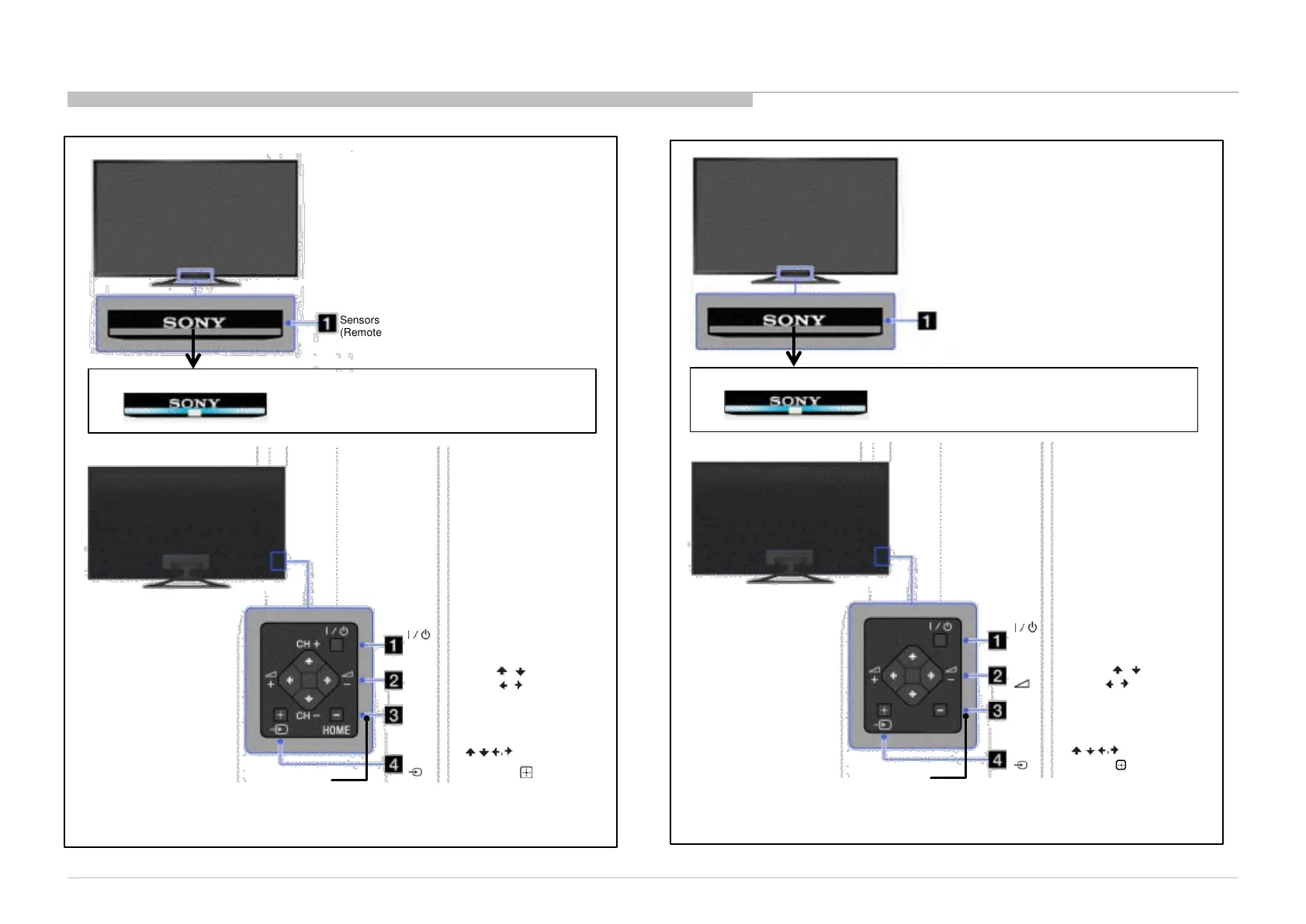
2-1. Overview of Control Buttons
14
Self Diagnostic Function
2-1-1. (EXCEPT CHINA)
2-1-2. (CHINA)
INPUT SELECT /
SELECT/ CONFIRM
Press to select the next or
previous channel.
In TV Home Menu: buttons
will work as (select/confirm)
+/- (Channel) / / ,
+/- (Volume) / / .
Press to select the next or
previous channel.
Press to adjust the volume.
In TV Home Menu: buttons
will work as , , , .
频道
Power
Turn the TV on or switch to standby mode
Press to display
the TV Home Menu.
主菜单
TV CONTROLS/ TERMINALS/ INDICATOR
FRONT
Sensors and illumination
(Remote control sensor/Light sensor)
RIGHT
HOME
Press to display
the TV Home Menu.
Power
Turn the TV on or switch to standby mode
INPUT SELECT /
SELECT/ CONFIRM
Press to select the next or
previous channel.
In TV Home Menu: buttons
will work as (select/confirm)
TV CONTROLS/ TERMINALS/ INDICATOR
FRONT
RIGHT
Sensors and illumination
(Remote control sensor/Light sensor)
Example
Illumination lights up or blinks in different
colours according to the status of the TV
( details refer to 2-2. LED Display Control)
Example
Illumination lights up or blinks in different
colours according to the status of the TV
( details refer to 2-2. LED Display Control)
CH+/- (Channel) / / ,
+/- (Volume) / / .
Press to select the next or
previous channel.
Press to adjust the volume.
In TV Home Menu: buttons
will work as , , , .
RB1G CHASSIS
W600A/ W603A/ W605A/ W607A/ W650A/ W651A/ W653A/
W654A/ W655A/ W656A/W657A/ W658A/ W670A/ W674A



 To Next Page