RB1G CHASSIS
W600A/ W603A/ W605A/ W607A/ W650A/ W651A/ W653A/
W654A/ W655A/ W656A/W657A/ W658A/ W670A/ W674A
216
Troubleshooting
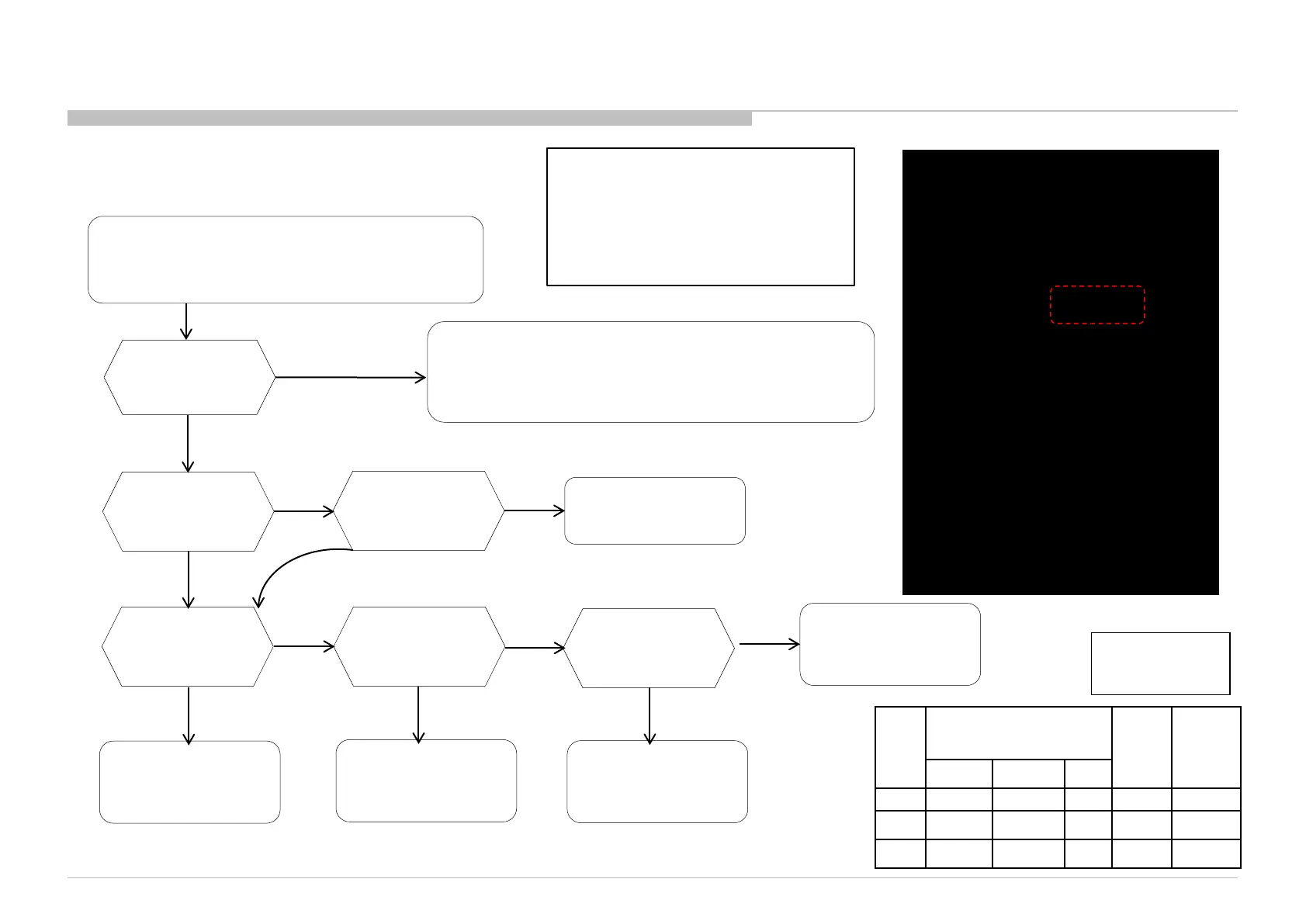
3-12. Bluetooth Malfunction
One Touch Remote doesn’t work
Or
BT 3D glasses (HG/TE) doesn’t work
Confirm
One Touch Remote malfunction trouble shooting flow
Or
3D-glasses (Active) malfunction trouble shooting flow
BT version check
in Service Menu
Ver info.
can be read
OK
Check harness
connection is OK
between HSC and B*
Loose harness
NG
OK
Connect properly
Ver = --------
Change BT module
( Bluetooth)
NG
NG
Change B* board
HSC board
OK
BT module (Bluetooth)
OK
If Bluetooth malfunction happens,
• BT module
• HSC board
• Harness between HSC and B*
Board
• B* Board are suspected.
NG
001 OP
000 VERS
<MAIN> <EXT>
DM0.001JPA WF: 3.0.0.1021
WF0.300W00AA WF: --------
DF2.070W00AA FD: 0.003
YM0.619W00AA BT:
M4.922C 1.2.14.848
(DM0.0J00AA)
DD0.320W00AA
PK0.320W00AA
AM0.030JP
MID: 04A3B50F
PID: 0F051040
PNL:
DQ3Y400LN0101
BT Version info.
Service Menu
Change HSC board
Change harness
Between B* board
and HSC board
Main Harness
OK
NG
(*)
Size B* Board Type H*
Board
Type
H**
Board
Type
OTHERS EUROPE JP
24” BKX BKE BKJ
HIR HSC
32” BKX BKE BKJ
HIR HSC
42” BKX BKE BKJ
HIR HSC
Note:
(AYU2) – IC9000
(Brownie)- IC9001



 To Next Page