24
1 Slide the TV/DVD (television/digital video
disc) switch to DVD (digital video disc).
2 Hold down [/1, and enter the
manufacturer code (see the table below)
for your AV (audiovisual) amplifier
(receiver) using the number buttons.
3 Release [/1.
The VOL (volume) +/– buttons control the
AV (audiovisual) amplifier’s volume.
If you want to control the TV’s volume, slide
the TV/DVD (television/digital video disc)
switch to TV (television).
z Hint
If you want to control the TV’s volume even when the
TV/DVD (television/digital video disc) switch is set to
DVD (digital video disc), repeat the steps above and
enter the code number 90 (default).
Code numbers of controllable AV (audiovisual)
amplifiers (receivers)
If more than one code number is listed, try
entering them one at a time until you find the one
that works with your AV (audiovisual) amplifier
(receiver).
If the supplied remote interferes with your other
Sony DVD (digital video disc) recorder or player,
set the command mode number for this recorder
and the supplied remote to one that differs from
the other Sony DVD (digital video disc) recorder
or player.
The default command mode setting for this
recorder and the supplied remote is DVD3 (digital
video disc 3).
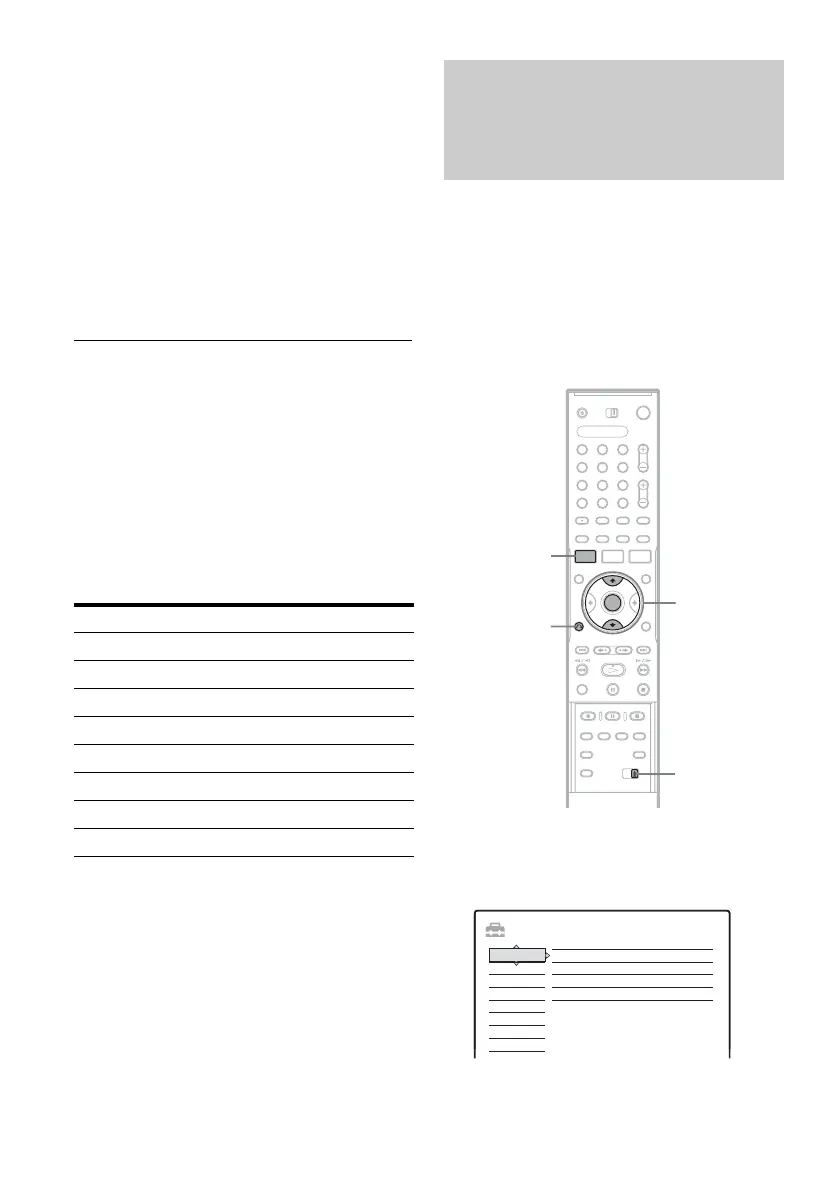
1 Press SYSTEM MENU (system menu).
The System Menu appears.
2 Select “SETUP,” and press ENTER (enter).
Manufacturer Code number
Sony 78, 79, 80, 91
Denon 84, 85, 86
Kenwood 92, 93
Onkyo 81, 82, 83
Pioneer 99
Sansui 87
Technics 97, 98
Yamaha 94, 95, 96
If you have a Sony DVD (digital
video disc) player or more than one
Sony DVD (digital video disc)
recorder
1 2 3
4 6
7 8 9
0
5
SYSTEM
MENU
(system
menu)
M/m, ENTER
(enter)
COMMAND
MODE
(command
mode) switch
O RETURN
(return)
SETUP
Settings
Easy Setup
Tuner Preset
Options
Features
Audio
Video
Language
Clock
Set VCR Plus+ Channels



 To Next Page