38
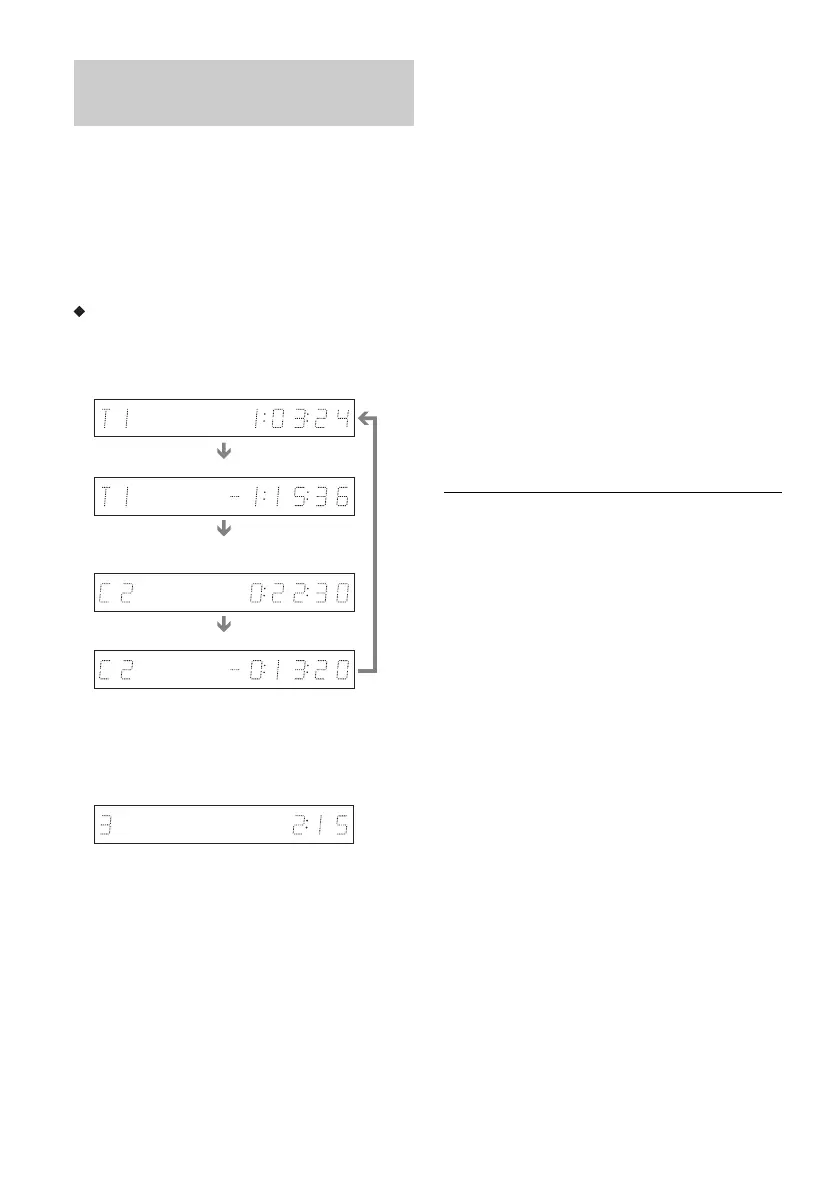
You can view the playing or time information
displayed on the TV screen and the front panel
display.
Press TIME/TEXT (time/text) repeatedly.
The displays differ depending on the disc type or
playing status.
Front panel display
Example: When playing a DVD (digital video
disc)
Example: When playing a VIDEO CD (video
compact disc)
Example: When playing a CD (compact disc)
Track playing time and the current track/index number
m
Remaining time of the current track
m
Playing time of the disc
m
Remaining time of the disc
m
CD (compact disc) text (when available)
Example: When playing an MP3 (audio layer 3 of
moving picture experts group) audio track
Playing time and number of the current track
m
Current album number
Example: When viewing a JPEG (joint
photographic coding experts group) image
Current file number and total number of files in the
current album
m
Current album number and total number of albums
b Notes
• The recorder can only display the first level of a CD
(compact disc)’s text, such as the disc name.
• The letters or symbols that cannot be displayed are
replaced with “*.”
• Playing time of MP3 (audio layer 3 of moving picture
experts group) audio tracks may not be displayed
correctly.
Checking the playing/remaining
time
Playing time and number of the current title
Remaining time of the current title
Playing time and number of the current
chapter
Remaining time of the current chapter
Playing time and number of the current
scene or track



 To Next Page