65
Playback
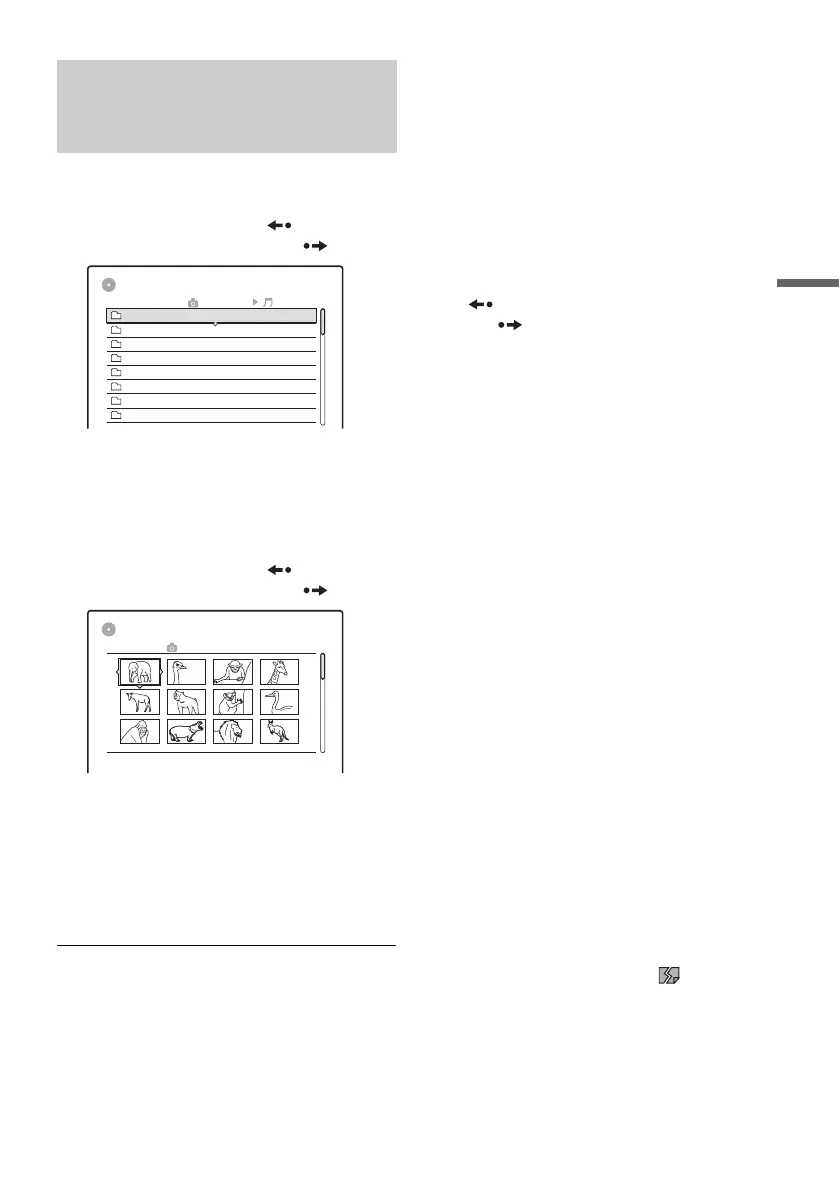
1 Press TITLE LIST (title list).
The album list appears.
To change the page, press REPLAY
(replay)
/ADVANCE (advance) .
2 Select an album, and press ENTER (enter).
The sub-menu appears.
3 Select “View Album,” and press ENTER
(enter).
The image list appears.
To change the page, press
REPLAY
(replay)/ADVANCE (advance) .
4 Select an image, and press ENTER (enter).
“View Image”: Shows the image on the entire
screen.
“Slideshow”: Shows the images in the album
as a slideshow.
“Image Data”: Shows data about when the
picture was taken.
To stop viewing the JPEG (joint photographic
coding experts group) image
Press x STOP (stop).
To view the next or previous picture
Press . PREV (previous)/NEXT (next) >
while the picture is displayed.
To rotate a picture
Press TOOLS (tools) while the image is displayed
to select “Rotate Right” or “Rotate Left,” and
press ENTER (enter).
To change the slideshow speed
Press TOOLS (tools) while the album list or image
list is displayed to select “Slideshow Speed,” and
press ENTER (enter). Then select the speed from
“Fast” (quick), “Normal,” and “Slow.”
To go to the next or previous album
Press REPLAY (replay)/ADVANCE
(advance)
while the JPEG (joint photographic
coding experts group) image is displayed.
z Hints
• If you are playing a DATA-CD (data compact disc) that
has both MP3 (audio layer 3 of moving picture experts
group) and JPEG (joint photographic coding experts
group) files, you can switch between photo and music
albums by using the </, buttons when the album
list is displayed.
• You can rotate a JPEG (joint photographic coding
experts group) image by using the </, buttons
when the image is displayed.
• Press DISPLAY (display) repeatedly to show
information about the JPEG (joint photographic coding
experts group) album or image on your TV screen.
Then press TIME/TEXT (time/text) to toggle between
the current selected image number and album number.
b Notes
• If the DVD (digital video disc) disc, such as a disc from
a DVD (digital video disc) video camera, contains both
video and JPEG (joint photographic coding experts
group) images, only the video can be played back.
• Some JPEG (joint photographic coding experts group)
files, especially files of three million pixels or more,
may lengthen the slideshow interval.
• Rotated JPEG (joint photographic coding experts
group) images will not be saved when you press x
STOP (stop) or switch to another folder.
• Images larger than 720 × 480 will be reduced to 720 ×
480 when displayed.
• Images larger than 4 mega bytes cannot be displayed.
• Progressive JPEG (joint photographic coding experts
group) images cannot be displayed.
• When you attempt to play a broken file or a file that
does not satisfy the play conditions, appears but
the recorder cannot play the file.
Selecting a JPEG (joint
photographic coding experts
group) album or image
TITLE LIST
Photo Album
ROOT
Summer2 Aquarium
1 Flowers
Summer
Summer
Winter
Winter
Summer6 Zoo
8 Party
7 Consert
Summer3 Festival
5 Tennis match
4 Hiking
TITLE LIST
6 Zoo
DSC00029 11/25/2005 3:50PM
1
5
9
2
6
10
3
7
11
4
8
12
,continued



 To Next Page