45
Timer Recording
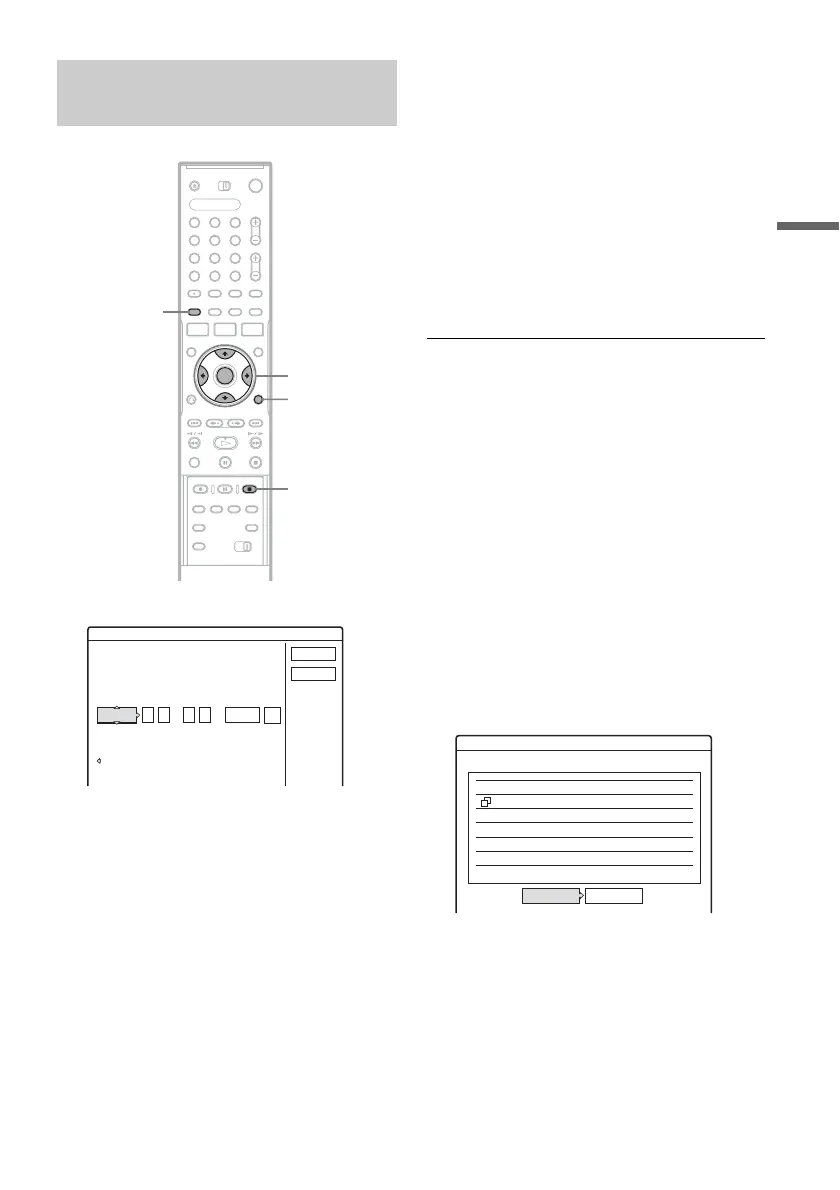
1 Press [TIMER] (timer).
• If the “Timer – VCR Plus+” display appears,
press < to switch the display to
“Standard.”
2 Select an item using </, and adjust
using M/m.
“Date”: Sets the date.
The item changes as follows:
Today y Tomorrow y …… y Thu 10/
28 (1 month later) y Sun (every Sunday)
y …… y Sat (every Saturday) y
Mon-Fri (Monday to Friday) y Mon-Sat
(Monday to Saturday) y Sun-Sat (Sunday to
Saturday) y Today
“Start”: Sets the start time.
“Stop”: Sets the stop time.
“CH”: Selects the channel or input source.
“Mode”: Selects the recording mode
(page 43).
• If you make a mistake, select the item and
change the setting.
3 Select “OK,” and press ENTER (enter).
The Timer List (page 49) appears. The
TIMER REC (timer recording) indicator
lights up on the front panel and the recorder is
ready to start recording.
Unlike a VCR (video cassette recorder), there
is no need to turn off the recorder before the
timer recording starts.
To stop recording during timer recording
Open the remote’s cover and press x REC STOP
(recording stop). Note that it may take a few
seconds for the recorder to stop recording.
Rec Mode Adjust
If there is not enough available disc space for the
recording, the recorder automatically adjusts the
recording mode to enable the entire program to be
recorded. This function is normally set to “On.”
To cancel this function, press TOOLS (tools)
while the Timer List is displayed. Select “Rec
Mode Adjust” and press ENTER (enter). Select
“Off” and press ENTER (enter).
If the timer settings overlap
Overlapped timer settings are shown as follows.
To store the setting as shown, select “OK.” The
program at the top of the list has priority over the
rest of the programs.
To cancel the overlapped setting, select “Cancel.”
To confirm, change, or cancel timer recording
See “Checking/Changing/Canceling Timer
Settings (Timer List)” on page 49.
Setting the timer manually
(Standard)
1 2 3
4 6
7 8 9
0
5
</M/m/,,
ENTER
(enter)
[TIMER]
(timer)
x REC STOP
(recording stop)
TOOLS
(tools)
Timer - Standard
Set the timer manually.
Cancel
VCR Plus+
Date
OK
Mode
To da y
CH
:
Start
:
Stop
Timer
These timer settings overlap.
OK Cancel
Do you want to continue?
9:00PM - 10:00PM 25ch SP10/29
10/29 8:30PM - 10:00PM 3ch SP
Wed
Wed
,continued



 To Next Page