46
To extend the recording duration time while
recording
1 Press TOOLS (tools) during recording to
select “Extend Rec Time,” and press ENTER
(enter).
2 Press M/m to select the duration time.
You can set the duration in increments of
10 minutes, for a maximum of 60 minutes.
3 Select “OK” and press ENTER (enter).
z Hint
You can play the recorded program by selecting the
program title in the Title List.
b Notes
• If a message indicating that the disc is full appears on
the screen, change the disc, or make available space for
the recording (DVD+RW/DVD-RW (digital video
disc-rewritable, plus RW/digital video disc-rewritable,
minus RW) only) (page 71).
• Check that the clock is correctly set before setting the
timer recording. If not, the timer recording cannot be
made.
To record a satellite program, turn on the satellite tuner
and select the satellite program you want to record.
Leave the satellite tuner turned on until the recorder
finishes recording. If you connect equipment with a
timer function, you can use the Synchro Rec function
(page 52).
• Even if the timer is set for the same daily or weekly
program, the timer recording cannot be made if it
overlaps with a program that has priority. “ ” will
appear next to the overlapped setting in the Timer List.
Check the priority order of the settings.
• Even if the timer is set, timer recordings cannot be
made while recording a program that has priority.
• The Rec Mode Adjust function only works with a timer
recording. It does not function with Quick Timer or
Synchro Rec.
The VCR Plus+ (video cassette recording plus)
system is a feature that simplifies setting the timer.
Just enter the VCR Plus+ (video cassette
recording plus) number listed in the TV program
guide. The date, time, and channel of that program
are set automatically.
Check that the TV and guide channels are
correctly set in “Set VCR Plus+ Channels” in
“Settings” setup (page 82).
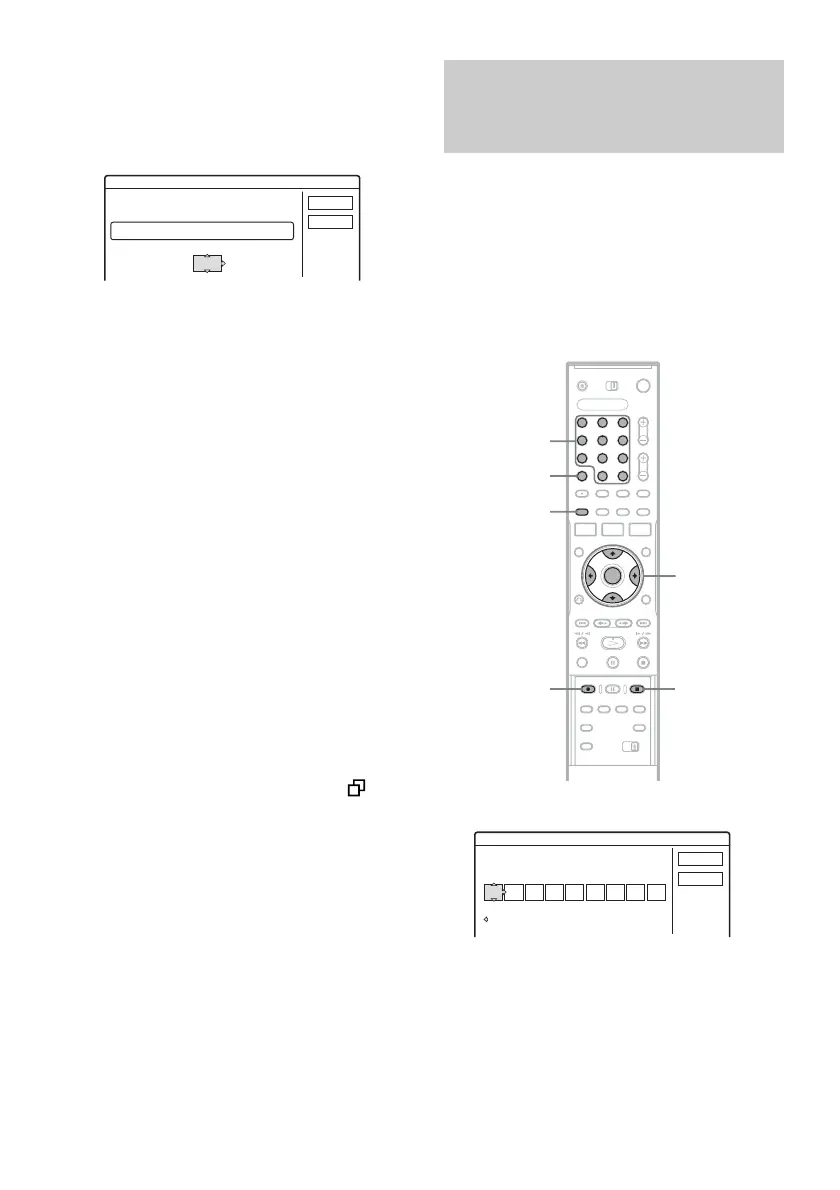
1 Press [TIMER] (timer).
• If the “Timer – Standard” display appears,
press < to switch the display to “VCR
Plus+.”
2 Press the number buttons to enter the
PlusCode (plus code) number, and press
SET (set).
• If you make a mistake, press CLEAR (clear)
and re-enter the correct number.
Extend Rec. Time
Set the timer extend function.
Wed
OK
Cancel
Extend Time
Off
9/28 10:00AM - 11:30AM 25ch SP
Recording TV programs using the
VCR Plus+ (video cassette
recording plus) system
1 2 3
4 6
7 8 9
0
5
</M/m/,,
ENTER
(enter)
[TIMER]
(timer)
Number
buttons,
SET (set)
x REC STOP
(recording stop)
CLEAR
(clear)
z REC
(recording)
Timer - VCR Plus+
Set the timer by entering the PlusCode.
Standard
PlusCode
Cancel
OK



 To Next Page