31
Seven Basic Operations — Getting to Know Your DVD (digital video disc) Recorder
Seven Basic Operations
— Getting to Know Your DVD (digital video disc)
Recorder
1. Inserting and Formatting
a DVD (digital video disc)
Disc (Disc Info)
*
1
*
2
*
3
*
4
*
5
*
6
*
7
*
8
*
9
*
10
*
1
DVD+RW (digital video disc-rewritable, plus RW).
*
2
DVD-RW (VR mode) (digital video disc-rewritable,
minus RW (Video Recording mode)).
*
3
DVD-RW (Video mode) (digital video disc-
rewritable, minus RW (Video mode)).
*
4
DVD+R (digital video disc-recordable, plus R).
*
5
DVD-R (digital video disc-recordable, minus R).
*
6
DVD (digital video disc).
*
7
VIDEO CD (video compact disc).
*
8
CD (compact disc).
*
9
DATA DVD (data digital video disc).
*
10
DATA CD (data compact disc).
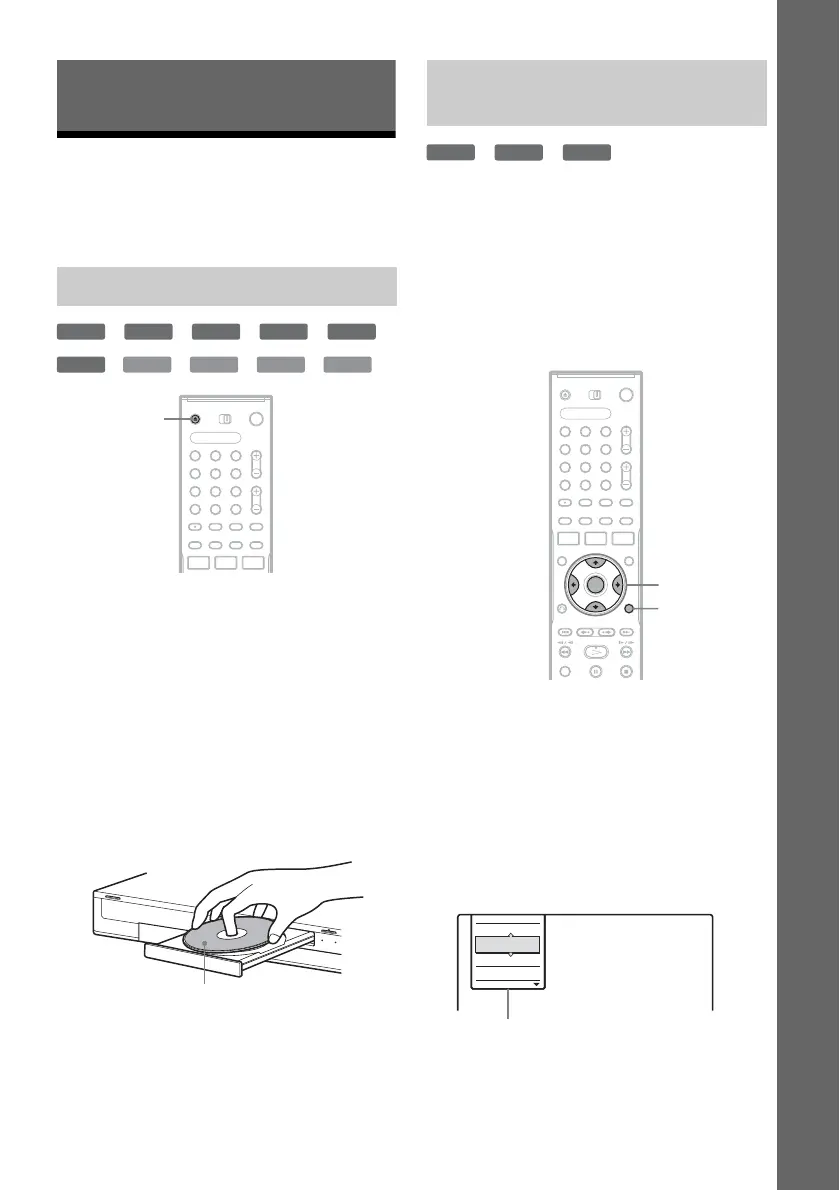
1 Press Z OPEN/CLOSE (open/close), and
place a disc on the disc tray.
2 Press Z OPEN/CLOSE (open/close) to
close the disc tray.
Wait until “LOAD” (load) disappears from
the front panel display.
Unused DVDs (digital video disc) are
formatted automatically.
*
1
*
2
*
3
New discs are automatically formatted when
inserted. If necessary, you can manually re-format
a DVD+RW (digital video disc-rewritable, plus
RW) or DVD-RW (digital video disc-rewritable,
minus RW) disc to make a blank disc. For DVD-
RWs (digital video disc-rewritable, minus RW),
you can select a recording format (VR (Video
Recording) mode or Video mode) according to
your needs (page 8).
*
1
DVD+RW (digital video disc-rewritable, plus RW).
*
2
DVD-RW (VR mode) (digital video disc-rewritable,
minus RW (Video Recording mode)).
*
3
DVD-RW (Video mode) (digital video disc-
rewritable, minus RW (Video mode)).
1 Insert a disc.
See “Inserting a Disc” on page 31.
2 Press TOOLS (tools).
The TOOLS (tools) menu appears.
Inserting a Disc
+
RW
-
RWVR
-
RW
Video
+
R
-
R
DVD
VCD CD
DATA DVD
DATA CD
1 2 3
4 6
7 8 9
0
5
Z OPEN/
CLOSE
(open/close)
With the recording/playing side facing down
Formatting a DVD (digital video
disc) disc (Disc Info)
+
RW
-
RWVR
-
RW
Video
1 2 3
4 6
7 8 9
0
5
TOOLS
(tools)
</M/m/,,
ENTER
(enter)
Close
Protect Title
Erase Title
Stop
Options for the disc or picture
,continued



 To Next Page