74
Creating and Editing a
Playlist
*
Playlist edit allows you to edit or re-edit without
changing the actual recordings. You can create up
to 97 Playlist titles.
* DVD-RW (VR mode) (digital video disc-rewritable,
minus RW (Video Recording mode)).
b Note
Once you create a Playlist title from original titles, you
will be unable to erase or edit the original titles.
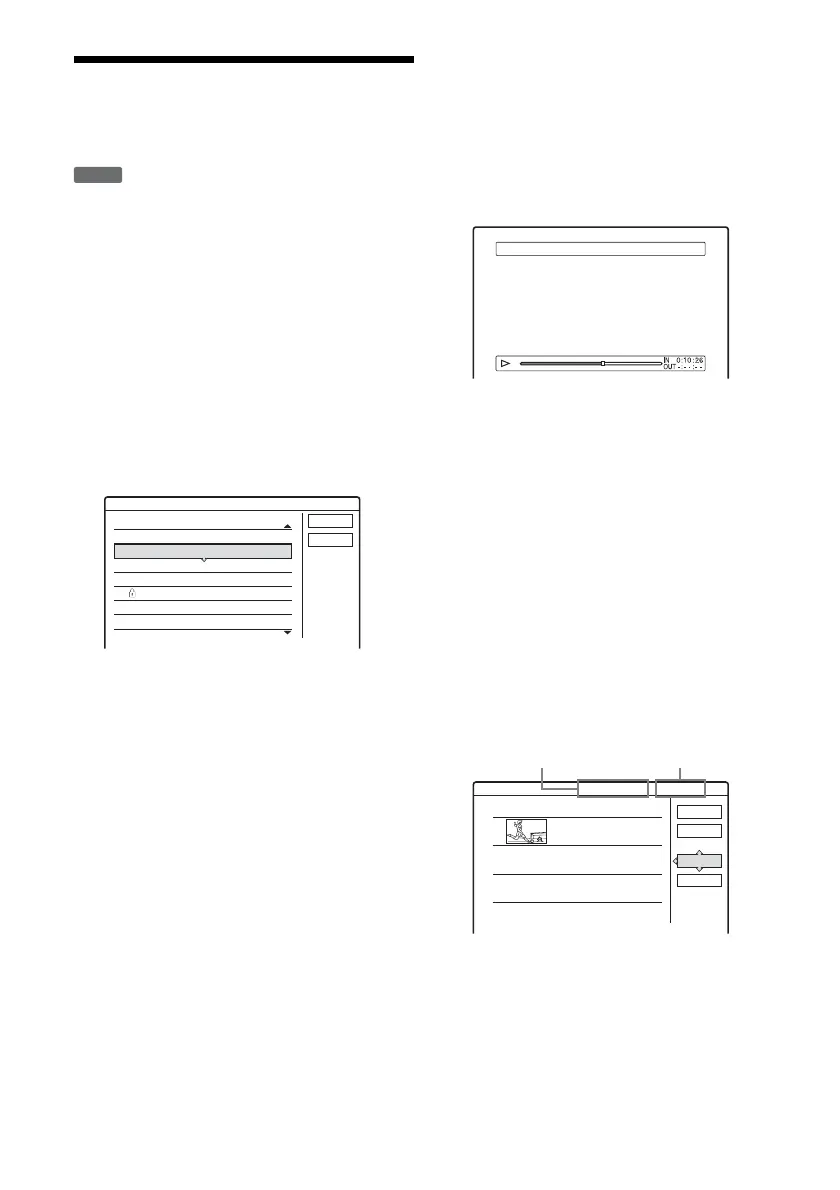
1 Press TITLE LIST (title list).
2 Press TOOLS (tools) to select “Create
Playlist,” and press ENTER (enter).
3 Select the title you want to include in the
Playlist title, and press ENTER (enter).
The sub-menu appears.
“Capture”: Adds a section of the title to the
Playlist title as one scene.
“Capture All”: Adds the entire title to the
Playlist title as one scene. After capturing the
title, go to step 8.
4 Select “Capture,” and press ENTER
(enter).
The display for setting the start point (IN (in))
appears. The title starts to play in the
background.
• To return to the beginning of the title, press
X PAUSE (pause) and then press .
PREV (previous).
5 Select the IN (in) point by pressing m/
M, and press ENTER (enter).
The display for setting the end point (OUT
(out)) appears, and the title continues to play
in the background.
6 Select the OUT (out) point by pressing m/
M, and press ENTER (enter).
The display asks for confirmation.
To reset the IN (in) or OUT (out) point, select
“Change IN” or “Change OUT” and repeat
step 5 or 6. To view the selected scene, select
“Preview.”
7 Select “OK,” and press ENTER (enter).
The Scene List menu appears with all of the
selected scenes.
• To add more scenes, select “Add” and go to
step 3.
• To preview all of the captured scenes in the
listed order, select “Preview.”
-
RWVR
Scene List
Cancel
Create Playlist
Select a title to start capturing.
ORIGINAL
12
11
10
9
8
7
Tennis
Tr av e l
Mystry
World Sports
Family
Nature
10/28
10/26
10/25
10/19
10/17
10/15
Capture(Set IN point) 9 World Sports
1
OK
Quit
Add
Preview
0:13:19 1Scene List
World Sports
0:10:26 - 0:23:45
Total Scenes
Total number of scenes
Total duration of
the selected scene
Total duration of
the selected scene



 To Next Page