26
TV Type
If you have a wide-screen TV, select “16:9.”
If you have a standard TV, select either “4:3
Letter Box” (shrink to fit) or “4:3 Pan Scan”
(stretch to fit). This will determine how
“wide-screen” images are displayed on your
TV.
Audio Connection
If you connected an AV (audiovisual)
amplifier (receiver) using either a digital
optical or coaxial cord, select “Yes: DIGITAL
OUT” and set the digital output signal
(page 87).
3 Press ENTER (enter) when “Finish”
appears.
“Easy Setup” is finished.
To return to the previous step
Press O RETURN (return).
z Hint
If you want to run “Easy Setup” again, select “Easy
Setup” from “SETUP” in the System Menu (page 92).
b Note
If you use an S-video cord to connect your cable box or
satellite receiver, set “Line1 Input” or “Line3 Input” in
“Video” setup to “S Video” (page 85).
Setting Up the VCR Plus
®
(video cassette recording
plus) System
Setting up your recorder involves coordinating the
TV channel number (the number you turn to on
your TV or recorder to watch a program) with the
guide channel (the number that’s assigned to that
channel in your TV program guide).
To find the guide channel numbers, look at the
“Channel Line-up Chart” in the program guide for
your area that features VCR PlusCode (video
cassette recording plus code) numbers.
Use the Channel Line-up Chart to coordinate the
guide channel number with the TV channel
number. For example, if HBO is listed in the
Channel Line-up Chart as channel 33, and the
recorder receives HBO on channel 5, coordinate
these numbers using the following procedure.
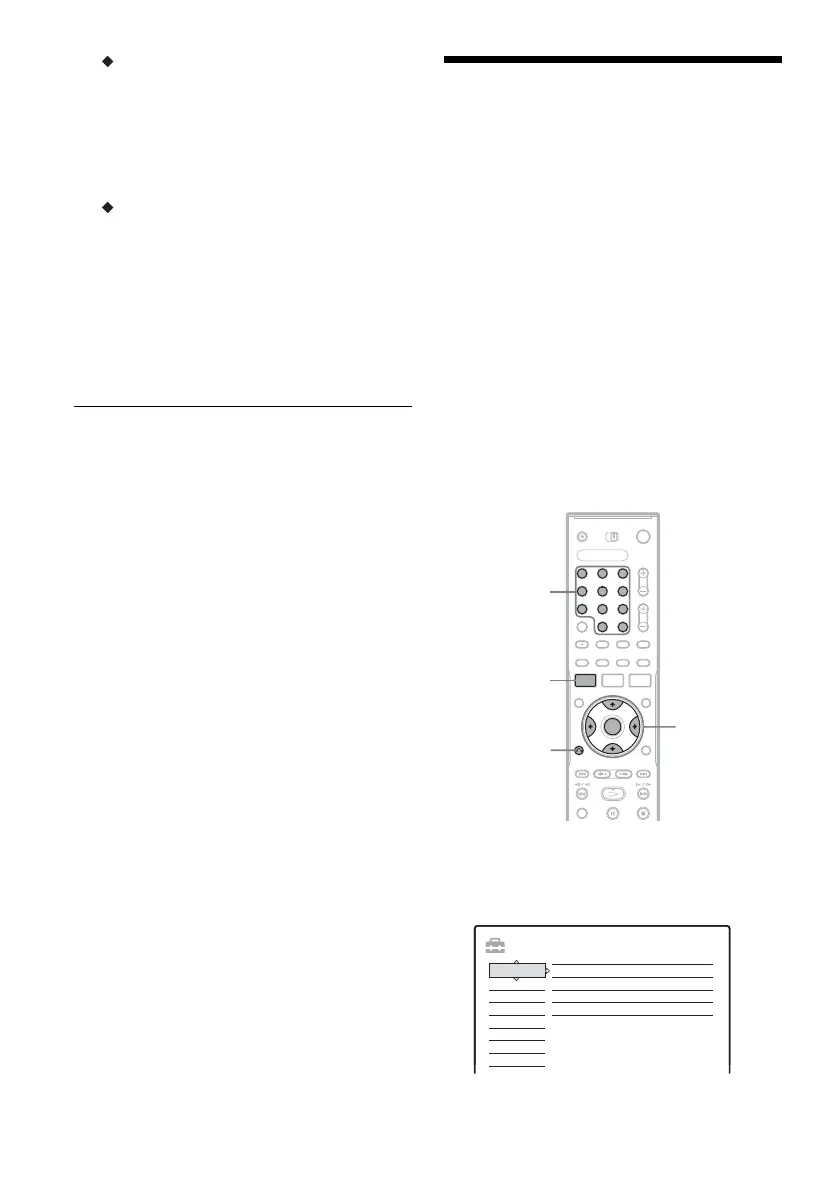
1 Press SYSTEM MENU (system menu) while
the recorder is stopped.
2 Select “SETUP,” and press ENTER (enter).
1 2 3
4 6
7 8 9
0
5
</M/m/,,
ENTER
(enter)
O RETURN
(return)
SYSTEM MENU
(system menu)
Number
buttons, SET
(set)
SETUP
Settings
Easy Setup
Tuner Preset
Options
Features
Audio
Video
Language
Clock
Set VCR Plus+ Channels



 To Next Page