27
Hookups and Settings
3 Select “Settings,” and press ENTER
(enter).
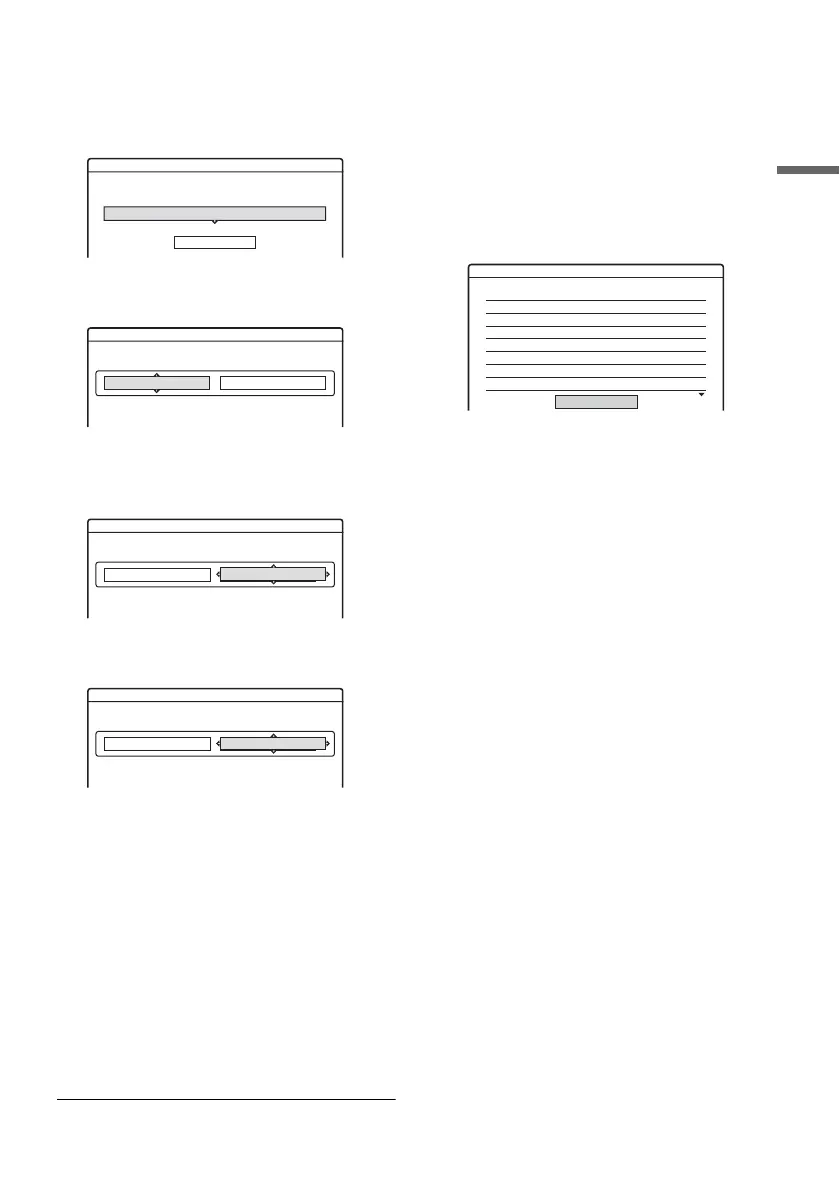
4 Select “Set VCR Plus+ Channels,” and
press ENTER (enter).
5 Select “Guide CH – TV CH,” and press
ENTER (enter).
6 Enter the guide channel number assigned
in the program guide using the number
buttons, and press SET (set).
7 Enter the TV channel number using the
number buttons, and press SET (set).
If you made Hookup A (page 15) or Hookup
C (page 17), enter the TV channel number on
your cable box.
If you made Hookup B (page 16), enter the
cable box output channel (Usually 2ch, 3ch, or
4ch). See the instructions supplied with your
cable box to confirm the cable box’s output
channel.
8 Repeat steps 5 to 7 for each guide channel
number that does not match the TV channel
number.
9 Press SYSTEM MENU (system menu)
repeatedly to exit the menu.
To return to the previous step
Press O RETURN (return).
To check the channel settings
When displaying the “Set VCR Plus+ Channels”
menu, select “Channel List,” then press ENTER
(enter).
The display lists the channels for which the guide
channel number does not match the TV channel
number.
To go to the next page, press m.
To return to the previous page, press M.
Settings - Set VCR Plus+ Channels
----
Channel list
Guide CH TV CH
- -
- -
Settings - Set VCR Plus+ Channels
Guide CH TV CH
- - ----
- -
- -
- -
Settings - Set VCR Plus+ Channels
Guide CH TV CH
- - ----
- -
33
33
Settings - Set VCR Plus+ Channels
Guide CH TV CH
- - ----
- -
33
5
Settings - VCR Plus+ Channel List
Guide CH TV CH
2
4
6
10
11
25
28
-
-
-
-
-
-
-
21
32
9
121
13
36
2
Guide CH TV CH
45
53
- -
- -
- -
- -
- -
-
-
-
-
-
-
-
18
5
- -
- -
- -
- -
- -
Close
Page1



 To Next Page