36
To change a title thumbnail picture (Thumbnail)
(DVD-RW (digital video disc-rewritable, minus
RW) in VR (Video Recording) mode only)
You can select a favourite scene for the thumbnail
picture shown in the Title List menu.
1 Press TITLE LIST (title list) in stop mode.
2 Select a title whose thumbnail picture you
want to change, and press ENTER (enter).
The sub-menu appears.
3 Select “Set Thumbnail,” and press ENTER
(enter).
The selected title starts to play in the
background.
4 While watching the playback picture, press
H PLAY (play), X PAUSE (pause), or m/
M to select the scene you want to set for a
thumbnail picture, and press ENTER (enter).
The display asks for confirmation.
5 Select “OK,” and press ENTER (enter).
The scene is set for the title’s thumbnail
picture.
To turn off the Title List
Press TITLE LIST (title list).
z Hints
• After recording, the first scene of the recording (the
title) is automatically set as the thumbnail picture.
• You can select “TITLE LIST” from the System Menu.
b Notes
• The title names may not appear for DVDs (digital
video disc) created on other DVD (digital video disc)
recorders.
• The letters that cannot be displayed are replaced with
“
*
.”
• It may take a few seconds for the thumbnail pictures to
be displayed.
• After editing, the title thumbnail picture may change to
the first scene of the recording (title).
4. Displaying the Playing
Time and Play Information
*
1
*
2
*
3
*
4
*
5
*
6
*
7
*
8
*
9
*
10
You can check the playing time and remaining
time of the current title, chapter, or track. Also,
you can check the disc name recorded on the
DVD/CD (digital video disc/compact disc).
*
1
DVD+RW (digital video disc-rewritable, plus RW).
*
2
DVD-RW (VR mode) (digital video disc-rewritable,
minus RW (Video Recording mode)).
*
3
DVD-RW (Video mode) (digital video disc-
rewritable, minus RW (Video mode)).
*
4
DVD+R (digital video disc-recordable, plus R).
*
5
DVD-R (digital video disc-recordable, minus R).
*
6
DVD (digital video disc).
*
7
VIDEO CD (video compact disc).
*
8
CD (compact disc).
*
9
DATA DVD (data digital video disc).
*
10
DATA CD (data compact disc).
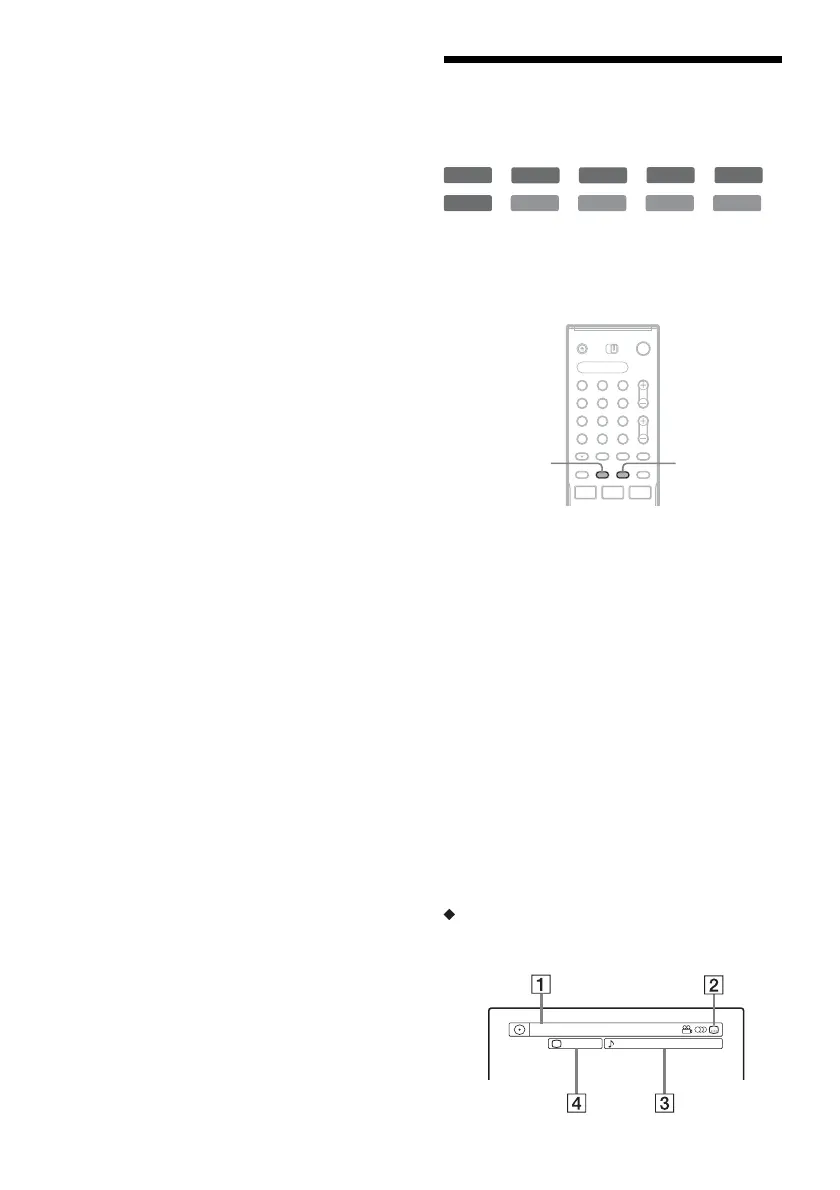
Press DISPLAY (display) repeatedly.
Each time you press the button, the display
changes as follows:
Display 1 t Display 2 t Display off
The displays differ depending on the disc type or
playing status.
Display 1
Example: When playing a DVD VIDEO (digital
video disc, video)
+
RW
-
RWVR
-
RW
Video
+
R
-
R
DVD
VCD CD
DATA DVD
DATA CD
1 2 3
4 6
7 8 9
0
5
TIME/TEXT
(time/text)
DISPLAY
(display)
Title
2/0
Angle
1
3(5)
1 : DolbyDigitalEnglish



 To Next Page