72
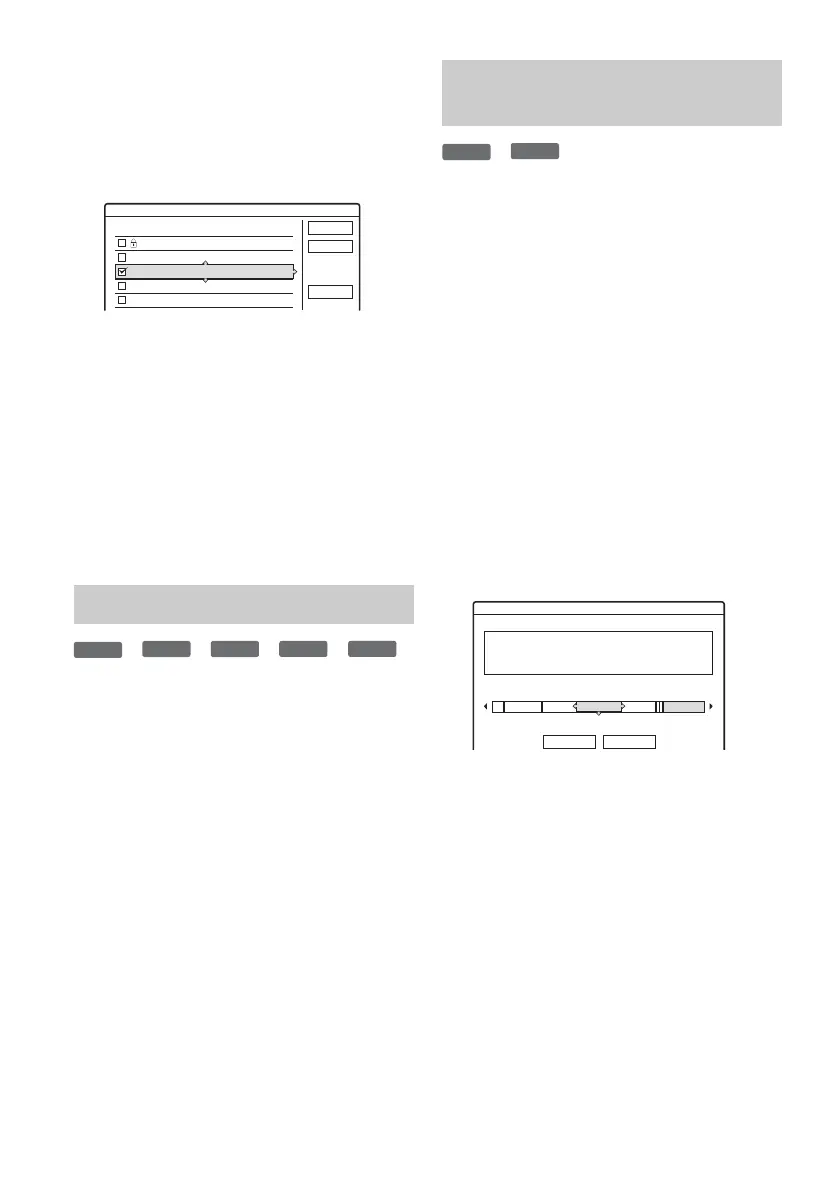
3 Select a title, and press ENTER (enter).
A check mark appears in the check box next to
the selected title.
• To clear the check mark, press ENTER
(enter) again.
• To clear all of check marks, select “Reset
All.”
4 Repeat step 3 to select all of the titles you
want to erase.
5 When you finish selecting titles, select
“OK,” and press ENTER (enter).
The list of the titles to be erased appears for
confirmation.
• To change the selection, select “Change,”
and repeat from step 3.
6 Select “OK” and press ENTER (enter).
The titles are erased.
*
1
*
2
*
3
*
4
*
5
*
1
DVD+RW (digital video disc-rewritable, plus RW).
*
2
DVD-RW (VR mode) (digital video disc-rewritable,
minus RW (Video Recording mode)).
*
3
DVD-RW (Video mode) (digital video disc-
rewritable, minus RW (Video mode)).
*
4
DVD+R (digital video disc-recordable, plus R).
*
5
DVD-R (digital video disc-recordable, minus R).
1 Press TOOLS (tools) to select “Disc Info,”
and press ENTER (enter).
The “Disc Information” display appears.
2 Select “Erase All,” and press ENTER
(enter).
3 Select “OK,” and press ENTER (enter).
All titles on the disc are erased (except the
protected titles).
*
1
*
2
When recording on a DVD+RW (digital video
disc-rewritable, plus RW) or DVD-RW (Video
mode) (digital video disc-rewritable, minus RW
(Video mode)), the recorder searches for the
largest open space and records there. Before you
start, check the disc status by using Disc Map, and
erase titles to create a space large enough for the
recording.
*
1
DVD+RW (digital video disc-rewritable, plus RW).
*
2
DVD-RW (Video mode) (digital video disc-
rewritable, minus RW (Video mode)).
1 Insert a disc and press TITLE LIST (title
list).
2 Press TOOLS (tools) to select “Disc Map,”
and press ENTER (enter).
The “Disc Map” display appears.
• To check the open space, select the space by
pressing </,.
•When
b or B appears on either side of the
screen, you can scroll sideways by pressing
</,.
Erasing all titles on the disc
12
11
10
9
8
Tennis
Tr av e l
Mystry
World Sports
Family
10/28
10/26
10/25
10/19
10/17
Erase Titles
Select the titles to erase.
OK
Cancel
Reset All
+
RW
-
RWVR
-
RW
Video
+
R
-
R
Erasing titles to open up disc
space (Disc Map)
+
RW
-
RW
Video
GB
HQ: 0H30M
LP : 1H30M
HSP: 0H45M
EP : 2H00M
SP : 1H00M
SLP: 3H00M
LSP: 1H15M
SEP: 4H00M
Disc Map
Empty Title
Erase Cancel
2.3



 To Next Page