34
b Notes
• After pressing
z REC (recording), it may take a short
while to start recording.
• You cannot change the recording mode while
recording or during recording pause.
• If there is a power failure, the program you are
recording may be erased.
• You cannot watch a TV program while recording
another TV program.
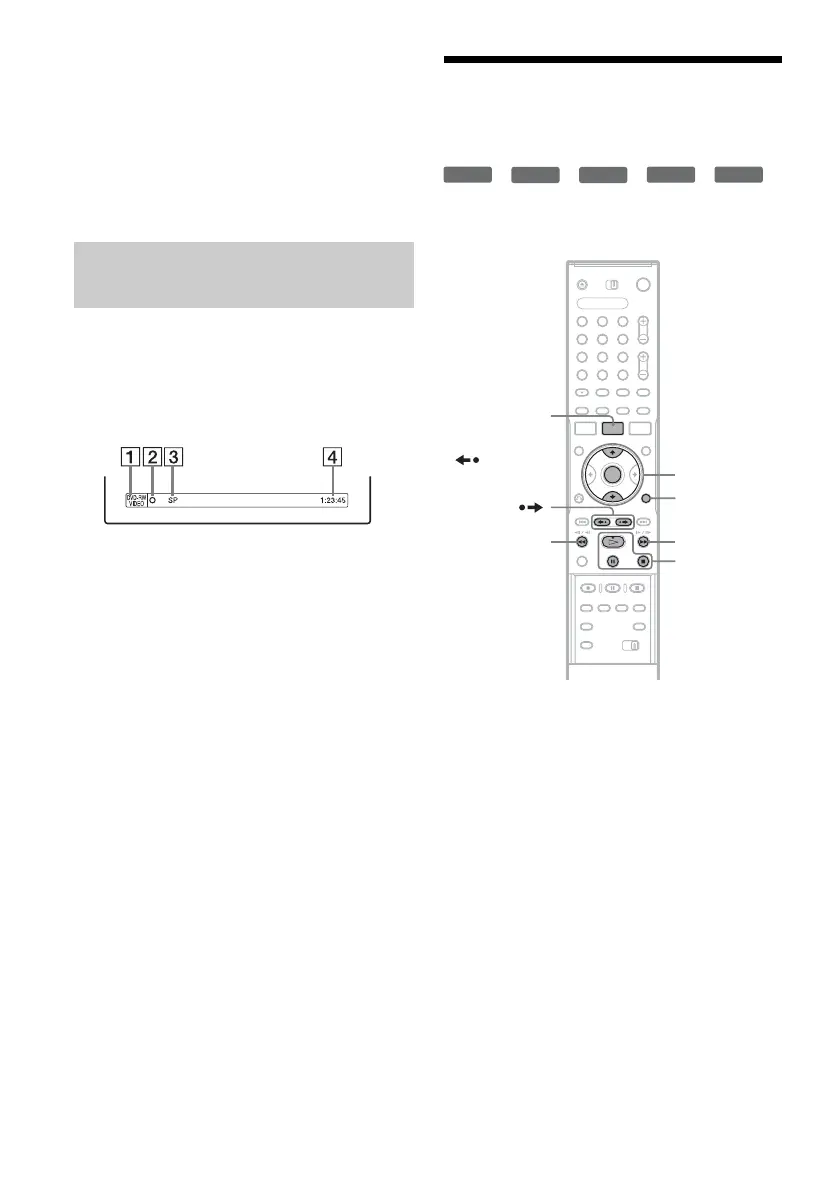
You can check the recording information such as
recording time or disc type.
Press DISPLAY (display) twice during
recording.
The recording information appears.
A Disc type/format
B Recording status
C Recording mode
D Recording time
Press DISPLAY (display) to turn off the display.
3. Playing the Recorded
Program (Title List)
*
1
*
2
*
3
*
4
*
5
To play a recorded title, select the title from the
Title List.
*
1
DVD+RW (digital video disc-rewritable, plus RW).
*
2
DVD-RW (VR mode) (digital video disc-rewritable,
minus RW (Video Recording mode)).
*
3
DVD-RW (Video mode) (digital video disc-
rewritable, minus RW (Video mode)).
*
4
DVD+R (digital video disc-recordable, plus R).
*
5
DVD-R (digital video disc-recordable, minus R).
1 Insert a DVD (digital video disc).
See “Inserting a Disc” on page 31.
Playback starts automatically depending on
the disc.
2 Press TITLE LIST (title list).
To show the extended Title List, press
TOOLS (tools) to select “Display List,” and
press ENTER (enter).
Checking the disc status while
recording
+
RW
-
RWVR
-
RW
Video
+
R
-
R
1 2 3
4 6
7 8 9
0
5
TOOLS (tools)
H PLAY
(play)/
X PAUSE
(pause)/
x STOP (stop)
M/m, ENTER
(enter)
TITLE LIST
(title list)
REPLAY
(replay)/
ADVANCE
(advance)
Mm



 To Next Page