50
When all of the timer settings do not fit on the
list, scroll bar appears.
To view the hidden timer settings, press M/m.
2 Select the timer setting you want to check/
change/cancel, and press ENTER (enter).
The sub-menu appears.
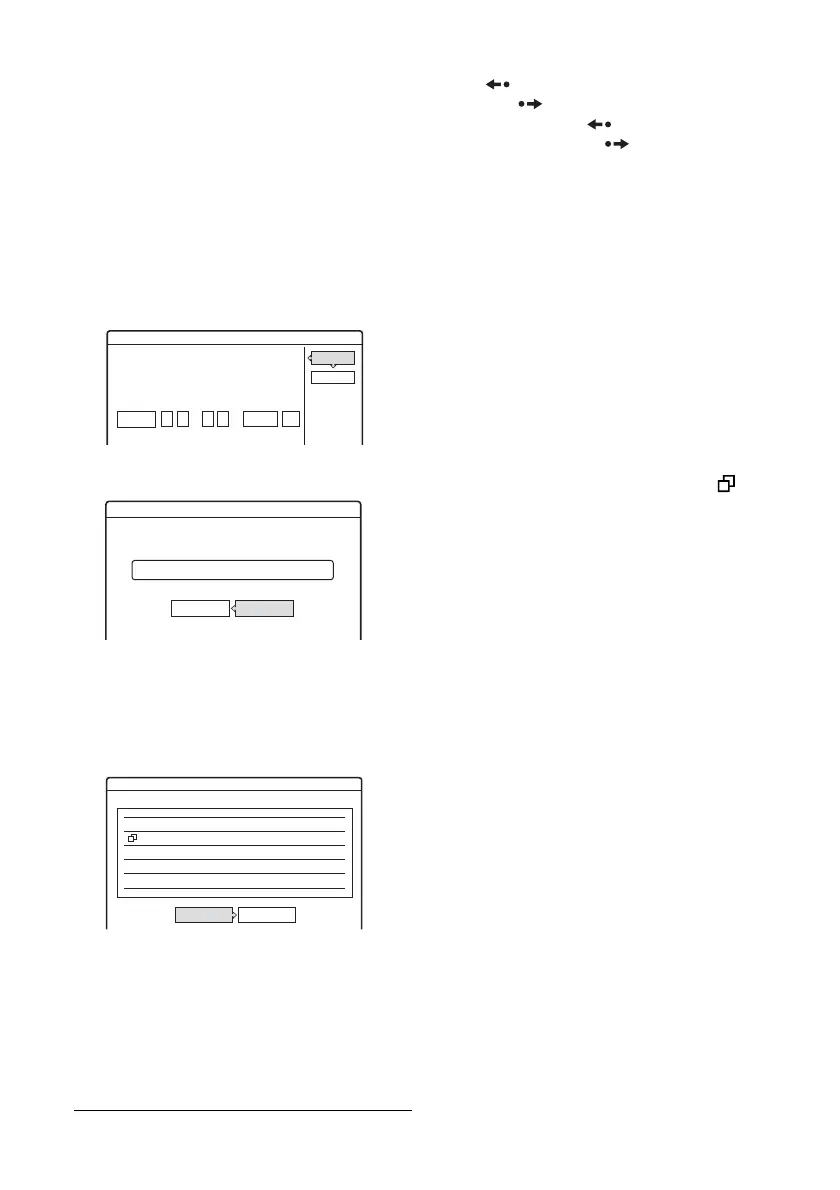
3 Select one of the options, and press ENTER
(enter).
“Modify”: Changes the timer setting.
Select an item using </, and adjust using
M/m.
“Erase”: Erases the timer setting. Select
“OK,” and press ENTER (enter).
“Check Overlap”: Checks for overlapped
settings.
The timer setting set most recently is listed at
the top and has priority over the other settings.
You may not be able to record a program of
lower priority.
To change the priority of a program, press </
, to select “Change.” For details, see
“Changing the priority of overlapped
settings” on page 51.
Select “Close” to return to the Timer List.
To change or cancel the setting, repeat steps 2
and 3 above.
To scroll the list display by page (Page mode)
Press REPLAY (replay)/ADVANCE
(advance) while the list display is turned on.
Each time you press REPLAY (replay)/
ADVANCE (advance) , the entire Timer List
changes to the next/previous page of timer
settings.
To turn off the Timer List
Press TIMER LIST (timer list) or O RETURN
(return).
z Hint
While recording, you cannot modify the timer setting for
the current recording, but you can extend the recording
duration of the recording time (page 46).
b Notes
• Even if the timer is set, timer recordings cannot be
made while recording a program that has priority.
• Even if the timer is set for the same daily or weekly
program, the timer recording cannot be made if it
overlaps with a program that has priority. “ ” will
appear next to the overlapped setting in the Timer List.
Check the priority order of the settings.
Modify
Modify the timer setting.
OK
Cancel
SP
Mode
Date
Mon-Sat
CH
25
:
10 00
Start
PM
:
10 15
Stop
PM
Erase
Are you sure you want to erase this timer setting?
OK Cancel
Mon-Sat 10:00PM - 10:15PM 25ch SP
Check Overlap
These timer settings overlap.
10/29 8:30PM - 9:30PM 25ch SP
10/29 9:00PM -10:00PM 3ch
Fri
Fri SLP
Change Close



 To Next Page