Version 5.2 Sourcefire 3D System Installation Guide 103
Setting Up a Sourcefire 3D System Appliance
Initial Setup Page: Defense Centers
Chapter 4
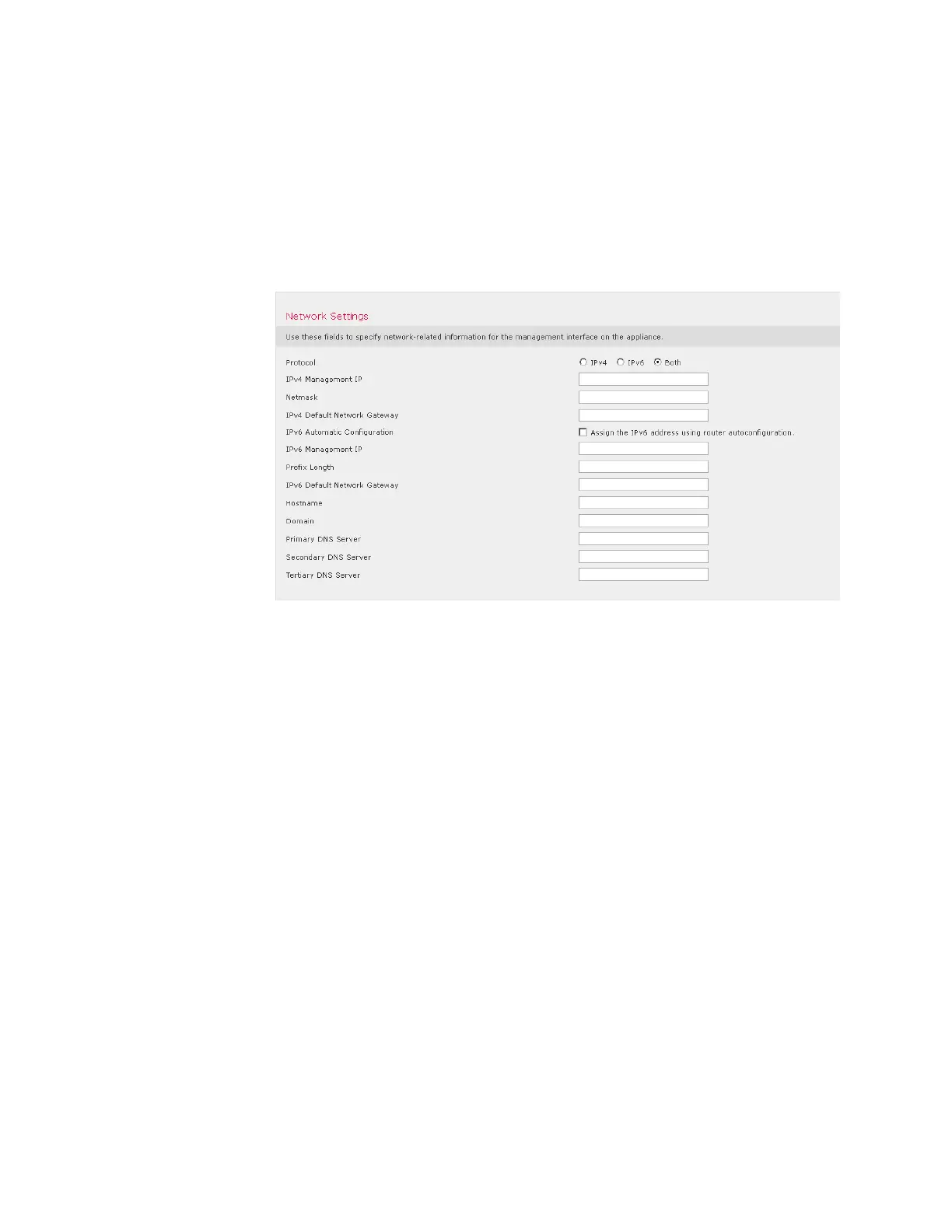
Network Settings
A Defense Center’s network settings allow it to communicate on your
management network. If you already configured the network settings, this
section of the page may be pre-populated.
The Sourcefire 3D System provides a dual stack implementation for both IPv4
and IPv6 management environments. You must specify the management
network protocol (IPv4, IPv6, or Both). Depending on your choice, the setup page
displays various fields where you must set the IPv4 or IPv6 management IP
address, netmask or prefix length, and default gateway:
• For IPv4, you must set the address and netmask in dotted decimal form (for
example: a netmask of 255.255.0.0).
• For IPv6 networks, you can select the Assign the IPv6 address using router
autoconfiguration check box to automatically assign IPv6 network settings.
Otherwise, you must set the address in colon-separated hexadecimal form
and the number of bits in the prefix (for example: a prefix length of 112).
You can also specify up to three DNS servers, as well as the host name and
domain for the device.



 To Next Page