Version 5.2 Sourcefire 3D System Installation Guide 48
Understanding Deployment
Using a Multi-Port Managed Device
Chapter 2
Using a Multi-Port Managed Device
The managed device offers multiple sensing ports on its network modules. You
can use the multi-port managed devices to:
• recombine the separate connections from a network tap
• capture and evaluate traffic from different networks
• perform as a virtual router
• perform as a virtual switch
IMPORTANT! Although each port is capable of receiving the full throughput for
which the device is rated, the total traffic on the managed device cannot exceed
its bandwidth rating without some packet loss.
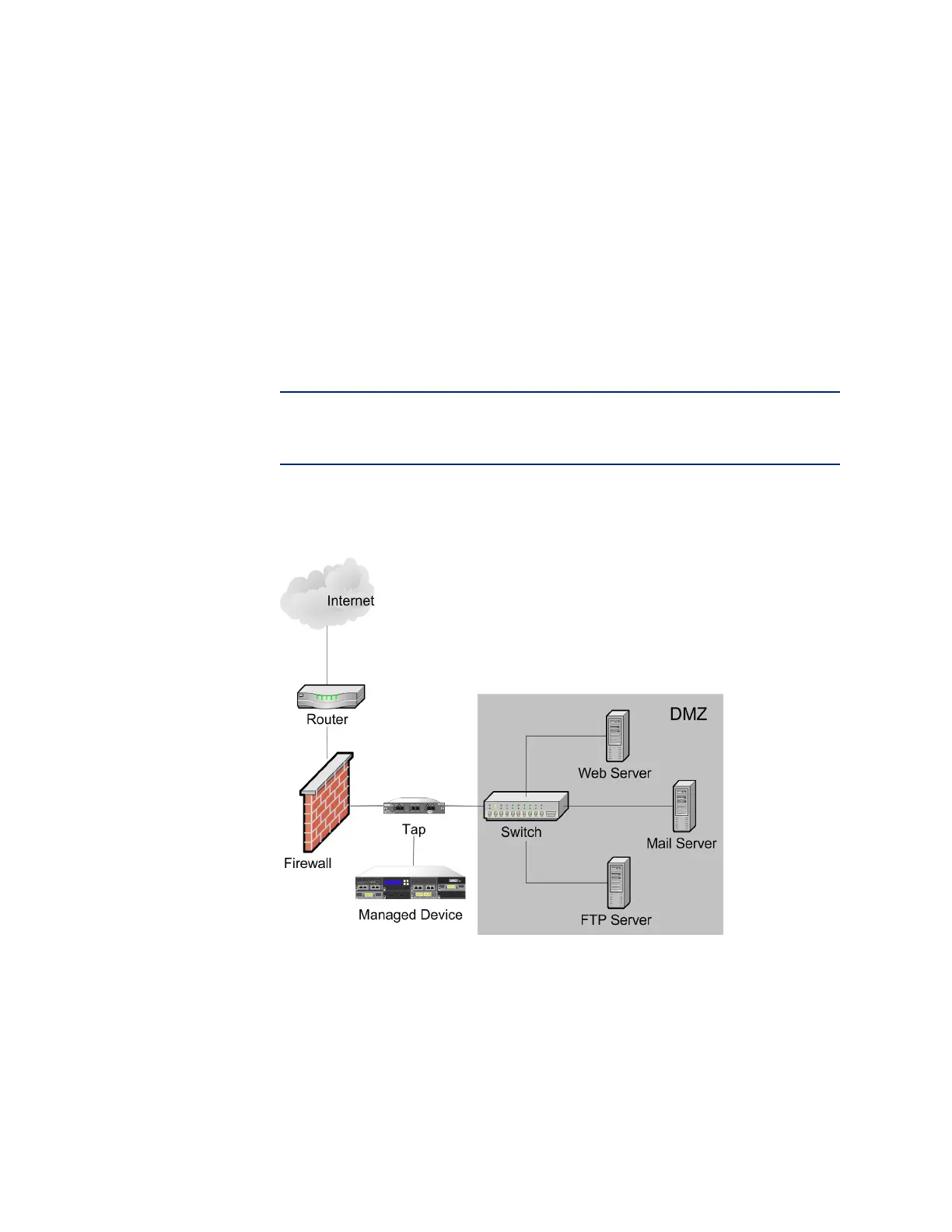
Deploying a multi-port managed device with a network tap is a straightforward
process. The following diagram shows a network tap installed on a high-traffic
network segment.
In this scenario, the tap transmits incoming and outgoing traffic through separate
ports. When you connect the multi-port adapter card on the managed device to
the tap, the managed device is able to combine the traffic into a single data
stream so that it can be analyzed.



 To Next Page