Version 5.2 Sourcefire 3D System Installation Guide 79
Installing a Sourcefire 3D System Appliance
Using Devices in a Stacked Configuration
Chapter 3
Using the 8000 Series Stacking Cable
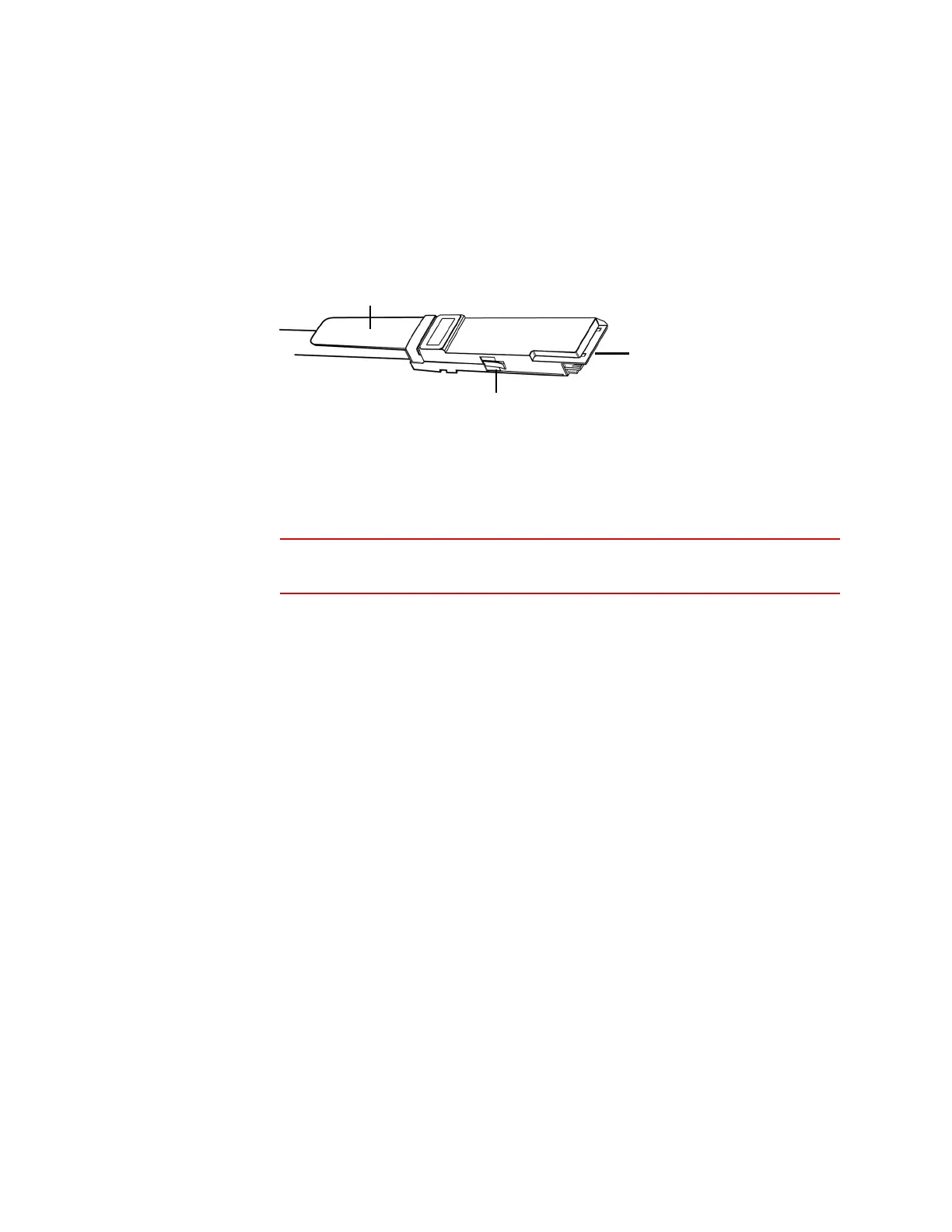
The 8000 Series stacking cable has identically-keyed ends, each with a latch to
secure the cable in the device and a latch release tab.
Use 8000 Series stacking cables to create the physical connection between the
primary device and each secondary device as required for each device
configuration. The 3D8250/8260/8270/8290 requires two cables per connection
and the 3D8140 requires one cable. Devices do not need to be powered down to
insert or remove the stacking cable.
WARNING! Use only the Sourcefire 8000 Series stacking cable when cabling
your devices. Using unsupported cables can create unforeseen errors.
Use the Defense Center to manage the stacked devices after you have physically
connected the devices.
To insert an 8000 Series stacking cable:
To insert the cable, hold the cable end with release tab facing up, then insert
the keyed end into the port on the stacking module until you hear the latch
click into place.
To remove an 8000 Series stacking cable:
To remove the cable, pull on the release tab to release the latch, then remove
the cable end.
Managing Stacked Devices
A Defense Center establishes the stacked relationship between the devices,
controls the interface sets of the primary device, and manages the combined
resources in the stack. You cannot manage interface sets on the local web
interface of a stacked device.
After the stacked relationship is established, each device inspects traffic
separately using a single, shared detection configuration. If the primary device
fails, traffic is handled according to the configuration of the primary device (that is,
as if the stacked relationship did not exist). If the secondary device fails, the
primary device continues to sense traffic, generate alerts, and send traffic to the
failed secondary device where the traffic is dropped.
Latch Release Tab
Keyed Cable End
Latch



 To Next Page