Version 5.2 Sourcefire 3D System Installation Guide 78
Installing a Sourcefire 3D System Appliance
Using Devices in a Stacked Configuration
Chapter 3
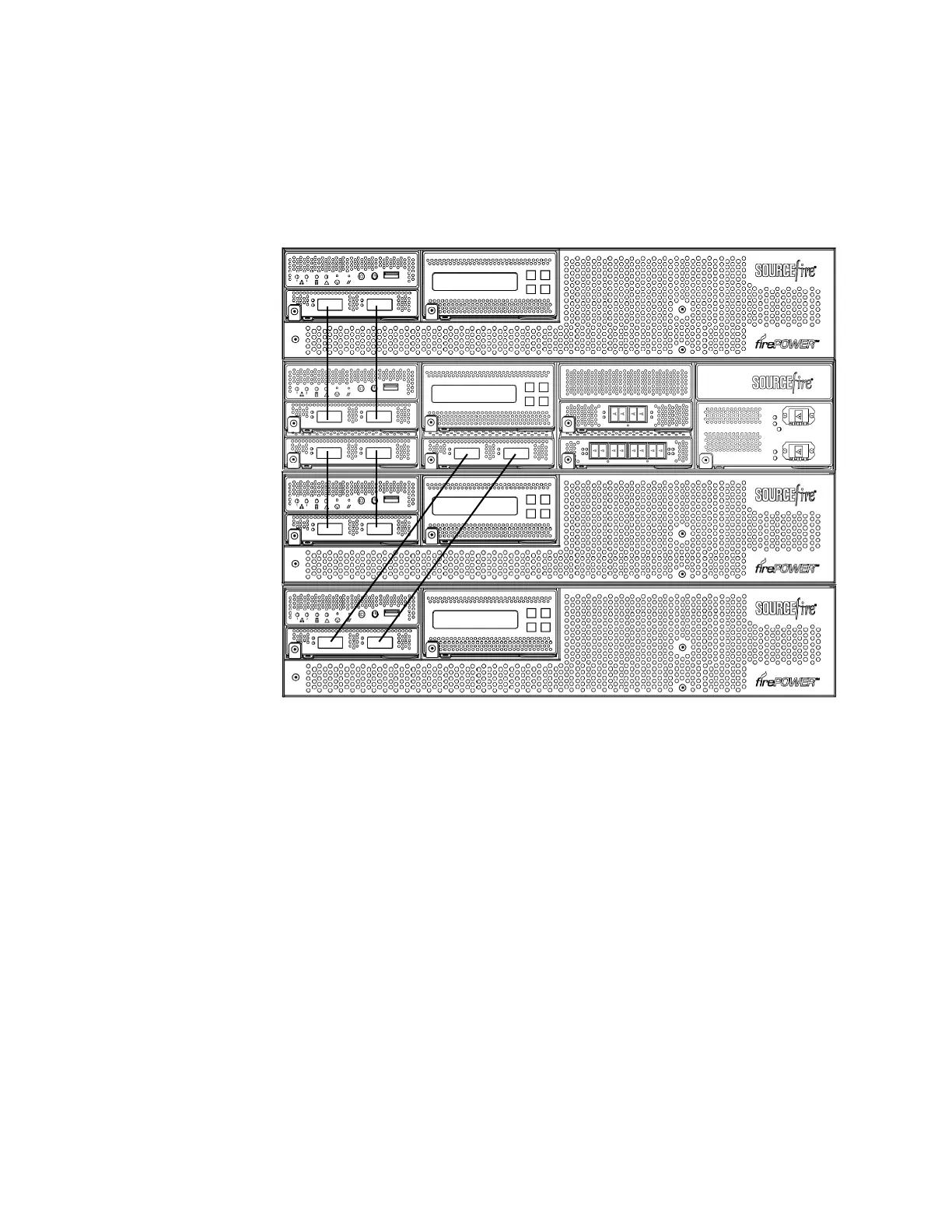
installed above the primary device and two secondary devices are installed below
the primary device.
To connect a 3D8250 secondary device:
1. Use an 8000 Series stacking cable to connect the left interface on the
stacking module on the primary device to the left interface on the stacking
module on the secondary device.
2. Use a second 8000 Series stacking cable to connect the right interface on the
stacking module on the primary device to the right interface on the stacking
module on the secondary device.
3. Repeat steps 1 and 2 for each secondary device you want to connect.
4. Use the Defense Center that manages the devices to establish the stacked
device relationship and manage their joint resources. See Managing Stacked
Devices on page 79.
Primary
Secondary
Secondary
Secondary



 To Next Page