Version 5.2 Sourcefire 3D System Installation Guide 109
Setting Up a Sourcefire 3D System Appliance
Next Steps
Chapter 4
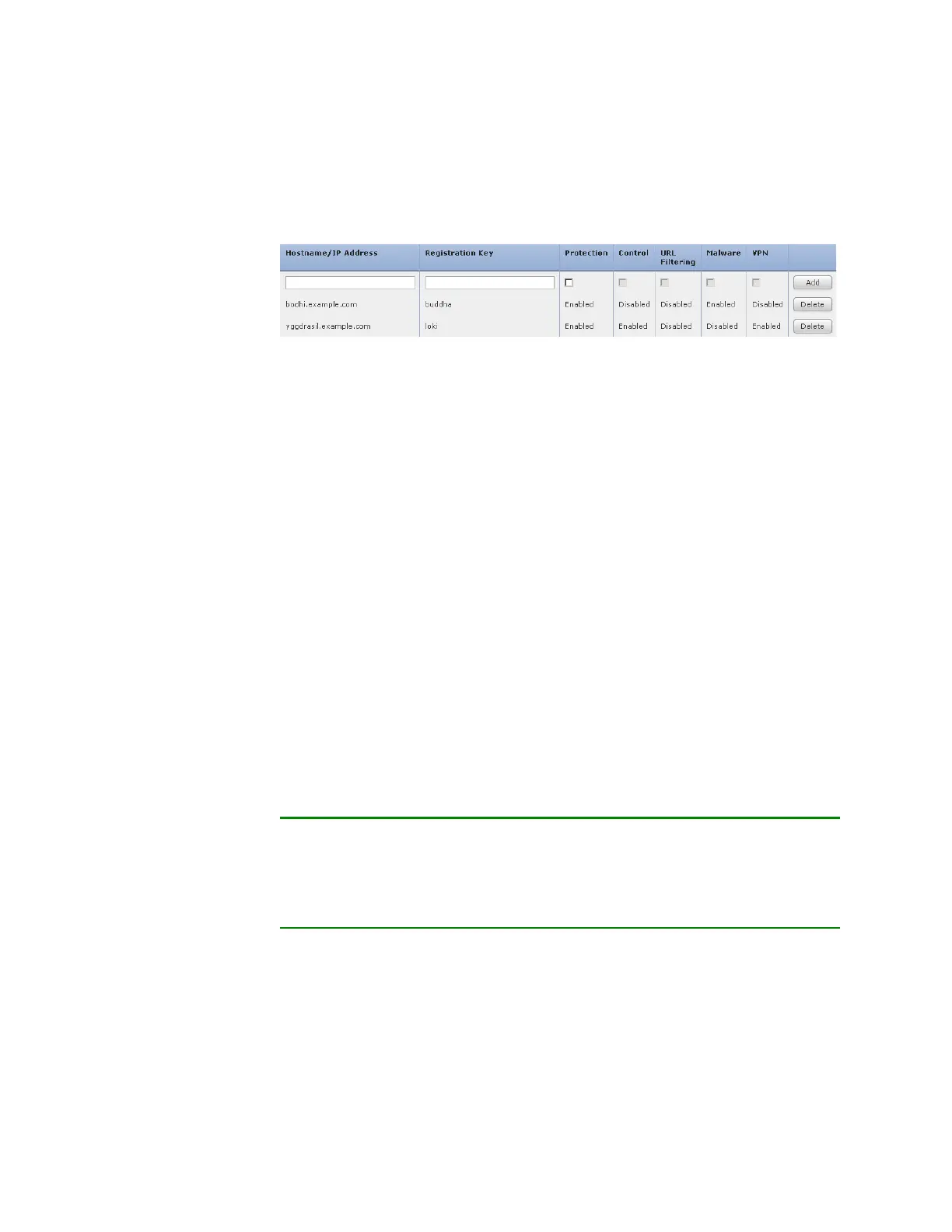
After you enable licenses, click Add to save the device’s registration settings and,
optionally, add more devices.
If you selected the wrong options or mis-typed a device name, click Delete to
remove it. You can then re-add the device.
End User License Agreement
Read the EULA carefully and, if you agree to abide by its provisions, select the
check box. Make sure that all the information you provided is correct, and click
Apply.
The Defense Center is configured according to your selections. After an
intermediate page appears, you are logged into the web interface as the
admin
user, which has the Administrator role. Continue with step
3 in Initial Setup Page:
Defense Centers on page 100 to complete the initial setup of the Defense
Center.
Next Steps
After you complete the initial setup process for an appliance and verify its
success, Sourcefire recommends that you complete various administrative tasks
that make your deployment easier to manage. You should also complete any
tasks you skipped during the initial setup, such as device registration and
licensing. For detailed information on any the tasks described in the following
sections, as well as information on how you can begin to configure your
deployment, see the Sourcefire 3D System User Guide.
TIP! If you want to use a serial or LOM/SOL connection to access your
appliance’s console, you should redirect console output; see Redirecting Console
Output on page 82. If you want to use LOM specifically, you must enable the
feature as well as enable at least one LOM user; see Enabling LOM and LOM
Users on page 221.
Individual User Accounts
After you complete the initial setup, the only user on the system is the admin
user, which has the Administrator role and access. Users with that role have full
menu and configuration access to the system, including via the shell or CLI.
Sourcefire recommends that you limit the use of the
admin account (and the
Administrator role) for security and auditing reasons.



 To Next Page