Version 5.2 Sourcefire 3D System Installation Guide 75
Installing a Sourcefire 3D System Appliance
Using Devices in a Stacked Configuration
Chapter 3
Connecting the 3D8140
You can connect two 3D8140s in a stacked configuration. You must use one
8000
Series stacking cable to create the physical connection between the
primary device and the secondary device. For more information on using the
stacking cable, see
Using the 8000 Series Stacking Cable on page 79.
Install the devices in your rack so you can easily connect the cable between the
stacking modules. You can install the secondary device above or below the
primary device.
Connect the primary device to the network segments you want to analyze in the
same way that you would connect a single 3D8140. Connect the secondary
device directly to the primary device.
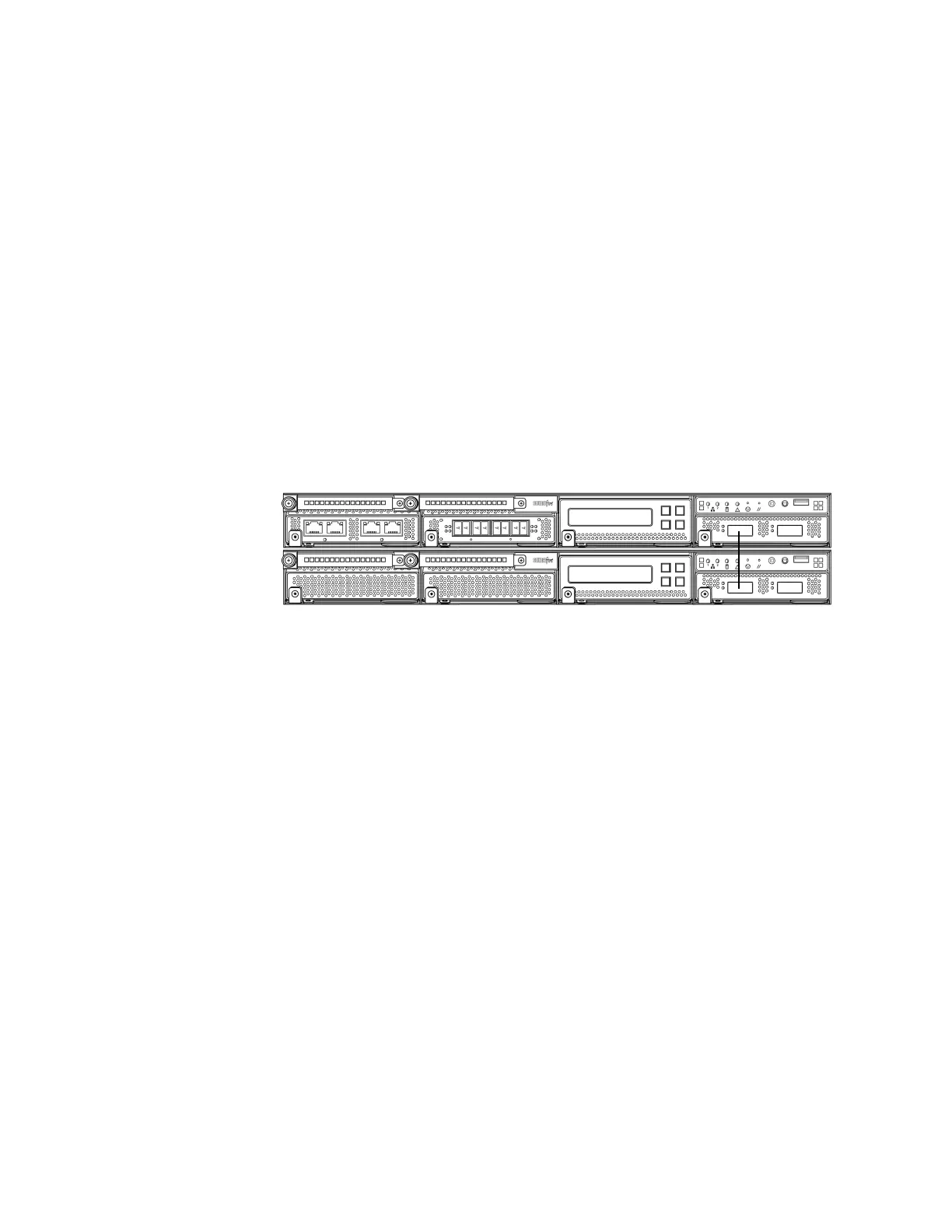
The following graphic shows a primary device with a secondary device installed
below the primary device.
To connect a 3D8140 secondary device:
Use an 8000 Series stacking cable to connect the left stacking interface on
the primary device to the left stacking interface on the secondary device,
then use the Defense Center that manages the devices to establish the
stacked device relationship in the system. Note that the right stacking
interface is not connected. See Managing Stacked Devices on page 79.
Connecting the 3D8250/8260/8270/8290
You can connect any of the following configurations:
• up to four 3D8250s
• a 3D8260 (a 10G-capable primary device and a secondary device)
• a 3D8270 (a 40G-capable primary device and two secondary devices)
• a 3D8290 (a 40G-capable primary device and three secondary devices)
For the 3D8260 and 3D8270, you can stack additional devices for a total of four
devices in the stack.
You must use two 8000 Series stacking cables for each secondary device you
want to connect to the primary device. For more information on using the
stacking cable, see
Using the 8000 Series Stacking Cable on page 79.



 To Next Page