Version 5.2 Sourcefire 3D System Installation Guide 112
Using the LCD Panel on a Series 3 Device
Understanding LCD Panel Components
Chapter 5
• System Status Mode on page 118 explains how you can view monitored
system information, such as link state propagation, bypass status, and
system resources, as well as change the LCD panel brightness and
contrast.
• Information Mode on page 119 explains how you can view identifying
system information such as the device’s chassis serial number, IP address,
model, and software and firmware versions.
• Error Alert Mode on page 121 describes how the LCD panel communicates
error or fault conditions; for example, bypass, fan status, or hardware alerts.
IMPORTANT! The device must be powered on to use the LCD panel. For
information on how to safely power on or shut down the device, see the
Managing Devices chapter in the Sourcefire 3D System User Guide.
Understanding LCD Panel Components
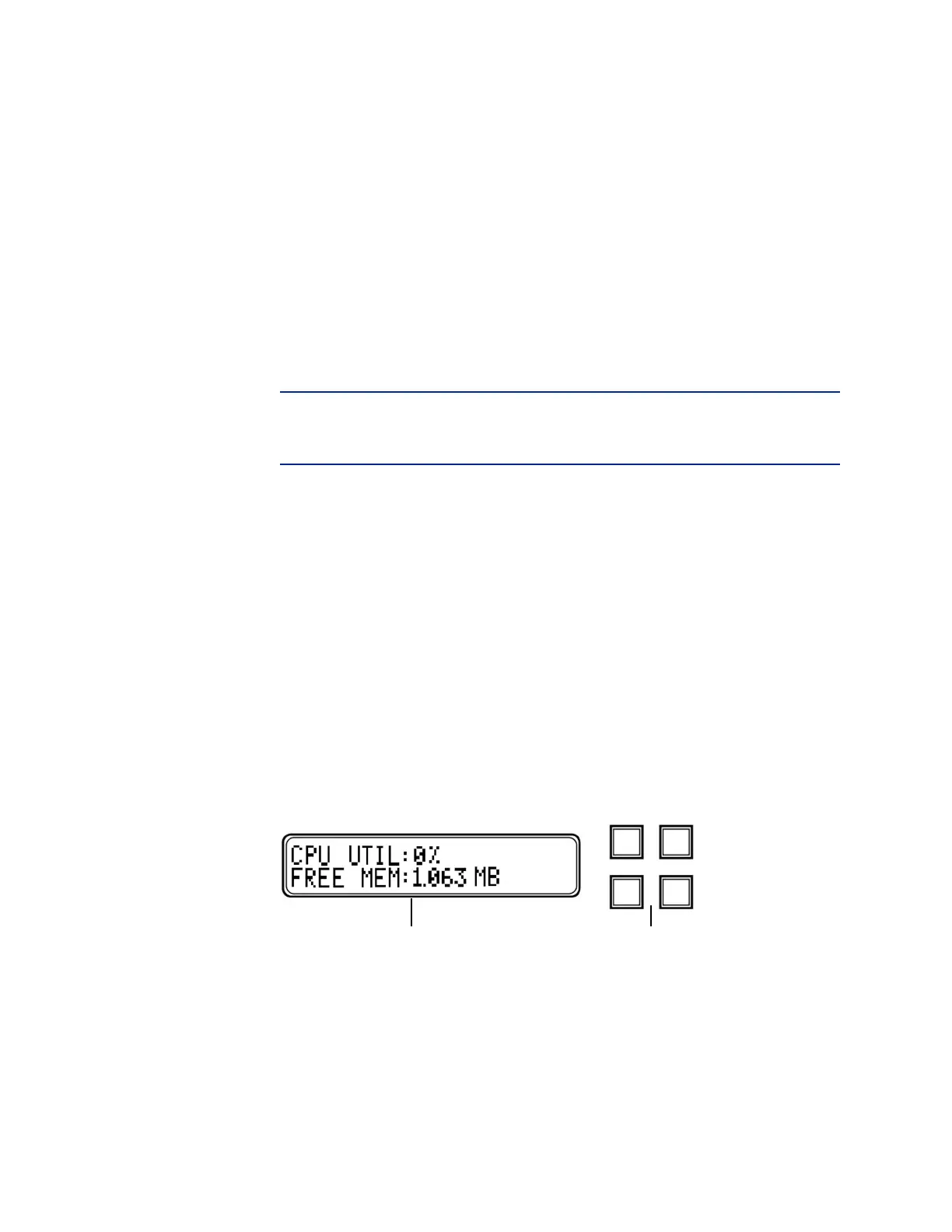
The LCD panel on the front of a Series 3 device has a display and four
multi-function keys:
• The display contains two lines of text (up to 17 characters each), as well as
the multi-function key map. The map indicates, with symbols, the actions
that you can perform with the corresponding multi-function keys.
• The multi-function keys allow you to view system information and complete
basic configuration tasks, which vary according to the mode of the LCD
panel. For more information, see Using the LCD Multi-Function Keys on
page 113.
The following graphic shows the panel’s default Idle Display mode, which does
not include a key map.
LCD Panel, Idle Display mode
In Idle Display mode, the panel alternates between displaying the CPU utilization
and free memory available, and the chassis serial number. You can access the
Network Configuration, System Status, and Information modes by interrupting
Idle Display mode to show the LCD panel’s main menu.
LCD Display Multi-Function Keys



 To Next Page