Version 5.2 Sourcefire 3D System Installation Guide 126
Hardware Specifications
Sourcefire Defense Centers
Chapter 6
The DC750 System Status table describes the conditions where the system
status LED might be lit.
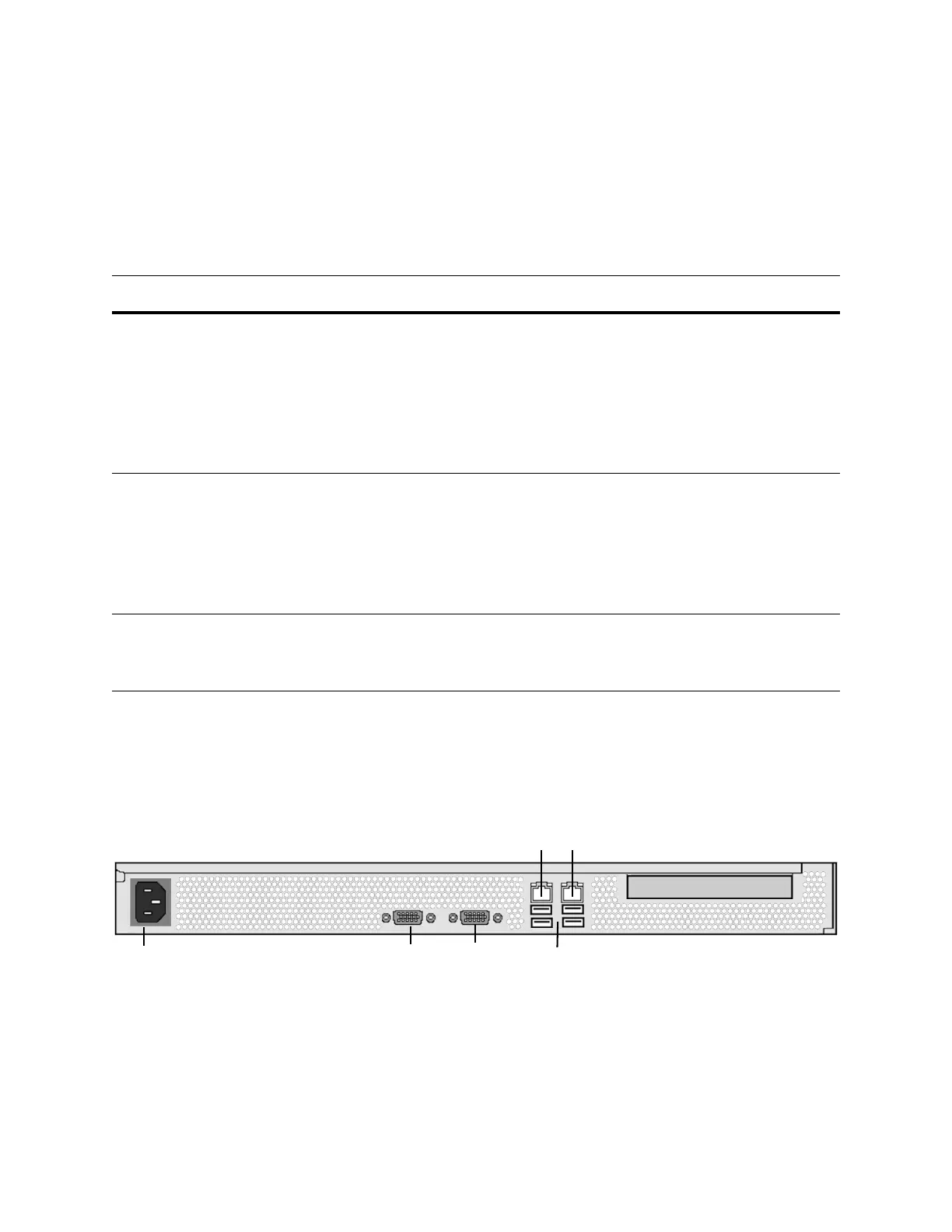
DC750 Chassis Rear View
The rear of the chassis contains the power supply and connection ports for the
DC750 (Rev 1).
DC750 (Rev 1)
DC750 System Status
CONDITION DESCRIPTION
Critical Any critical or non-recoverable threshold crossing associated with the
following events:
• temperature, voltage, or fan critical threshold crossing
• power subsystem failure
• the system is unable to power up due to incorrectly installed processors or
processor incompatibility
• critical event logging errors, including System Memory Uncorrectable ECC
error and fatal/uncorrectable bus errors, such as PCI SERR and PERR
Non-critical A non-critical condition is a threshold crossing associated with the following
events:
• temperature, voltage, or fan non-critical threshold crossing
• chassis intrusion
• Set Fault Indication command from system BIOS; the BIOS may use the
command to indicate additional, non-critical status such as system memory
or CPU configuration changes
Degraded A degraded condition is associated with the following events:
• one or more processors are disabled by Fault Resilient Boot (FRB) or BIOS
• BIOS has disabled or mapped out some of the system memory
VGA Port
USB Ports
Serial Port
Power Supply
Alternate eStreamer Interface
Management Interface



 To Next Page