Version 5.2 Sourcefire 3D System Installation Guide 39
Understanding Deployment
Deployment Options
Chapter 2
A virtual router can contain either physical or logical routed configurations from
one or more individual devices within the same broadcast domain. You must
associate each logical interface with a VLAN tag to handle traffic received by the
physical interface with that specific tag. You must assign a logical routed interface
to a virtual router to route traffic.
To configure a virtual router, you set up routed interfaces with either physical or
logical configurations. You can configure physical routed interfaces for handling
untagged VLAN traffic. You can also create logical routed interfaces for handling
traffic with designated VLAN tags. The system drops any traffic received on an
external physical interface that does not have a routed interface waiting for it. If
the system receives a packet with no VLAN tag and you have not configured a
physical routed interface for that port, it drops the packet. If the system receives a
VLAN-tagged packet and you have not configured a logical routed interface, it also
drops the packet.
Virtual routers have the advantage of scalability. Where physical routers limit the
number of networks you can connect, multiple virtual routers can be configured
on the same managed device. Putting multiple routers on the same device
reduces the physical complexity of your deployment, allowing you to monitor and
manage multiple routers from one device.
Use a virtual router where you would use a Layer 3 physical router to forward
traffic between multiple networks in your deployment, or to connect your private
network to a public network. Virtual routers are particularly effective in large
deployments where you have many networks or network segments with different
security requirements.
When you deploy a virtual routers on your managed device, you can use one
appliance to connect multiple networks to each other, and to the Internet.
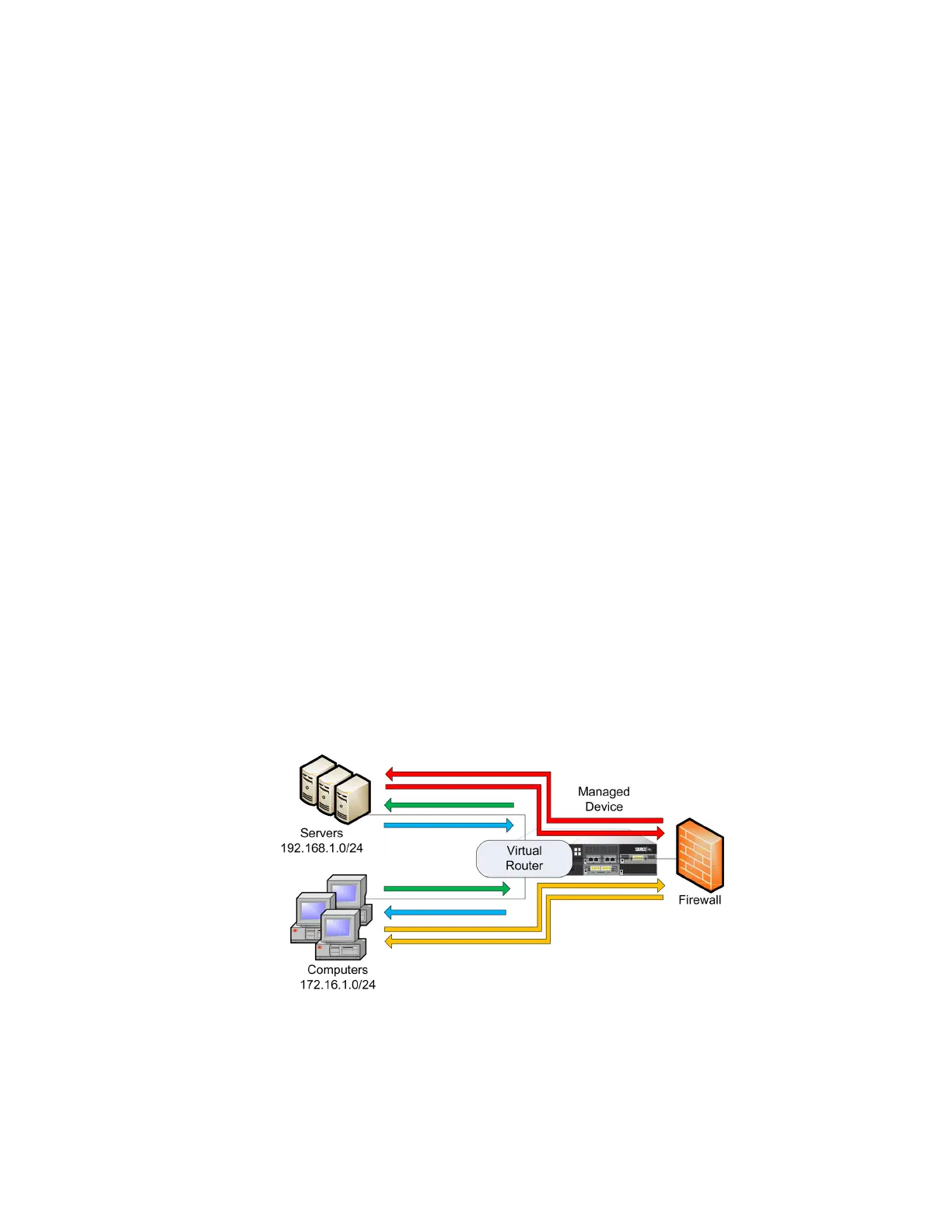
Virtual Routers on a Managed Device
In this example, the managed device contains a virtual router to allow traffic to
travel between the computers on network 172.16.1.0/20 and the servers on
network 192.168.1.0/24 (indicated by the blue and green lines). A third interface



 To Next Page