SPACE s.r.l.
Soc.a socio unico
PFB035 SERIES – PFB040 SERIES
PFB045 SERIES – PFB060 SERIES
SPRT102/4 SERIES – SPRT102/5 SERIES
SPRT102/6 SERIES – SPRT102/7 SERIES
Code M0247 - Ver.1.4
(09/2016)
SPACE s.r.l. – 10090 TRANA (TO) Via Sangano, 48
Tel. (+39) 011/ 934 40 300 – Fax (+39) 011/ 933 88 64
e-mail: info@spacetest.it - www.spacetest.com
Reaching of the maximum threshold of effort on the pressure pedal meter, on the service brake
control device or on the hand brake control device.
In this last case the final value of effort visualized correspond at the maximum braking effort
reached, and the value is pointed out by a red square.
Wheel drag, brake heating
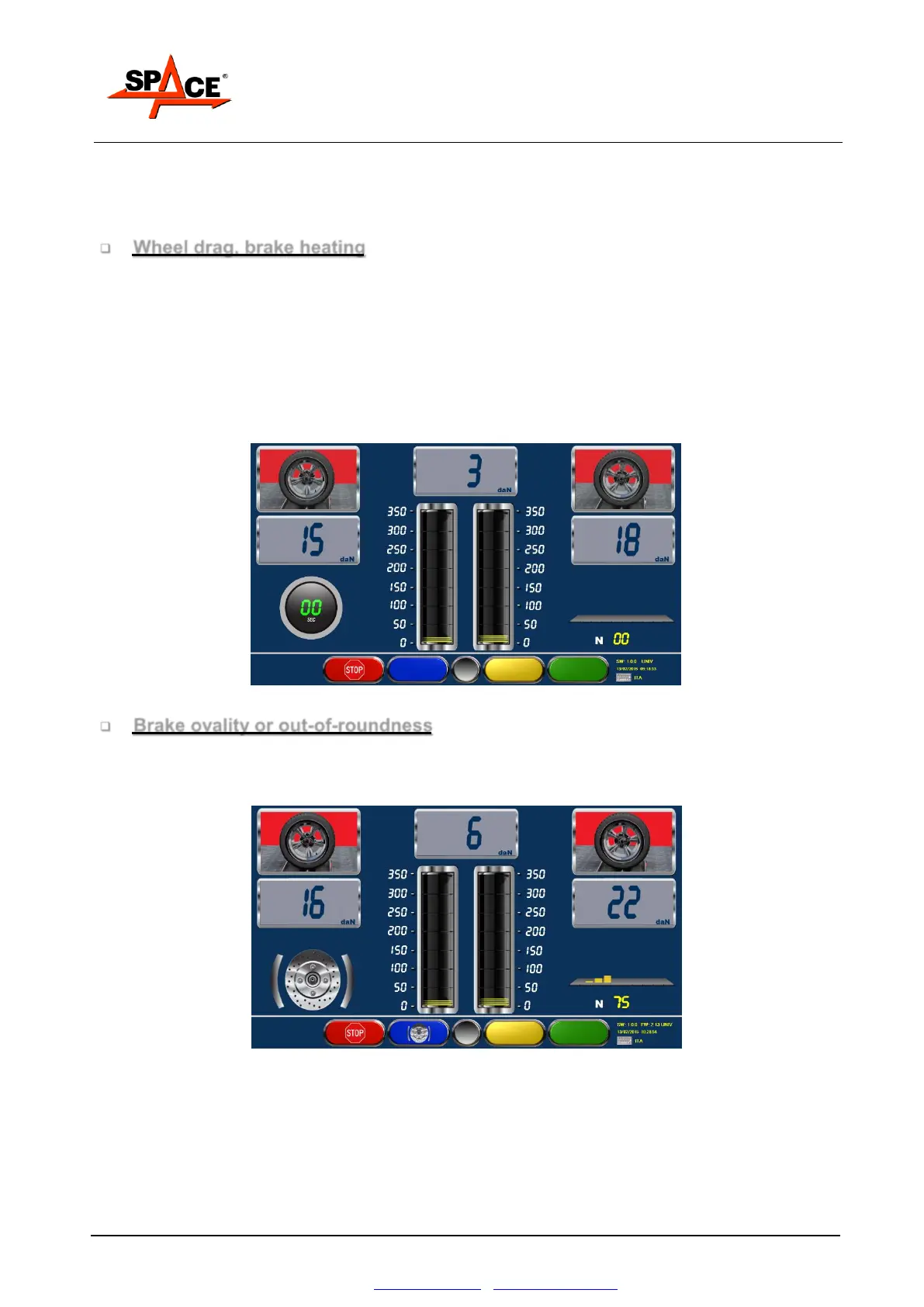
After starting the rollers, wait for the braking pressure readings to appear on the digital indicators;
at this stage, DO NOT BRAKE. The readings that appear on the outer upper indicators, referring
to the left and right wheels (see Figure 50) indicate the pressure needed to drag the un-braked
wheels (rolling resistance only).
Slowly press the brake pedal until a pressure reading of at least 60-80 daN is displayed on the
indicators and maintain this pressure for a few seconds to heat the brake friction elements.
Release the brake pedal and observe the pressure readings on the digital and analog indicators,
assessing whether there is an immediate return to minimum readings corresponding to rolling
force.
Figure 50
Brake ovality or out-of-roundness
Operate the brake pedal until a pressure reading of 80-100 daN is shown on the indicators; press
the key with the ovality symbol; on the left side of the screen, the ovality procedure symbol will
appear (see Figure 51), maintain the same pressure on the brake pedal throughout.
Figure 51
During this stage, the screen shows the absolute reading of the braking pressure swing due to
disc ovality or drum out-of-roundness. This swing will only return to the percentage relating to
maximum braking pressure at the end of the braking action (on final summary and printout).
Press the ovality key again and release the brake pedal, as suggested by the icon that appears on
the left. On the left side, the symbol of the axle being tested appears; the system is now ready to
analyze a braking progression.



 To Next Page