SPACE s.r.l.
Soc.a socio unico
PFB035 SERIES – PFB040 SERIES
PFB045 SERIES – PFB060 SERIES
SPRT102/4 SERIES – SPRT102/5 SERIES
SPRT102/6 SERIES – SPRT102/7 SERIES
Code M0247 - Ver.1.4
(09/2016)
SPACE s.r.l. – 10090 TRANA (TO) Via Sangano, 48
Tel. (+39) 011/ 934 40 300 – Fax (+39) 011/ 933 88 64
e-mail: info@spacetest.it - www.spacetest.com
Display of final brake test summary
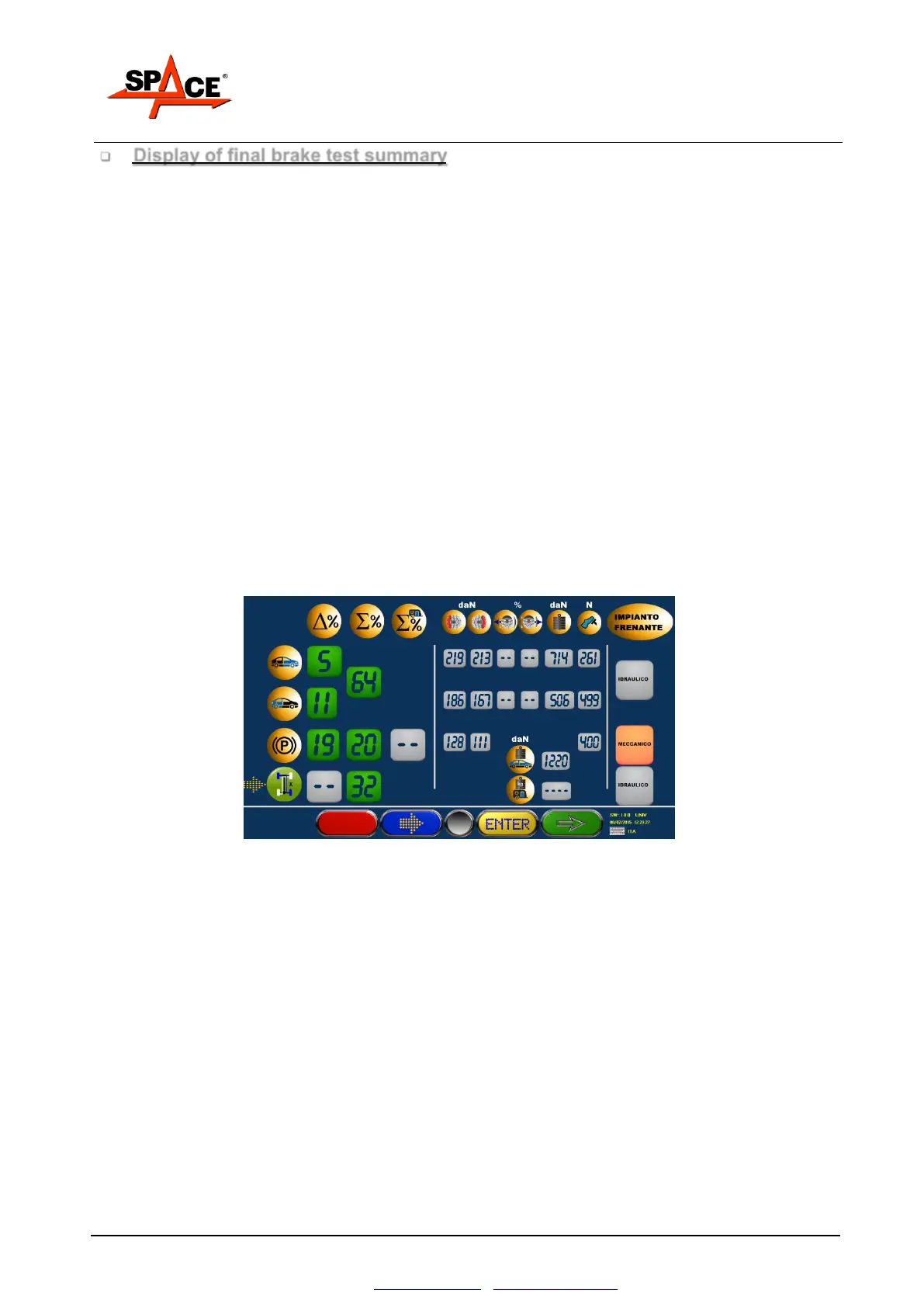
After storing the front and rear axle and parking brake tests, and after disengaging the rollers, the
screen shows a summary page with all brake tester procedure results (see Figure 56).
The % unbalance values between the wheels (symbol %) and the % braking efficiency values
(symbol %) are shown in very large figures, which can be seen from a distance and distinguished
by colors referring to test results: RED for out of tolerance, GREEN for within tolerance.
The maximum left and right braking force, left and right ovality, pedal / handbrake lever pressure
and front and rear axle weight values are always shown down below in BLUE (such results are
not subject to confirmation with tolerance thresholds).
At this stage, the type of emergency brake can be changed (X, T or coinciding with parking brake)
by moving the cursor (flashing index) onto the emergency brake icon and pressing ENTER/F3.
The braking efficiency and unbalance values change automatically when a different type of
emergency brake is selected.
The operator can also change the definition of the braking system type for the service brake,
parking brake and emergency brake. This is indicated on the print-out by moving the cursor
(flashing index) onto the relevant wording and pressing ENTER/F3.
If necessary (for instance if a result is out of tolerance), the operating program can be returned to
the previous stage and the test repeated on one or both axles; press the STOP/F1 key.
If, at this stage, the brake test is terminated, press the START/F4 key to pass on to the next
program stage.
Figure 56



 To Next Page