P340 flexiprobe Operation Manual 41
Deleting files and folders
You can delete any file or folder on the storage
device.
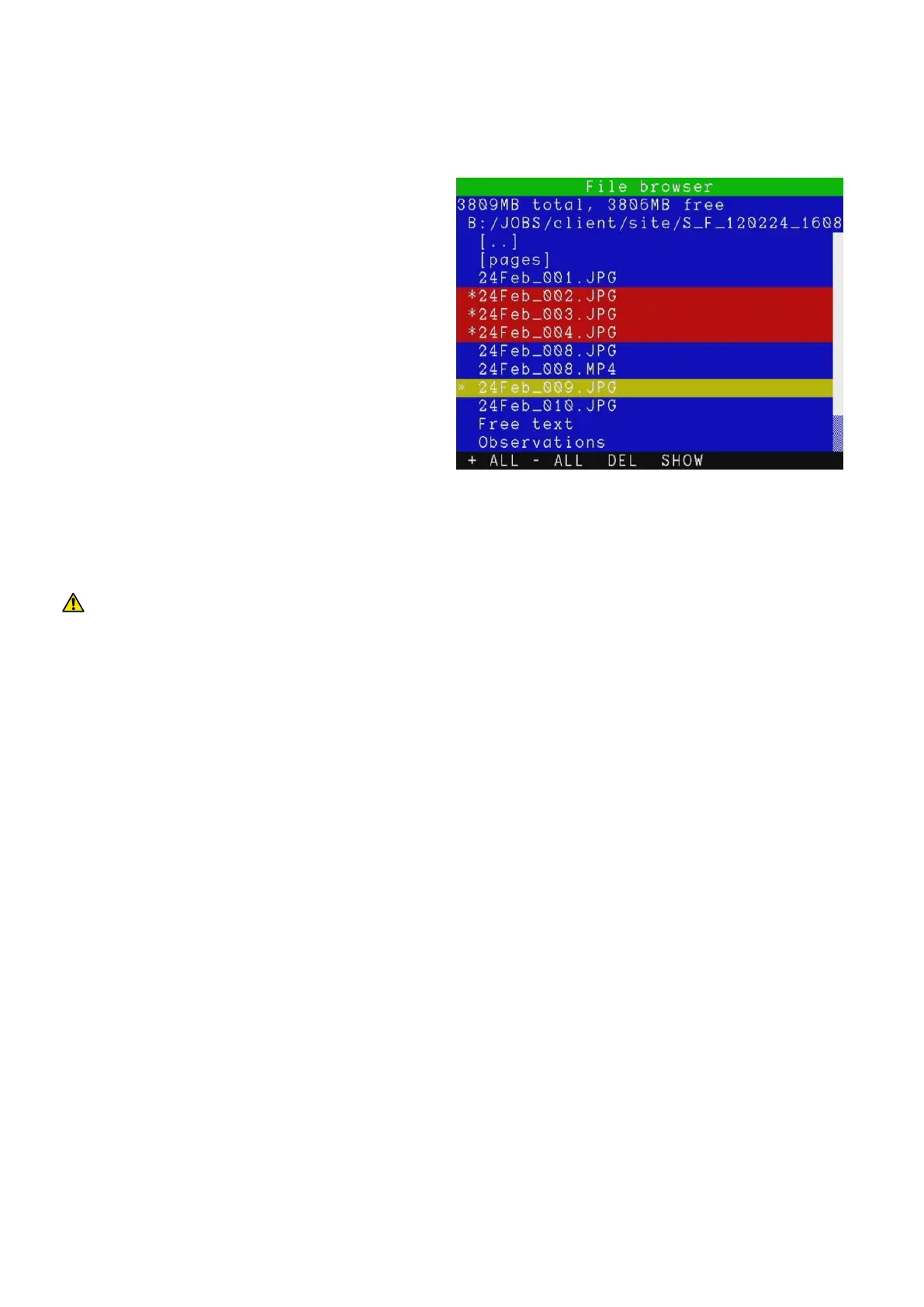
Figure 7.3 shows the delete functions in the file
browser.
1. Select the file or folder you wish to delete.
2. Mark the file or folder by pressing the ►
arrow.
3. Repeat the previous two steps if you wish
to delete multiple files or folders.
4. Alternatively, press +ALL to mark all the
files and folders included in the current
folder or -ALL to deselect them all.
5. Press DEL.
6. Select YES to confirm the delete operation or NO to cancel.
CAUTION: This operation will delete user files. It cannot be undone!
NOTE: You can also use the Delete button on the keyboard.
Creating folders
Create new folders in any location on your storage device.
1. Enter the folder where you wish to create the new subfolder.
2. Press DIR.
3. Enter the new folder’s name and press OK.
Once the folder is created you can move or copy files to it as with any folder on the storage device. See
Section 7.2 for more details.
Information
To access file and folders information:
1. Select the file or folder.
2. Press INFO to access the information:
File Extension or Folder.
Figure 7.3: File browser delete and show
screen



 To Next Page