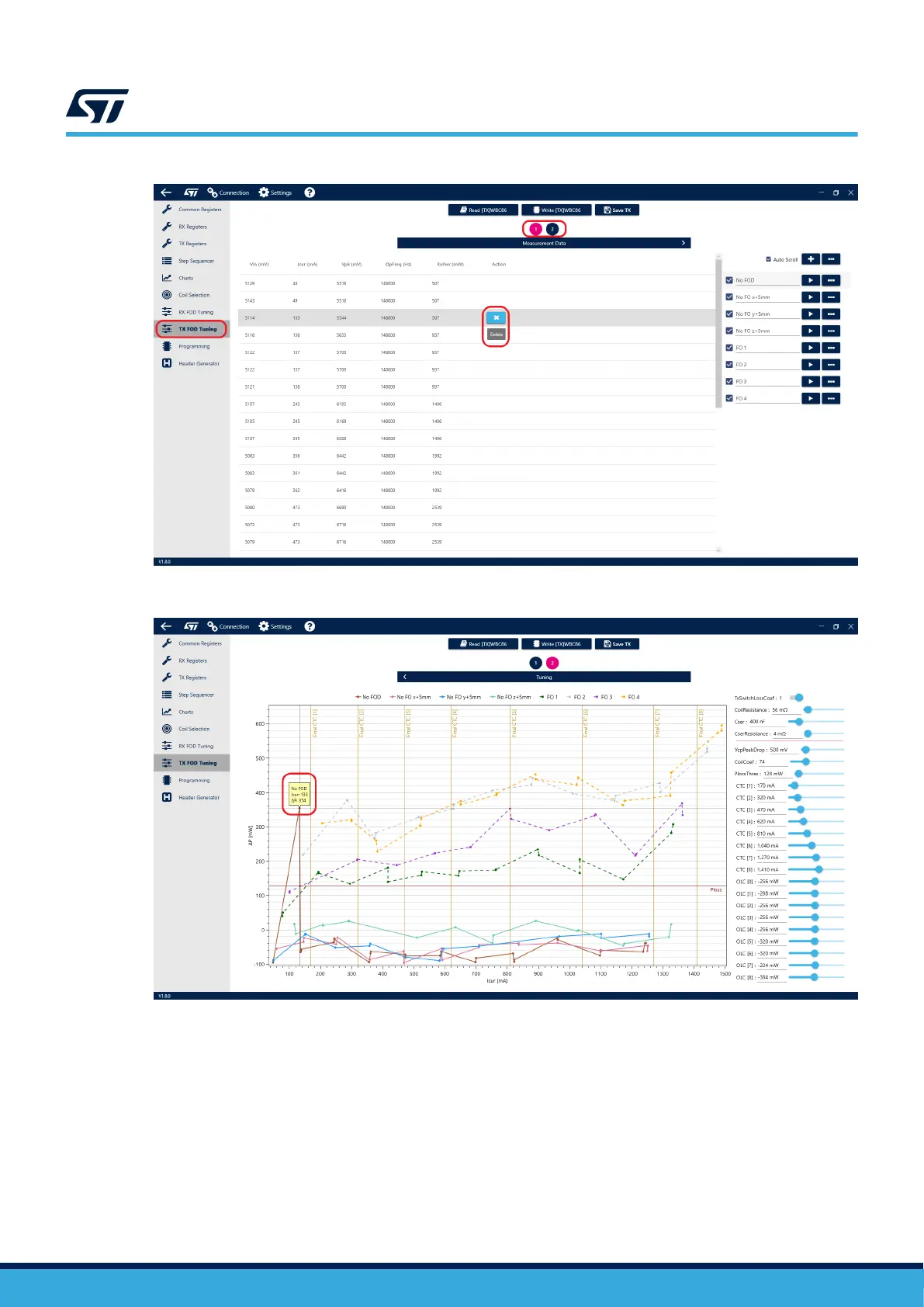
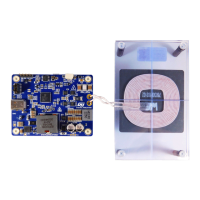
Figure 30. Delete a single data point
Figure 31. Spot wrong data point in plot
Parameter tuning
Plot of the logged data can be seen on the second page of the tuning tool, accessed by clicking the “2” button in
the upper part of the window. Here you can see estimated power loss curves based on the data captured.
UM3161
Foreign object detection (FOD)
UM3161 - Rev 1
page 25/78



 To Next Page