The goal of FOD tuning is to establish a threshold which would both trigger FOD when foreign object is present
and not trigger FOD when not. This would translate to a condition when all FO curves are above the set threshold
and non-FO curves are below the threshold, with a sufficient margin (at least for the non-FO curves). The margin
is necessary to ensure the power transfer in not terminated, even when there is a slight misalignment of the coils.
Under some condition, the power dissipated in the foreign object might be very low, which would cause the FO
and non-FO curves to be very close to each other. This would make it almost impossible to separate the curves
(and to detect the presence of foreign object) effectively. However, the main reason of FOD is preventing
excessive heating of the FO. A low power dissipation would lead to only a minor temperature rise of the FO.
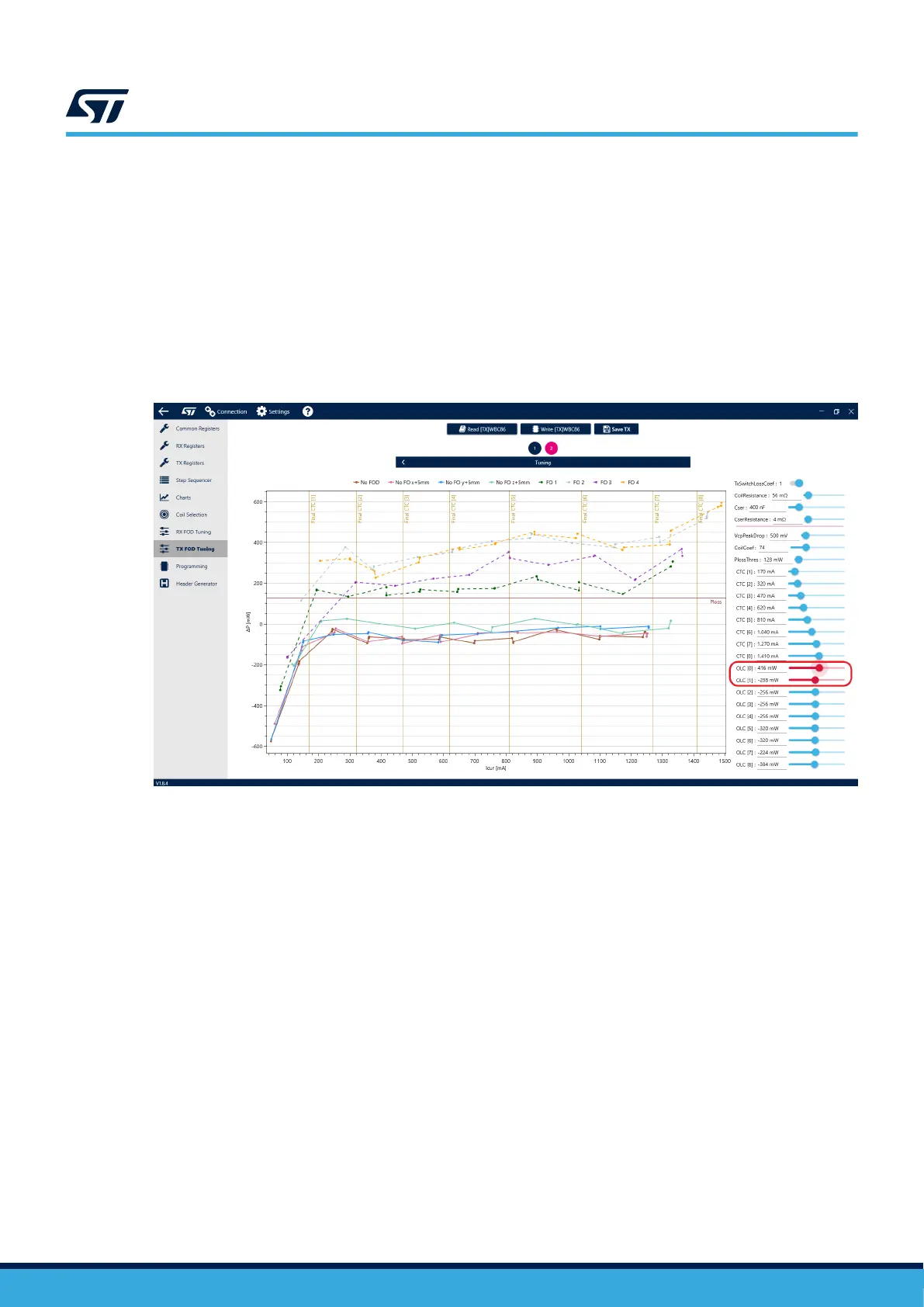
Certain value combinations may not be suitable. To help you avoid problems during operation, non-recommended
coil coefficient, VcpPeakDrop and OLC values will be highlighted in red. Saving and uploading those values may
cause false FO detection during operation.
Figure 35. Unsutiable parameter values highlighted in red
Parameter loading
The new FOD parameters must be loaded into the chip when the tuning is finished. However, before loading the
parameters, please remember to enable the EPT FOD function, you have disabled as per the instructions at the
beginning of this guide.
To load the parameters into the device, begin by saving the parameters using the “Write TX” button. Continue by
navigating to the TX Registers, Tx FOD Configuration and enable FOD. Optionally, adjust the FOD debounce
value. Click the “Save TX” button to generate a new CFG file containing the new parameters. Finish by loading
the CFG file into the device using the standard procedure described in section 3.6.
UM3161
Foreign object detection (FOD)
UM3161 - Rev 1
page 28/78



 To Next Page