3.3 Configuration file generation
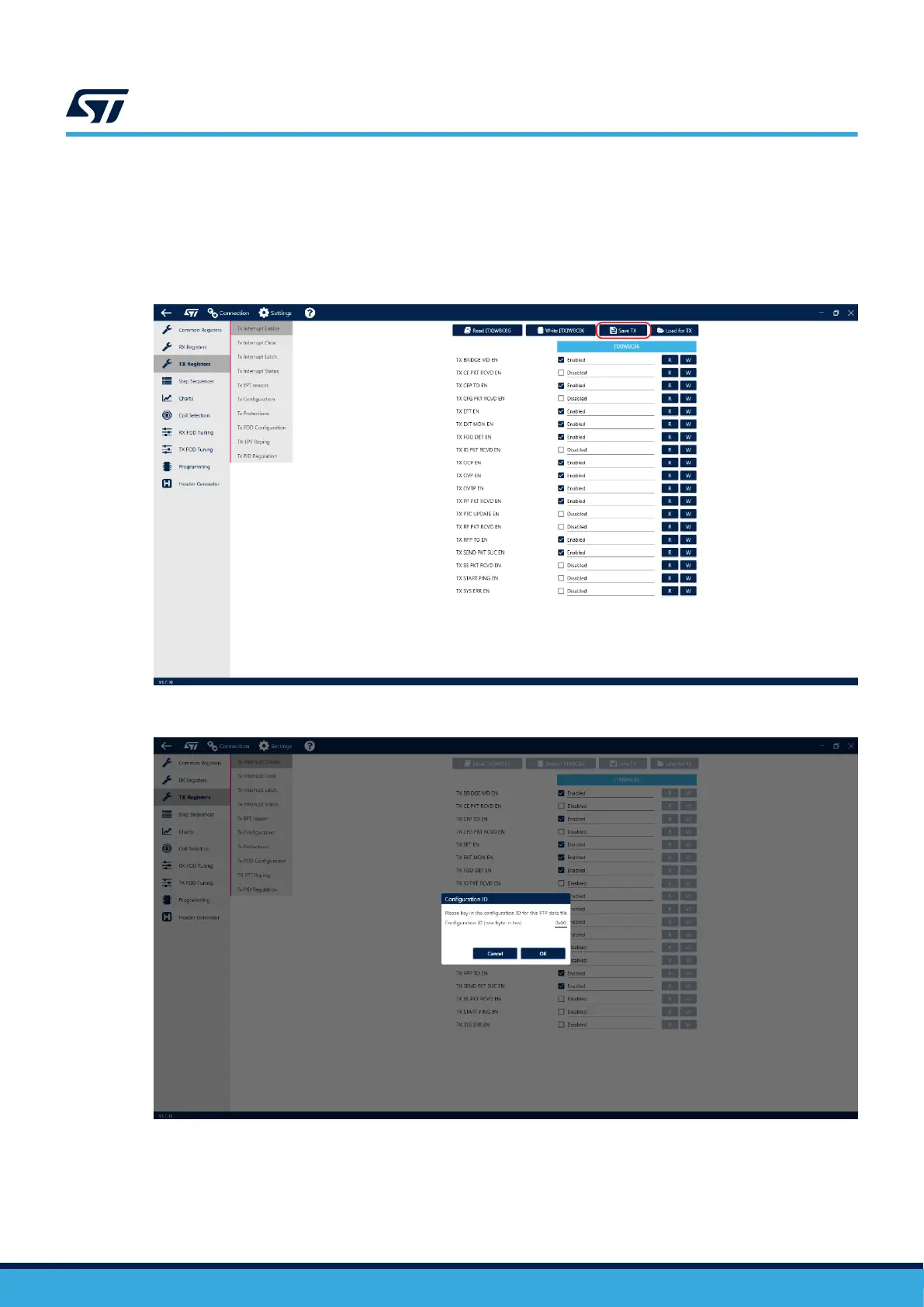
Using the STSW-WPSTUDIO makes generating the Configuration file quite simple – the user can do so by
clicking the “Save TX” button in the TX Registers tab or the Common Registers tab, entering a configuration ID
number (used for version control) and pressing OK. The GUI then asks for a save destination. After choosing a
location, the Configuration is saved as a .memh file in the selected folder.
Figure 6. Generation of configuration file
Figure 7. Version of the configuration file
UM3161
Configuration file generation
UM3161 - Rev 1
page 9/78



 To Next Page