Stonex R20 – User Manual 36
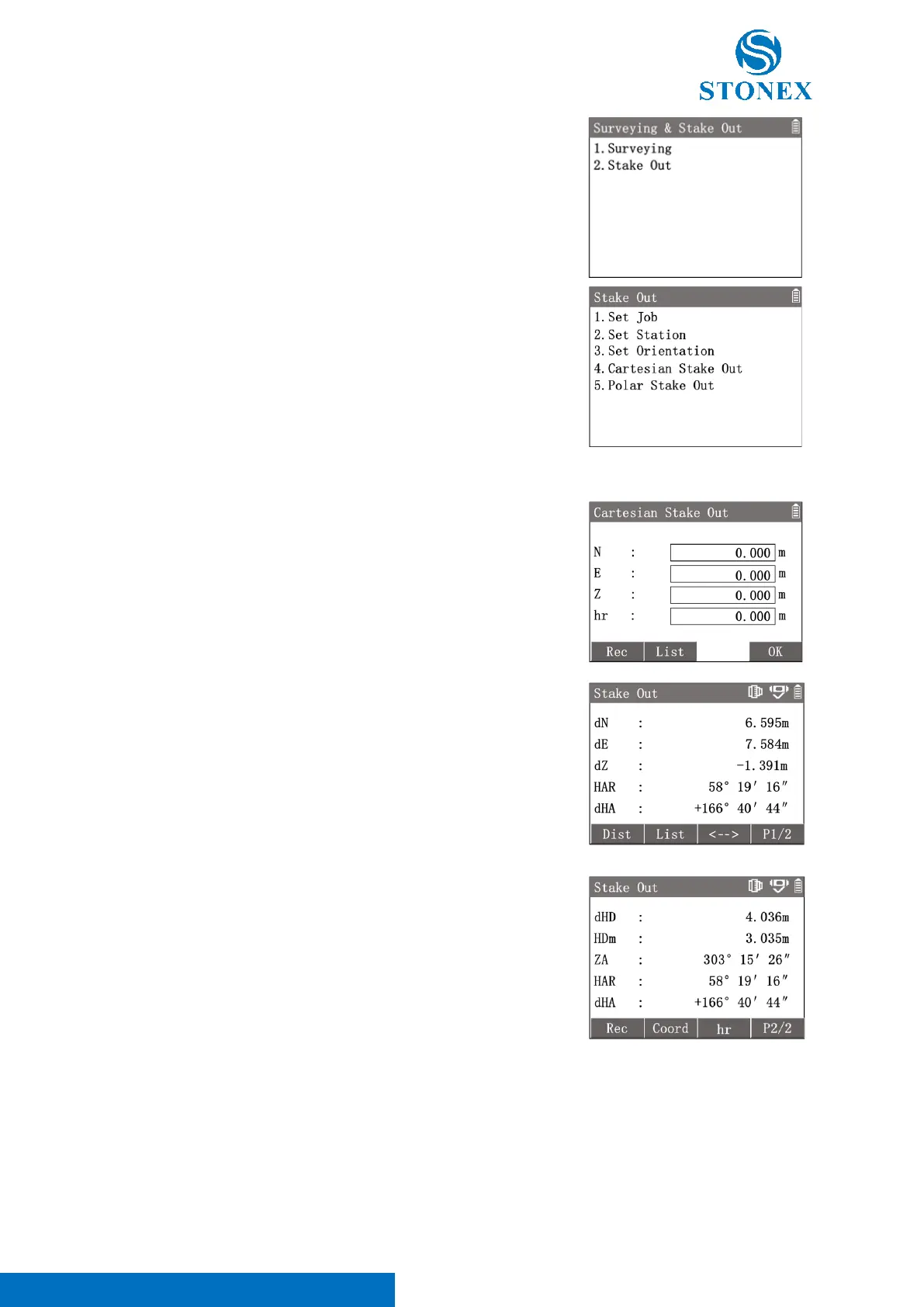
1. In the measurement interface, press [M] to enter {Main Menu}.
2. Press [2] to enter {Surveying & Stake Out}.
3. Press [2] to enter {Stake Out}.
4. Perform pre-settings.
5. Press [4] or [5] to choose the stakeout method 〈Cartesian
Stake Out〉or〈Polar Stake Out〉to enter.
Cartesian Stake Out:
The stakeout point coordinates can be read from the instrument memory or set by manual input.
Press [4] to enter {Cartesian stake out}.
Input stakeout point coordinates 〈N〉,〈E〉,〈Z〉and〈hr〉.
[F1]【Rec】: Record the inputted coordinates point.
[F2]【List】: Enter {Known Point List} to select a known point as the
stakeout point.
[F4]【OK】: Confirm point data and enter {Stake Out} to perform stake
out process.
{Stake Out} default workspace is performing cartesian method process.
Aim at the target.
[F1]【Dist】: Trigger the distance measurement and display the result.
〈dN〉: North offset.
〈dE〉: East offset.
〈dZ〉: Height offset.
〈HAR〉: Current HA.
〈dHA〉: HA offset.
When the 〈dHA〉is 0°00′00″, it means that the direction of staking out
is correct.
[F3]【<-->】: Convet the workspace to stakeout guidance interface.
Press [F4] to 2
nd
page of softkeys.
[F1]【Rec】: Record the current point measurement result.
[F2]【HD/Coord】: Switch the method between cartesian and polar.
〈dHD〉: Longitudinal offset.
Polar Stake Out:
Input the longitudinal offset and HA offset to define the stakeout point.



 To Next Page