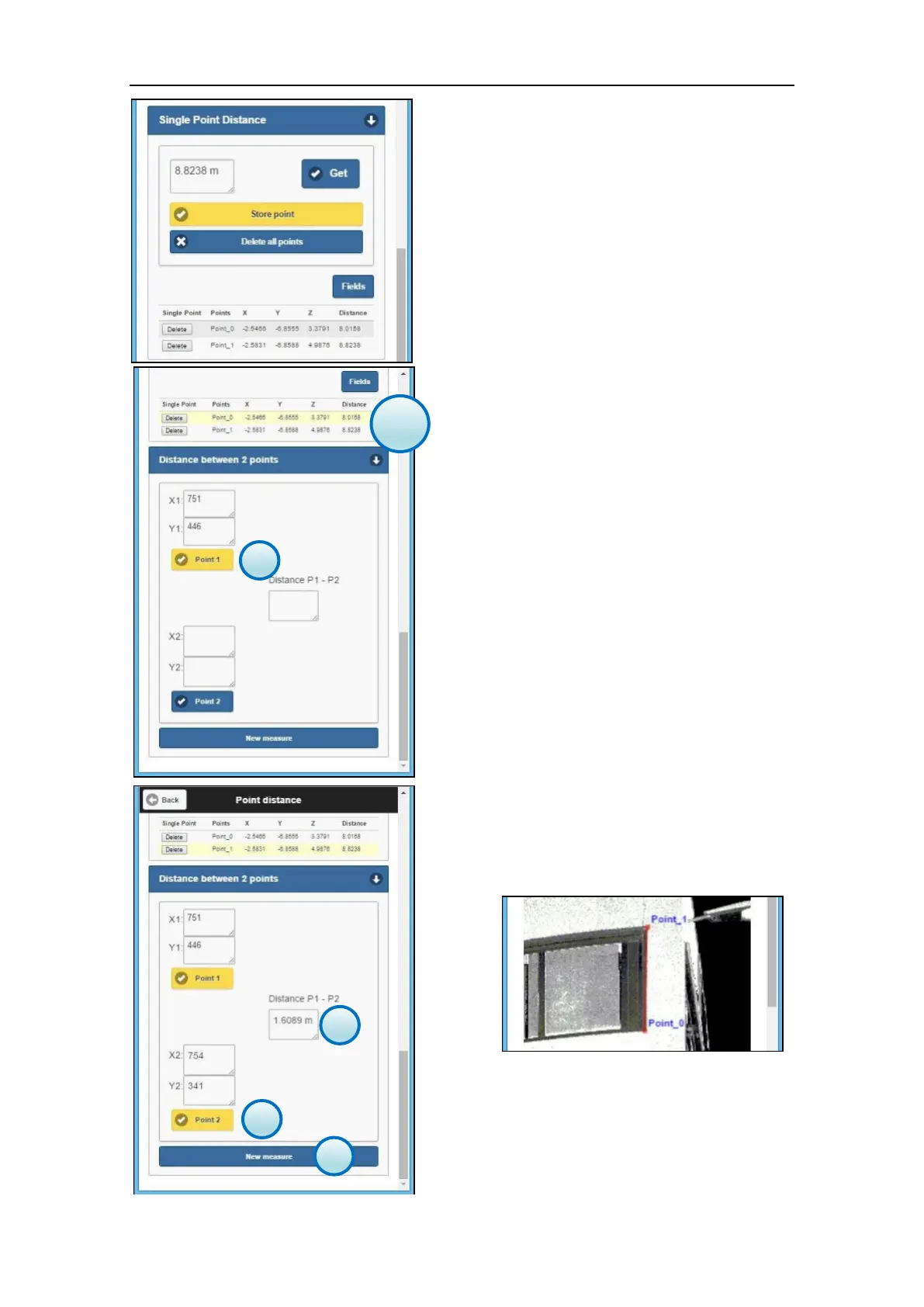
Press the Delete all points button to
permanentry erase all the points from the
point list and from the X300 internal memory.
5. Select point 1 and point 2 from the
point list
a. Select the first point from the
point list by tapping on it. The
image coordinates are displayed in
the boxes below.
b. Tap on the Point 1 button to
confirm the element (the button
will turn to yellow color)
c. Select the second point from the
point list by tapping on it. The
image coordinates are displayed in
the boxes below.
d. Tap on the Point 2 button to
confirm the element (the button
will turn to yellow color)
e. The Distance value (in meter units)
is displayed in the Distance P1 – P2
box. The P1-P2 distance is
displayed in the preview image.
6. Tap the New Measure button to clear
all the fields and start a new measure



 To Next Page