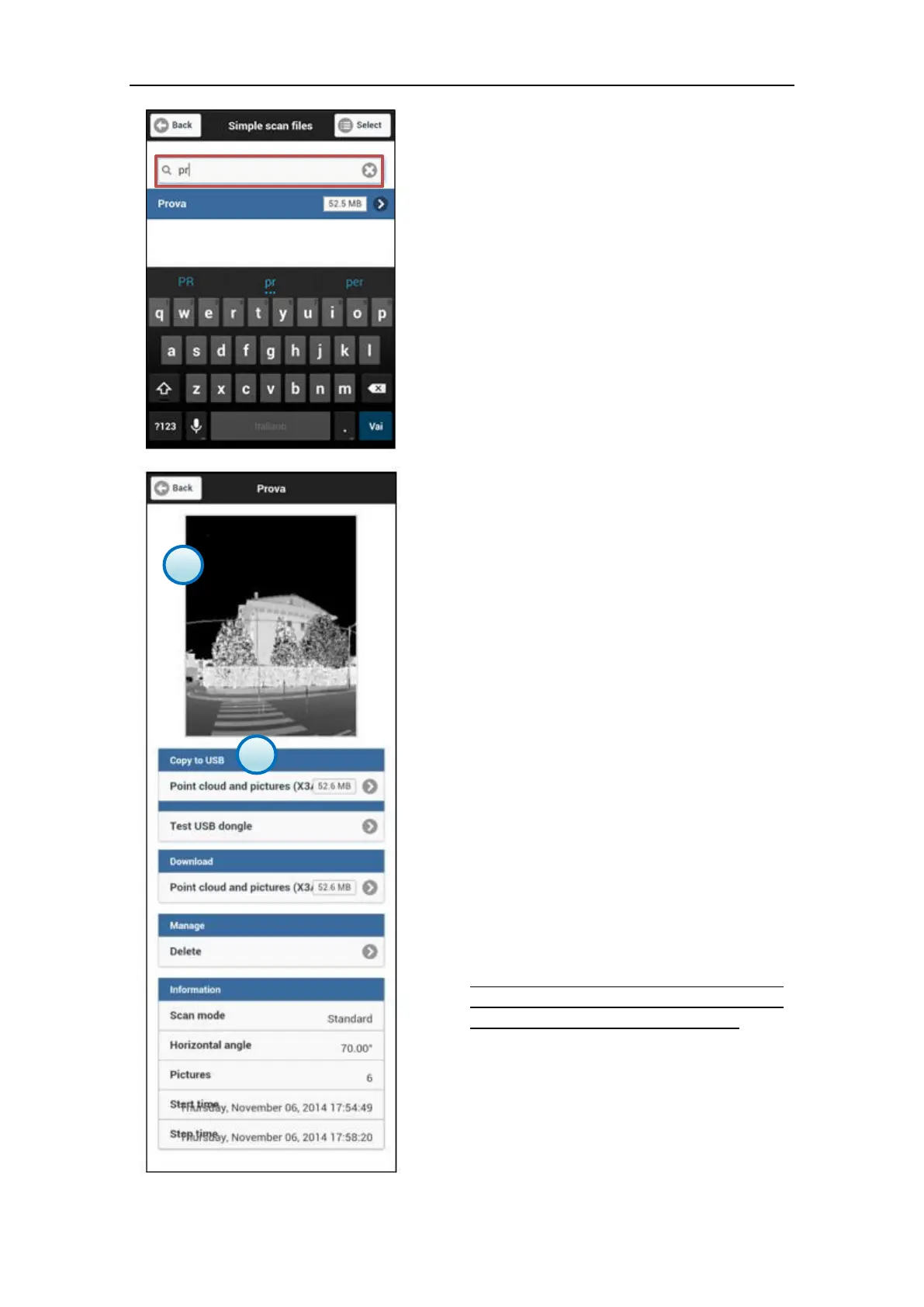
2. Searching filter bar
In the Searching filter bar, write the name or
part of it to find out all the files corresponding
to the filter.
3. Scan profile
When you click on a specific scan file box, you
will be led to its dedicated information page.
In the profile you can find:
a. Preview thumbnail
It shows a preview thumbnail of the point
cloud scanned by the X300 (without pictures
matching).
b. Copy to USB
USB download becomes available when a USB
memory drive is connected to the X300 USB
port.
Click on Point cloud and pictures (X3A) to
download the scan file into the USB driver.
On the right there is the estimated file size.
Firmware versions later than 0.5.48 enable an
integrity test function on the USB memory
drive: Test USB dongle (see par. 3.5.9.6)
NOTE
Plug the USB memory drive in the X300 USB
port only after powering on the scanner and
remove it after turning off the scanner.



 To Next Page