104
➊
➋
➌a
➌b
EN/06.2019/G57 © STULZ GmbH – all rights reserved
C7000 INSTRUCTIONS fOR A/C UNITS
The corresponding commands:
Components
Aux. Ports/AOUT
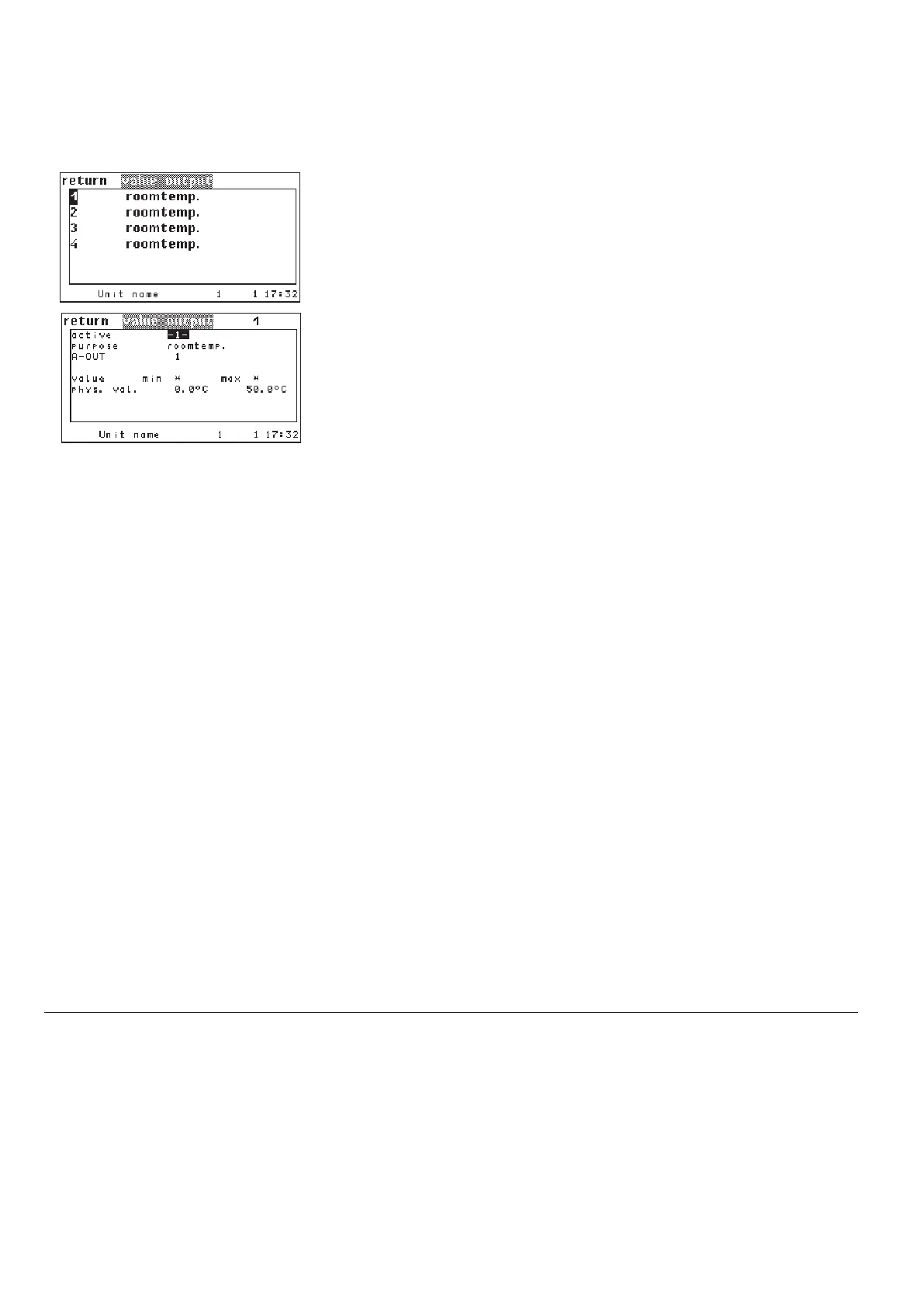
In this window you can output analog values on analog outputs so that they can
be used by a BMS.
Select one of the 4 value outputs which are adjusted with the sensor purpose
"Room temp." as standard.
Then a window will appear, in which you can adjust parameters for the value
output. In the first line you can activate the value output. You can do the set-
tings in line 2 to 4 in advance and save them, without having the value output
be come into effect. Only if you set the parameter in the first line to "1", the
value output begins. When several sensors with the same purpose exist, the
average value is calculated.
In line 2 you determine the actual value which will be output. The sensor is
selected by the purpose
➊ (as listed for the sensors). If you select a purpose for
which no sensor exists, the output value is 0V. In the third line you set the ana-
log output
➋.
The parameters in line 5 serve to calibrate the output. If you have selected a
sensor with the purpose "water temperature, inlet 2" and set the value 5.0 for
the "min" parameter
➌a in line 5, you define the lower limit by this. At 5,0°C a
voltage of 0V will be output. At 4,0°C also 0V will be output. By the "max" para-
meter
➌b you define the upper limit, at which 10V will be output.
valout 1 use 2
valout 1 aout 6
valout 1 min 5.0
valout 1 max 35.3
Config



 To Next Page