9 © STULZ GmbH – all rights reserved EN/06.2019/G57
C7000 INSTRUCTIONS FOR A/C UNITS
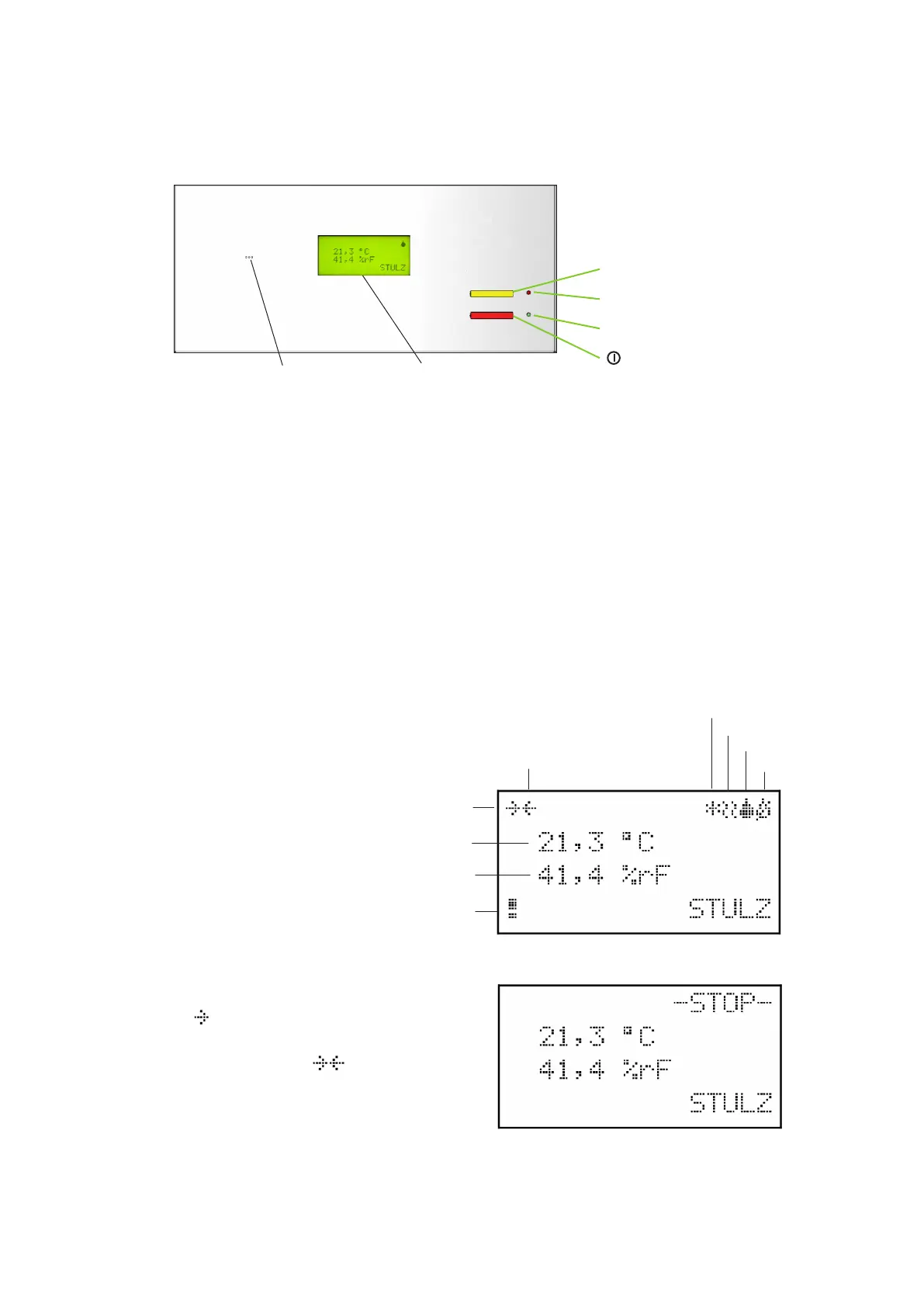
Reset key Alarm signals are acknowledged with the reset key. Press it once to silence the
alarm tone. Press it a second time to clear the alarm message (if the cause has been
eliminated).
LED alarm This LED display flashes in the event of an alarm and remains lit after the reset key has
been pressed once.
LED start/stop This LED display lights up when the control of the A/C unit is switched on.
Start/stop key The control of the A/C unit is switched on/off with this key.
Audible indicator The audible indicator issues an alarm tone when an alarm has occurred.
Display The display shows the actual temperature and humidity, operating states and alarms.
Display
Audible indicator
Cooling
Heating
Humidification
Dehumidification
Request sent
Actual temperature
Actual humidity
Alarm
Response received
The status request is sent to the C7000IOC in a
fixed cycle of 3 seconds. During the request the
symbol
is displayed.
As soon as a formally correct response is recei-
ved the following symbol
flashes once.
If no response has been received after three
consecutive requests, question marks are dis-
played instead of the temperature and humidity.
Display with the control switched off:
2.3 Operational elements - C7000 Display
Reset = Reset key
LED = Alarm
LED = On/off
= On/off key



 To Next Page