37 © STULZ GmbH – all rights reserved EN/06.2019/G57
C7000 INSTRUCTIONS fOR A/C UNITS
5.2 Control commands - C7000
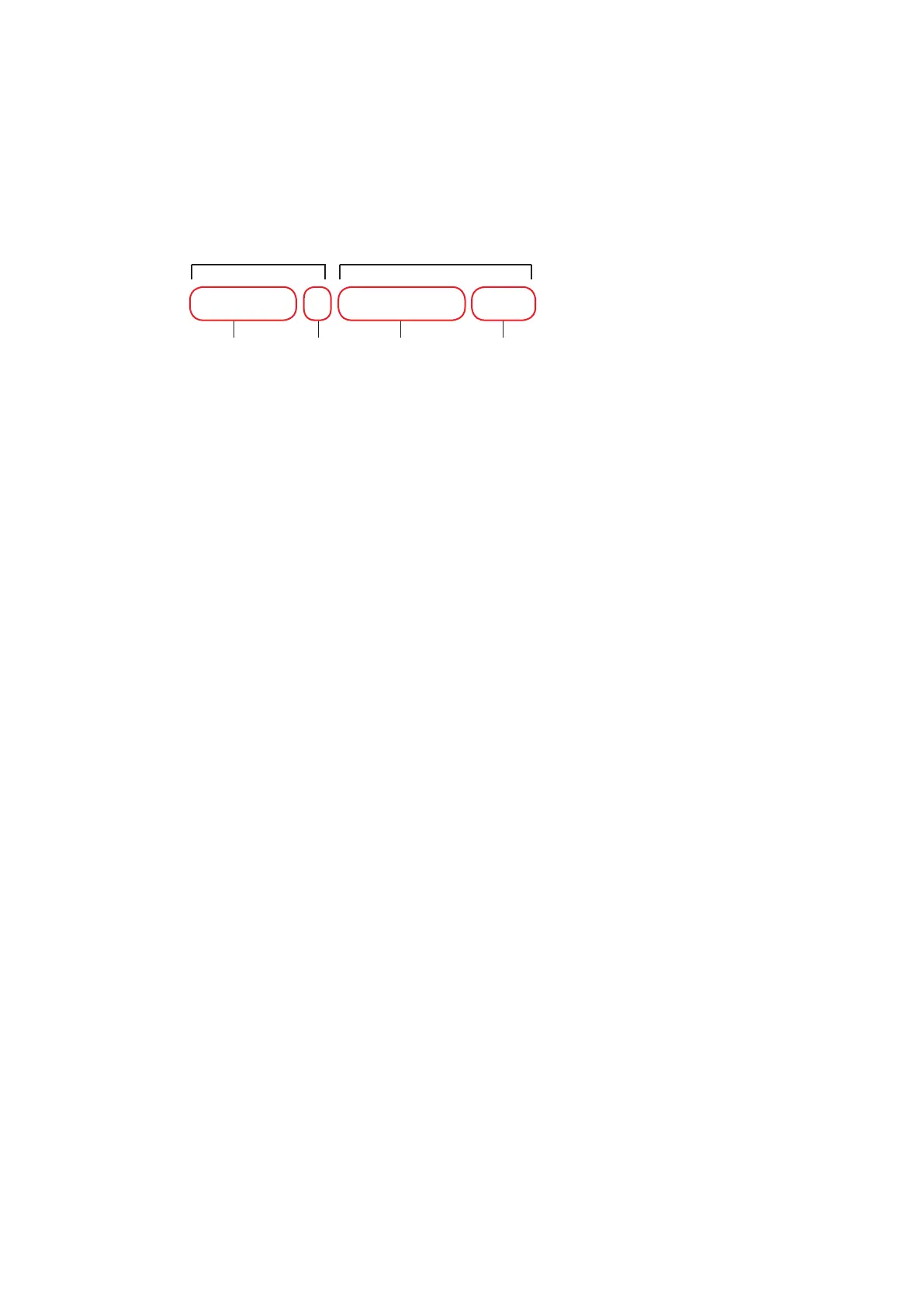
A typical control command is structured as follows:
top command sub-command
command component parameter parameter
number designation value
Following a summary of the most frequent sub-commands:
sets the type of control (mostly 1=2-point control, 2 = proportional)
sets the startpoint (temperature or humidity according to the component)
sets the summer operation startpoint
sets the winter operation startpoint
sets the hysteresis (for on/off-controlled components)
sets the summer operation hysteresis
sets the winter operation hysteresis
sets the pressure startpoint
sets the gradient (for proportionally controlled components)
sets the pre-start time in seconds
sets the pre-opening of a valve in %
sets the pre-speed of a fan or pump in %
0 = deactivates a component from the configuration
1 = activates a component for the configuration
assigns the analog input # to the component (sensor)
assigns the digital input # to the component related alarm
assigns the component to the analog output #
assigns the component to the digital output #
0 = no common alarm when component alarm
1 = common alarm when component alarm
sets the alarmdelay in seconds
assigns the alarm to alarm relay # (digital output)
sets the runtime in hours
0 = disables manual operation, 1 = enables manual operation
0/1/# = switches off/on the component in manual operation or sets a value in %
for proportionally controlled components
The bullet items within the text refer to the corresponding command at the bottom of the page.
In general the parameters which can be modified, are numbered line by line from top to bottom. If a line con-
tains several parameters the bullet number is followed by a small letter for each column.
For example, the parameter which is indicated by
➎b can be found in the second column of the fifth line.
type 1/2/3..
start #,#
startsum #,#
startwin #,#
hys #,#
hyssum #,#
hyswin #,#
press #
grad #,#
pretime #
preopen #
prespeed #
conf 0/1
ain #
din # / alarm #
aout #
dout #
commonalarm 0/1
alarmdelay #
alarmprio #
runtime #
hand 0/1
handon 0/1/#
drycool 1 startsum 32.0



 To Next Page