164
➊
➋
➌
➍
➎
➏
➊
➋
➌
➍
➎
➏
a
b
c
b
c
➎
➏
➐
➑
➒
exalarmin 1 text xxx123
exalarmin 1 conf 1
exalarmin 1 alarm 11
exalarmin 1 commonalarm 0
exalarmin 1 alarmprio 9
exalarmin 1 alarmdelay 6
re
water
ow
phase
busalarm
adrconict
din 15
commonalarm 1
alarmprio 8
commonalarm 1
alarmprio 8
re
water
ow alarmdelay 7
phase
bus
Config
Operate
Config
Operate
Config
Operate
Config
EN/06.2019/G57 © STULZ GmbH – all rights reserved
C7000 INSTRUCTIONS fOR a/C UNITS
Components/Aux. Ports
Aux. Alarm
Alarm parameter:
Alarm delay
➏
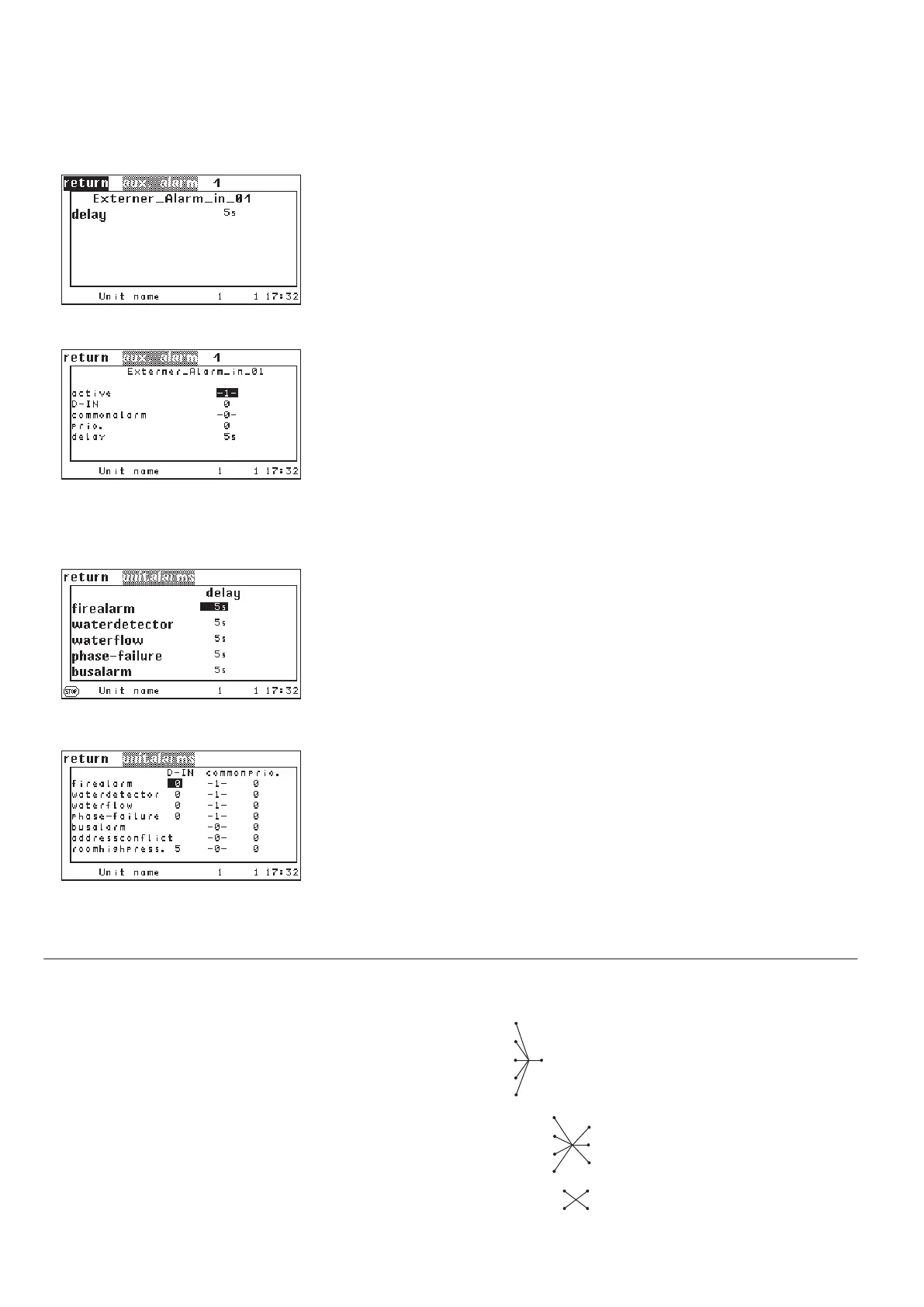
In the first line you can type in the alarm text which you want to be displayed in
case of the alarm.
➊
By setting the parameter "ACTIVE" on 1 you add an external alarm to the confi-
guration. With "0" you disable the ext. alarm.
➋
Alarm parameters:
Digital input
➌
Common alarm release ➍
Alarm priority ➎
Alarm delay ➏
Components/Aux. Ports
Unit alarms
Concerning the unit alarms, you can adjust the alarm delay for the fire alarm
➎,
water alarm
➏, water flow alarm ➐, phase failure ➑ and bus alarm ➒.
In this window you can assign digital inputs to unit alarms (
➊-➍)a, determine,
whether the corresponding alarm releases a common alarm (
➊-➏)b and assign
the alarm to a relay (
➊-➏)c.
1. Fire
➊, by an external smoke and temperature sensor
2. Water
➋ by an external water detector
3. Water flow failure
➌ by a flow sensor
4. Phase failure
➍ by a phase control module
5. Busalarm
➎,
6. Address conflict
➏, these alarms are detected by the controller and need
neither sensor nor digital input.
Aux. alarm Unit alarms
8.3 Configuration of external and unit alarms



 To Next Page