168
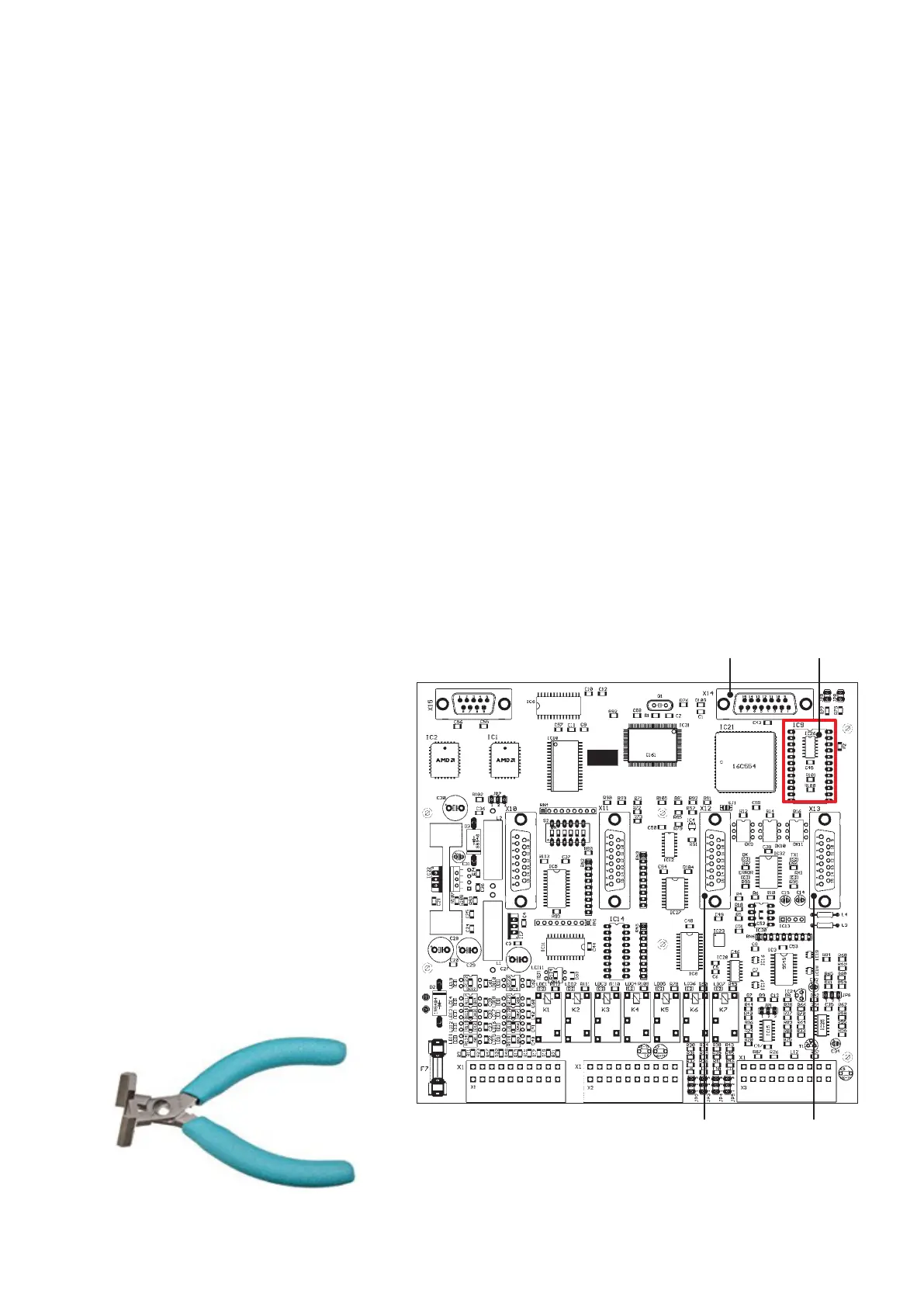
X12 X13
X14 RTC
EN/06.2019/G57 © STULZ GmbH – all rights reserved
C7000 INSTRUCTIONS fOR a/C UNITS
RTC (real time clock)
The RTC installed on the C7000IOC (component IC9) and C7000AT (component D2) has a minimum life
expectancy of 10 years at an ambient temperature of 25°C.
This expectancy can be reduced by different influences.
Detecting the malfunction
C7000IOC:
The time on the console and in the event log is wrong (after switching off and on).
Versions older than IOC 4.13 lose their configuration and return to the default setting.
C7000AT:
The time on the display is wrong.
Changing the RTC
The RTC can be purchased as a spare part by the part number M24826.
C7000IOC:
From C7000IOC version 4.13 the IOC configuration is no longer stored in the RTC.
Up from this version you can exchange the RTC, without losing the configuration.
• De-energize the A/C unit.
9. Troubleshooting
Electrostatically endangered compo-
nents are located on the C7000IOC.
• Observe the ESD standard.
• Use a wrist grounding strap.
• Open the A/C unit. The C7000IOC
board is located in the electrical box.
• Remove any existing expansion boards
of the IOC board.
• Carefully pry the RTC module with an
IC extractor from the socket.
• Insert the new RTC module and
observe the polarity (pin1 to pin 1).
IC extractor



 To Next Page