36
Pos. B
COM 1
Pos. 12
Pos. 23
Pos. A
X4
EN/06.2019/G57 © STULZ GmbH – all rights reserved
C7000 INSTRUCTIONS fOR a/C UNITS
For a C7000 control system there are two different soft-
wares. The essential control software, which contains
the commands for the command level, is located in the
EPROM on the C7000IOC board. The second software
contains the menu structure of the C7000AT and is
located in the EPROM of the C7000AT board.
The control parameters in the C7000IOC are resistent
and do not have to be re-entered after loading the soft-
ware. This is also the case for the IO bus configuration of
the C7000AT.
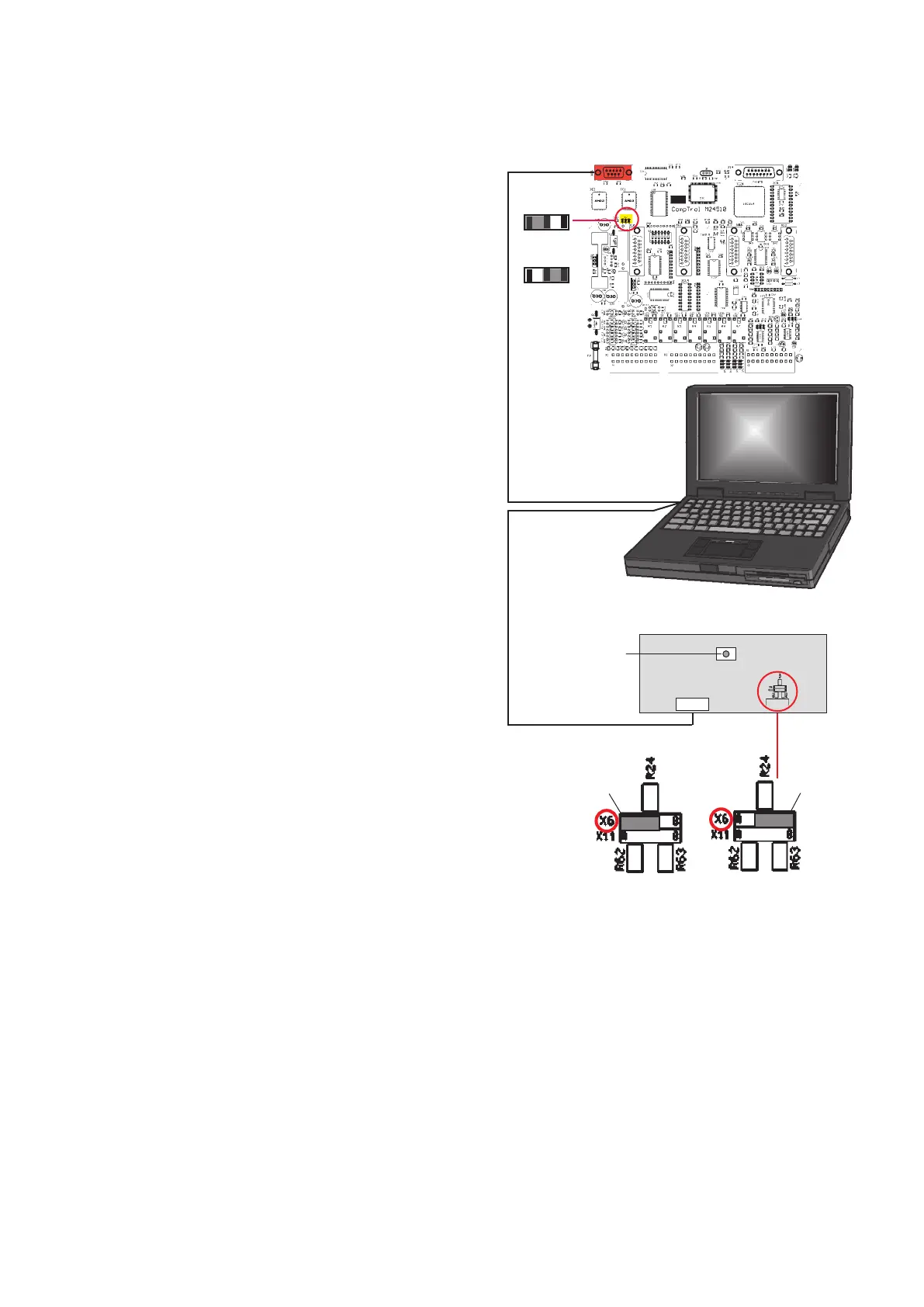
For loading a software in the EPROM of the C7000IOC
you must connect the service port of the IOC to a seri-
al interface of your PC/Laptop by means of a RS232
modem connection.
IOC is now in the „download“-mode.
program can be downloaded from the Stulz-website.
been loaded.
For loading a software in the EPROM of the C7000AT
you must connect the service port of the C7000AT to a
serial interface of your PC/Laptop by means of a RS232
modem connection.
board. The C7000AT is now in the „download“-mode.
5.1 Loading a new Software
Only for the C7000AT:
In the next step all parameters, if they deviate from the default settings and the bus configuration, must be read-
justed. The default language is English. If you require another language, you can change this in the „System\
Languages“ menu.
RS 232 - modem connec-
tion with 29 poles Sub-D
(Female)
Rear side of C7000AT board
Reset button
In the service manual G60 the possible applications of the program "C7000Service.exe" are described.
*System requirements: Windows 95/98/NT/2000/ME/XP/Vista/Win7/Win8



 To Next Page