10
= OK
EN/06.2019/G57 © STULZ GmbH – all rights reserved
C7000 INSTRUCTIONS FOR A/C UNITS
3. Controller start
C7000AT
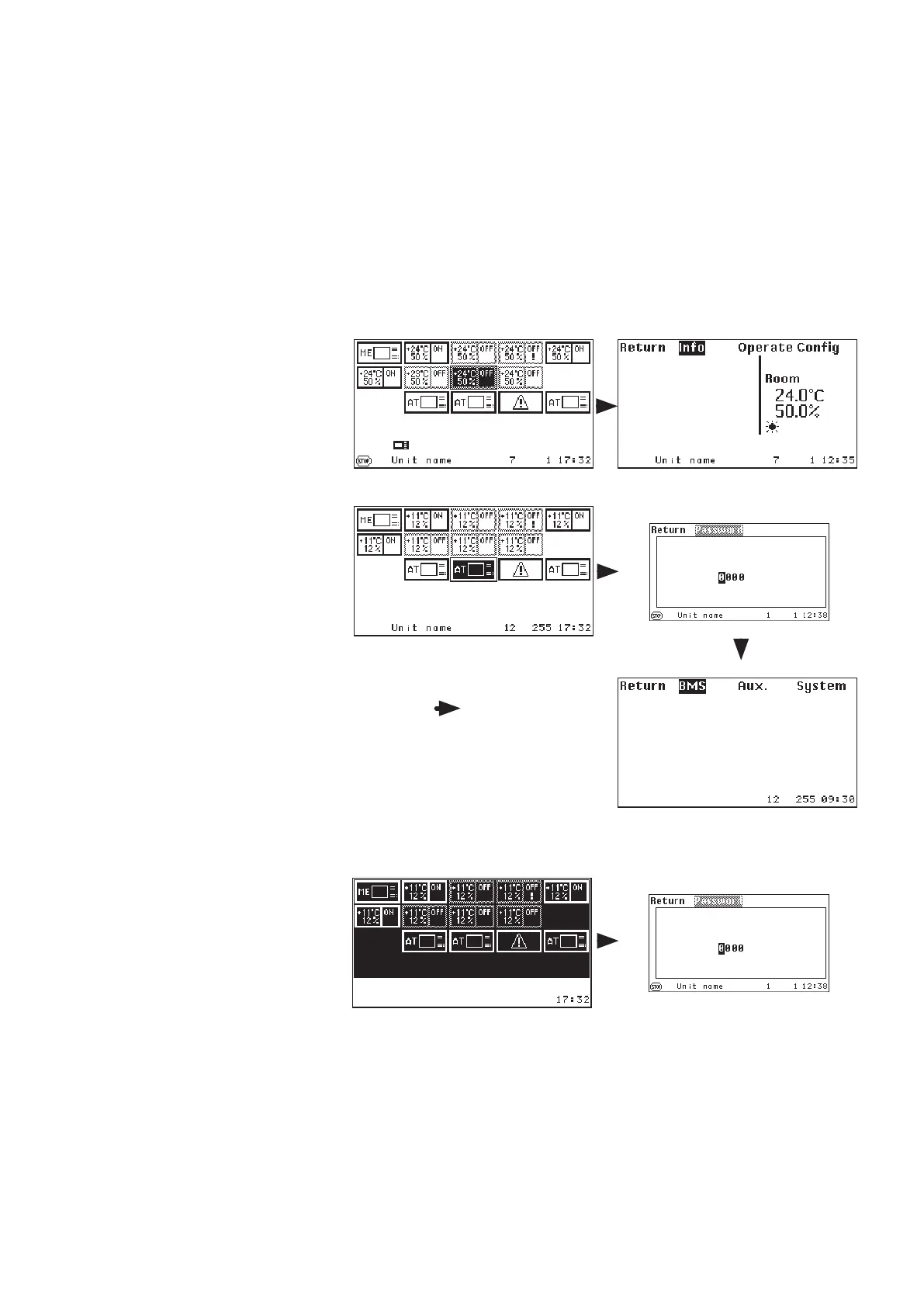
After having switched on the pow-
er supply of the C7000AT the bus
overview will appear.
With the selector key you can
choose the unit which you want to
control.
A symbol/unit which is selected, is
displayed inversely.
Empty bus positions will be skipped.
When you have selected a
C7000IOC and confirmed by the
OK key, the main menu for the
C7000IOC is displayed.
When you have selected a C7000AT
and confirmed by the OK key, after
having entered the AT password
the main menu for the C7000AT is
displayed.
Confirmation view
Main menu for C7000IOC
Main menu C7000AT
After having marked the last bus
participant position (bus address 14
in the example) you get to the fol-
lowing display, with the selector key,
where all units are marked.
In this state you can switch on/off
the whole system by the local on/
off key.
Commands
state start
state stop
The control/the A/C unit is started.
The control/the A/C unit is stopped.
If some units are in operation, all units are switched off if you press the on/off key.
(Details see on/off protection, on the next page but one).
If you press the OK-button when all positions are marked the existing configuration is confirmed after the request
and entry of the AT-password.



 To Next Page