7 © STULZ GmbH – all rights reserved EN/06.2019/G57
C7000 INSTRUCTIONS FOR A/C UNITS
This command is a control command and shows nei-
ther help nor information but execute the command
right after pressing the return/enter-key.
The counting of any digital or analog in- or output
begins with number 1. Despite this the digital/analog
in- or output 0 can be assigned to any component.
This will allow the component to stay part of the con-
figuration even if it does not take part in the control.
A double assignment of inputs and outputs is tech-
nically possible but only reasonable in exceptional
cases.
Outputs in the languages English and German are
available at the service port.
If within a command, where the input of a number is
expected, nothing is entered, the terminal program
interprets this as "0".
Whenever a parameter is expressed by a logi-
cal function, 0 means no, disabled, 1 means yes,
enabled.
If at unit start no valid configuration is found, a mini-
mum configuration is loaded.
Note that no year date below 2000 can be entered.
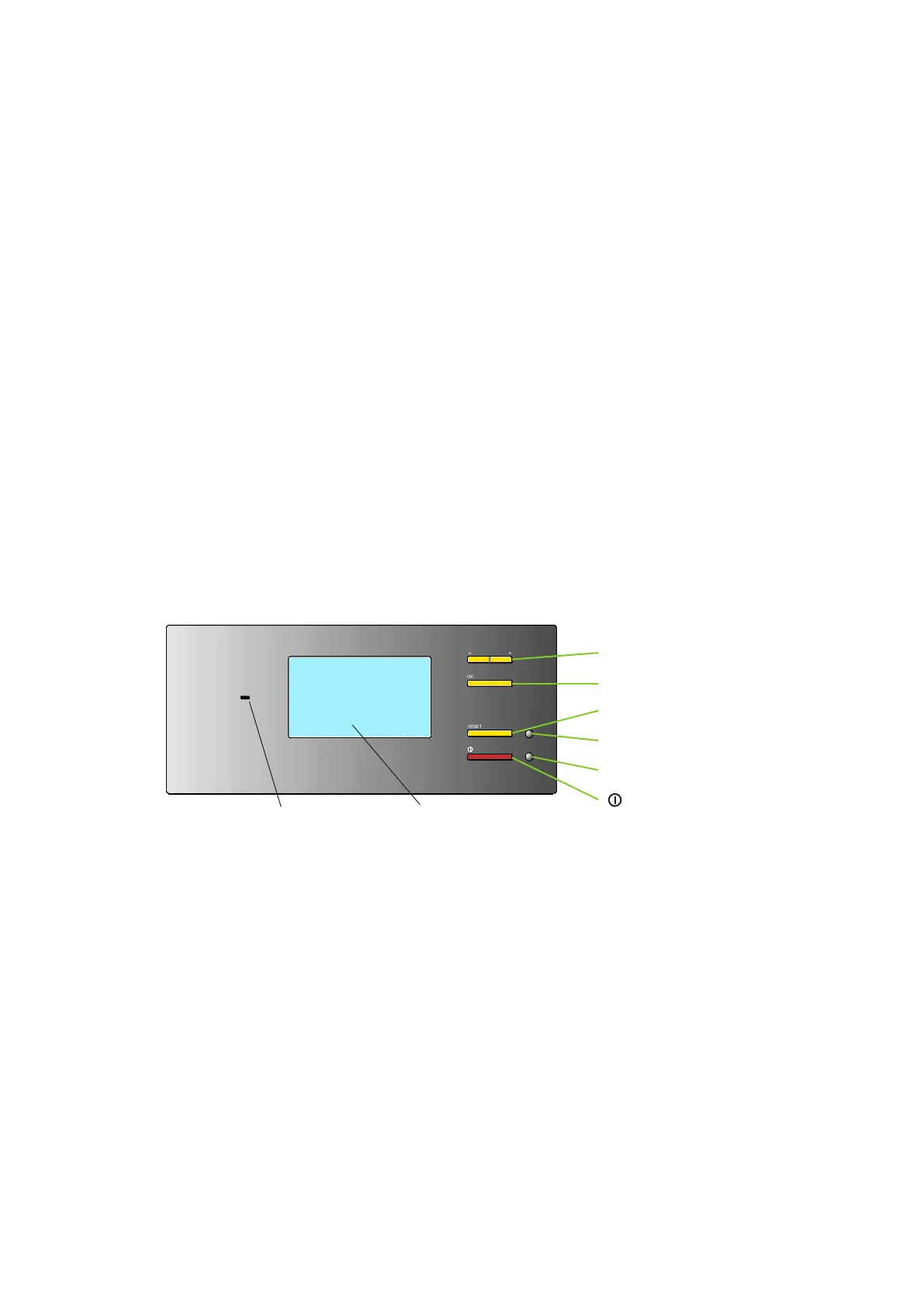
Selector key You can select menus and change parameters with the selector key
Confirmation key You acknowledge the functions/parameters selected with the selector key with the con-
firmation key.
Reset key Alarm signals are acknowledged with the reset key. Press it once to silence the
alarm tone. Press it a second time to clear the alarm message (if the cause has been
eliminated).
LED alarm This LED display flashes in the event of an alarm and remains lit after the reset key has
been pressed once.
LED start/stop This LED display lights up when at least one C7000IOC within the bus is switched on.
On/off key The control of the selected A/C unit is switched on/off with this key. If the on/off protec-
tion is enabled the control is switched on/off with a delay or after having entered a pass-
word (details on page 12).
Audible indicator The audible indicator issues an alarm tone when an alarm has occurred.
Display The display shows data, operating conditions and information for the operator's
guidance.
<> = Selector key
Ok = Confirmation key
Reset = Reset key
LED = Alarm
LED = On/off
= On/off key
Display
Audible indicator
2.2 Operational elements - C7000 Advanced



 To Next Page