8 EN/06.2019/G57 © STULZ GmbH – all rights reserved
C7000 INSTRUCTIONS FOR A/C UNITS
Operation - Navigation through the menus
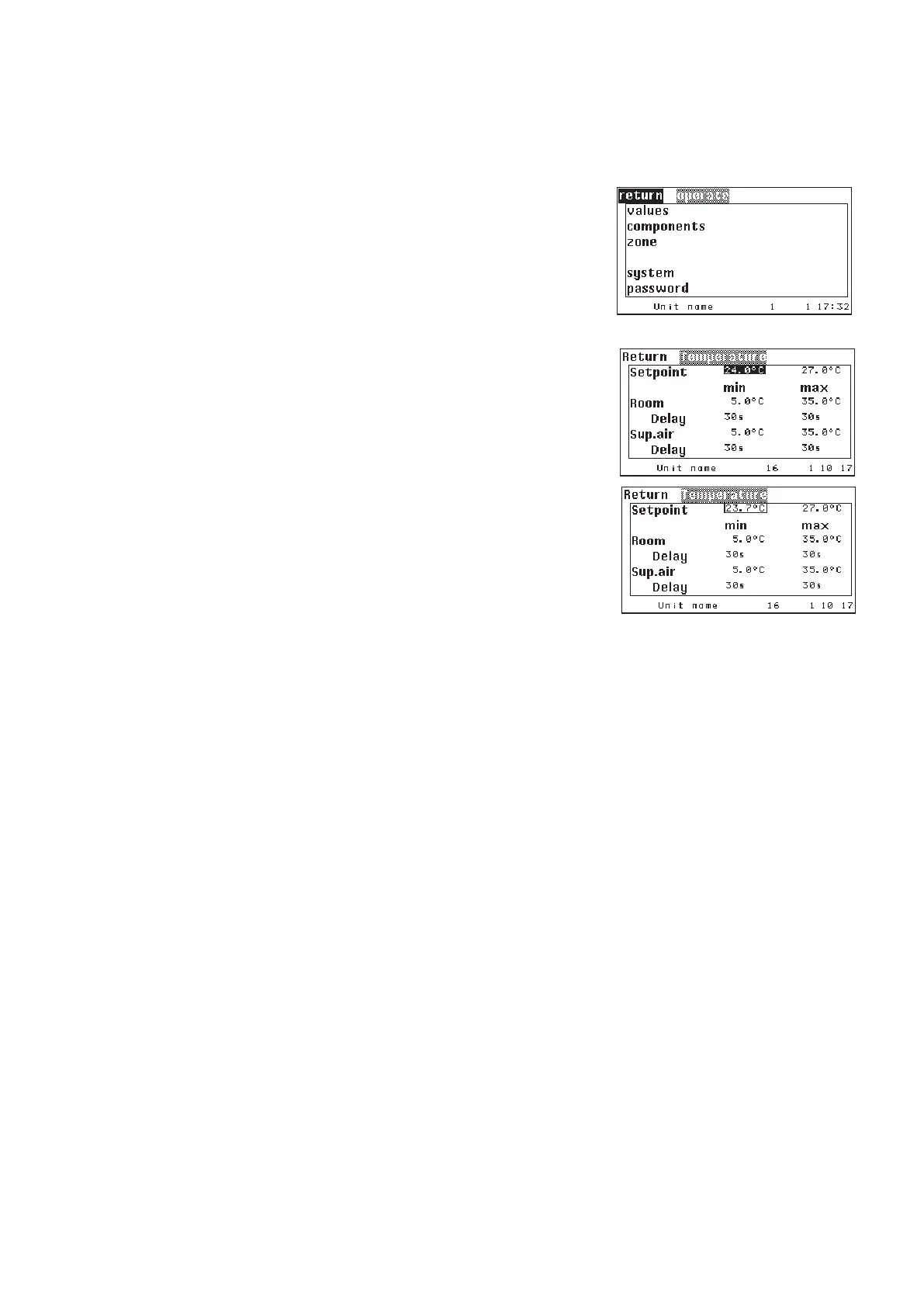
The principal keys to navigate in and across the menus are the
selector key and the confirmation key, which have the function of the
mouse for a PC. The cursor, to keep the analogy with a PC, is repre-
sented by the inverse display of a field content. This field may contain
an expression, a number or a symbol.
There are two types of menus: Selection menus and parameter men-
us. In selection menus you can choose a menu point with the help
of the selector key and after having pressed the confirmation key it
will bring you to the next submenu. To get to the next menu on a level
above there is a "Return"-field in the top left corner of every menu.
In parameter menus, which represent the end of a menu branch,
you can select parameters with the selector key, but if you press the
confirmation key, the parameter is displayed black on a clear back-
ground with a black frame and indicates this way the change mode.
By the selector key you can change the parameter value. Pressing
the confirmation key finishes the modification and displays the cur-
sor inversely again. Below the smallest value appears the symbol of
an arrow to the left. If you select this arrow and press the confirma-
tion key, the enter mode of the parameter is left without modification
of this one.
Selection menu
Parameter menu
In a few parameter menus, there is the note "more" in the bottom frame line, which indicates that another win-
dow will be displayed after the last parameter. You can also reach this window by typing the selector key "<"
when the cursor is on the field "return".
Note:
After the C7000AT has displayed a submenu of an C7000IOC for 10 minutes without key activation, it will
show the main menu of the corresponding unit again.



 To Next Page