111 © STULZ GmbH – all rights reserved EN/06.2019/G57
C7000 INSTRUCTIONS fOR A/C UNITS
Alarm changeover
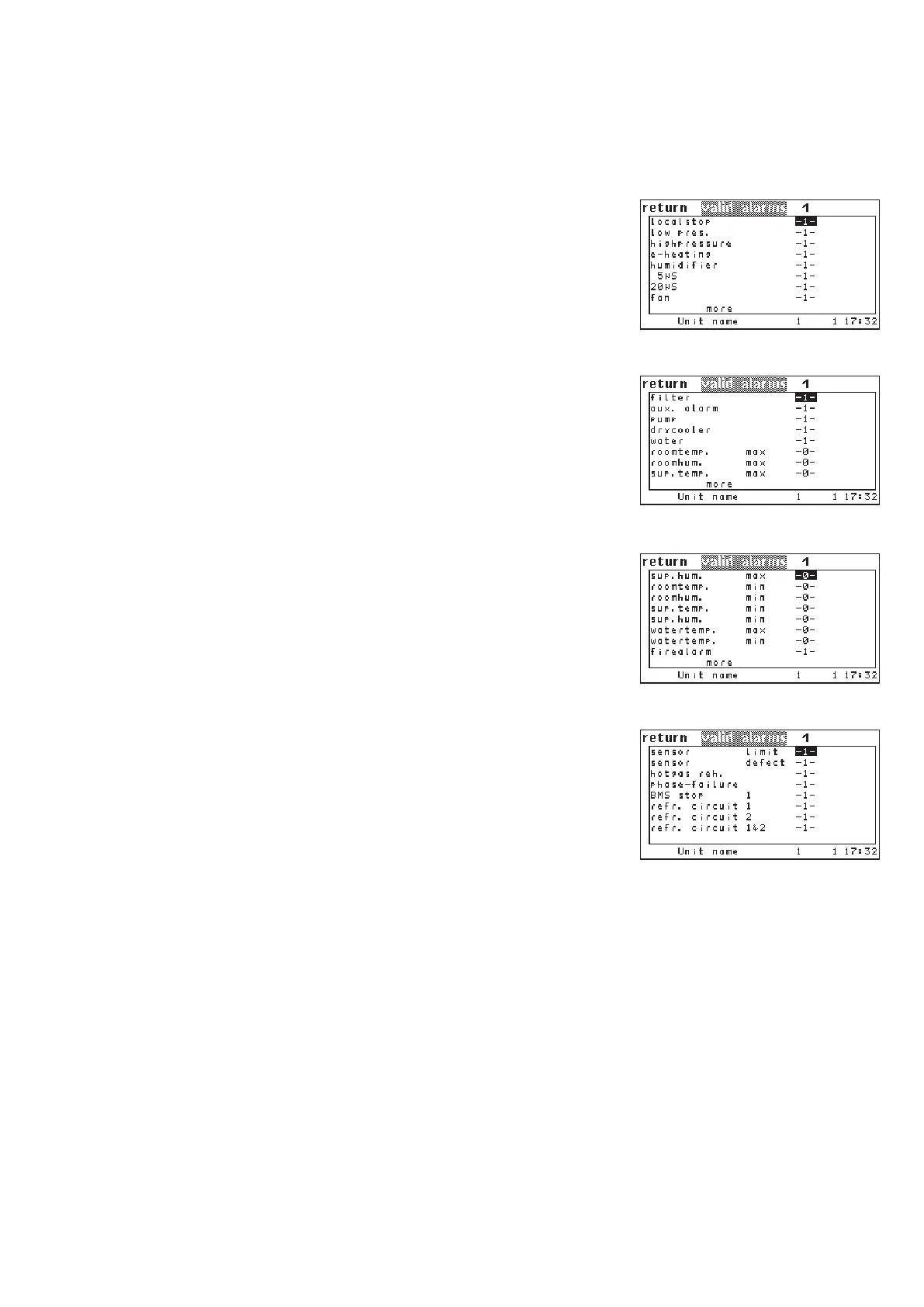
In order to changeover units in the event of an alarm, you can define
alarms as valid by setting the corresponding parameter „1“ in the
menus Z3a, Z3b, Z3c and Z3d. If such an alarm (defined as valid)
occurs, the defective unit is switched off and the standby unit with
the next higher bus address is switched on. If another unit with a
valid alarm occurs in the zone, the next standby unit (if existant) is
switched on.
Some alarms cause the cut-off of the defective unit or the deacti-
vation of functions even if the alarm has not been defined valid. (for
details see chapter 8.4 alarm messages).
The alarm „unit not available“ can not be deleted from the alarm list.
This alarm is always part of the valid alarms and appears in case of a
bus failure or when the unit has been de-energized.
Valid alarms:
--.Not available 01.Local stop
02.replaced by 30, 31, 32 03.replaced by 30, 31, 32
04.E-heating Failure 05.Humidier Failure
06.Humidier 5uS 07.Humidier 20uS
08.Fan error 09.Filter clocked
10.External alarm 11.Pump Failure
12.Drycooler Failure 13.Water detector
14.Roomtemp too high 15.Roomhumidity too high
16.Supplytemp too high 17.Supplyhumidity too high
18.Roomtemp too low 19.Roomhumidity too low
20.Supplytemp too low 21.Supplyhumiduty too low
22.replaced by 37, 38, 39 23.replaced by 40, 41, 42
24.Fire/smoke detector 25.Sensor Failure
26.Sensor broken 27.Hotgas reheat Failure
28.Phase Failure 29.BMS stop 1
30.Refrigerant circuit 1 31.Refrigerant circuit 2
32.Refrigerant circuits 1 & 2 33.reserved for CyberCool2
34.reserved for CyberCool2 35.reserved for CyberCool2
36.reserved for CyberCool2 37.Watertemp. in 1 high
38.Watertemp. in 2 high 39.Watertemp. in 1 & 2 high
40.Watertemp. in 1 low 41.Watertemp. in 2 low
42.Watertemp. in 1 & 2 low
Config/Zone/more/valid
alarms (Z3a)
.../valid alarms (Z3b)
.../valid alarms (Z3c)
.../valid alarms (Z3d)



 To Next Page