117
➊
➋
➌
➍
➎
➏
➐
➑
➒
© STULZ GmbH – all rights reserved EN/06.2019/G57
C7000 INSTRUCTIONS fOR a/C UNITS
The corresponding commands:
assigns unit 7 to zone 1
deletes unit 7 from zone 1
en- (1) or disables (0) test sequencing
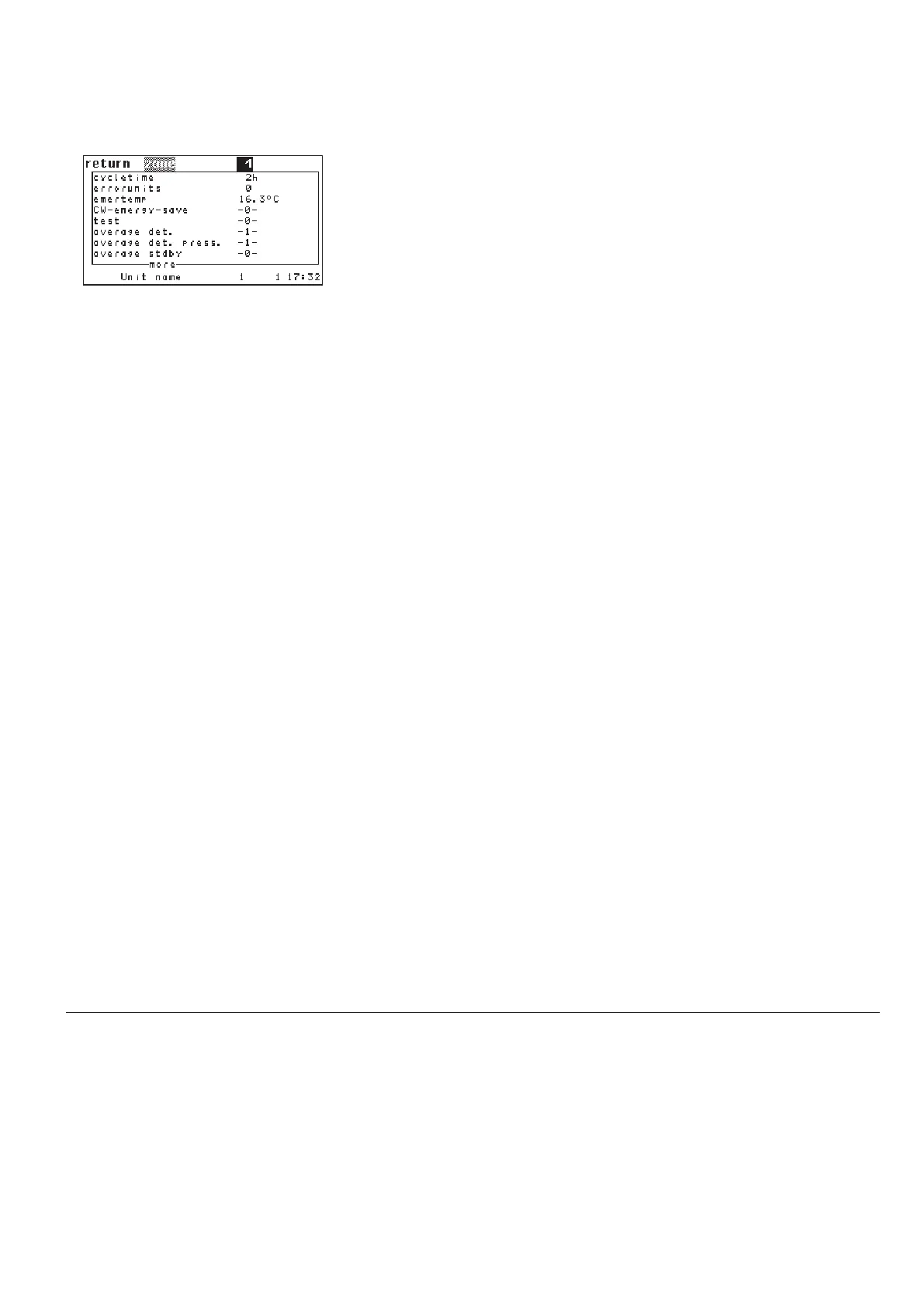
Here you can see an overview over the adjustable parameters. Zone parame-
ters must only be set at one unit of the zone. Unit parameters must be set indi-
vidually at each unit.
➊. Unit assignment (unit parameter)
A zone is defined by the assignment of units to this zone. Maximum 20 zones
can be defined with the adjustments from 1 to 20. Zone 0 means that the
unit is assigned to no zone. The assignment is made individually for each unit.
➋. Cycle time (zone parameter)
The cycletime determines the lapse of time after which a changeover will
periodically take place. With the setting "0" the sequencing is disabled.
➌. Number of defective units (zone parameter)
The entry is optional. If the number, adjusted here, is reached, the emergency
operation will be put into force. With the setting "0" the emergency operation
is disabled.
➍. Emergency temperature (zone parameter)
This temperature is the new sepoint when emergency operation is enabled.
➎. CW standby management (zone parameter)
With the setting "1" the CW standby management is enabled.
➏. Sequencing Test (zone parameter)
With the setting "1" the sequencing test with the fixed cycletime of 5 minutes
is enabled.
➐. Average value determination (zone parameter)
With the setting "1" the calculation of average values for all parameters*
except the room air pressure is enabled.
Summary of Menu Items
* Room temperature
Room humidity
Supply air temperature
Supply air humidity
External temperature
Water inlet temperature 1
zone 1 + 7
zone 1 - 7
zone 1 seqtime 10
zone 1 emernum 3
zone 1 emertemp 15.7
zone 1 cwmode 1
zone 1 test 1
zone 1 average 1
zone 1 avgp 1
zone 1 sbaverage 0
Config/Zone



 To Next Page