26
Info
.../Heating
.../Humidifier
.../Heating/E-heating
.../Dehumidification
EN/06.2019/G57 © STULZ GmbH – all rights reserved
C7000 INSTRUCTIONS FOR A/C UNITS
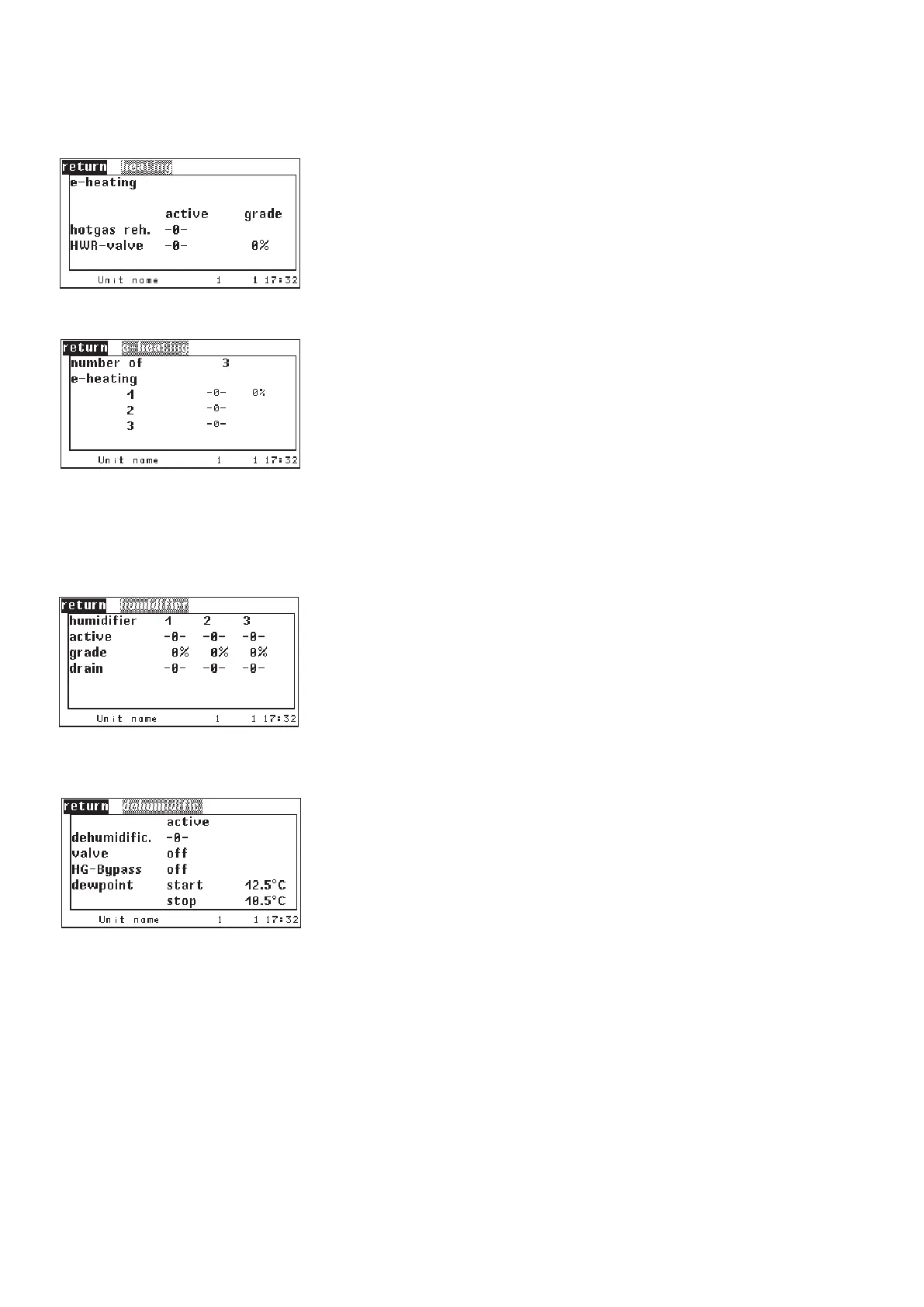
If your A/C unit is equipped with a heating, the operating state is displayed
in this window. For proportional heating the actual capacity is shown from
0100%.
For the hot water reheat the actual capacity is displayed in the shape of the
opening degree of the HWR valve.
In the submenu of the electrical heating the number of configured electrical
heatings and the operating state is displayed. The first heating can be quasi
proportionally controlled by pulse width modulation.
If your A/C unit is equipped with a humidifier, the operating state and the
degree of steam production of the humidifier is displayed in this window. The
drain valve state (0 = closed) is only relevant for CyberSonic units.
The dehumidification menu indicates whether the dehumidification is switched
on and whether the dehumidification valve is opened. The enabled dehumidifi-
cation with a closed valve indicates that the air is dehumidified by the fan speed
reduction.
The display of the start and stop dewpoint is only relevant for the activated
dewpoint control.
If the actual dewpoint is bigger than the start dewpoint, dehumidification is
switched on. If the actual dewpoint is smaller than the stop dewpoint, dehumi-
dification is switched off.
Display of the start- and stop dew point, see chapter 5.4.6 → dew point
control.
Components



 To Next Page