62
➊
➋
➌
➍
EN/06.2019/G57 © STULZ GmbH – all rights reserved
C7000 INSTRUCTIONS fOR A/C UNITS
The corresponding commands:
Components/Cooling
Compressor/12
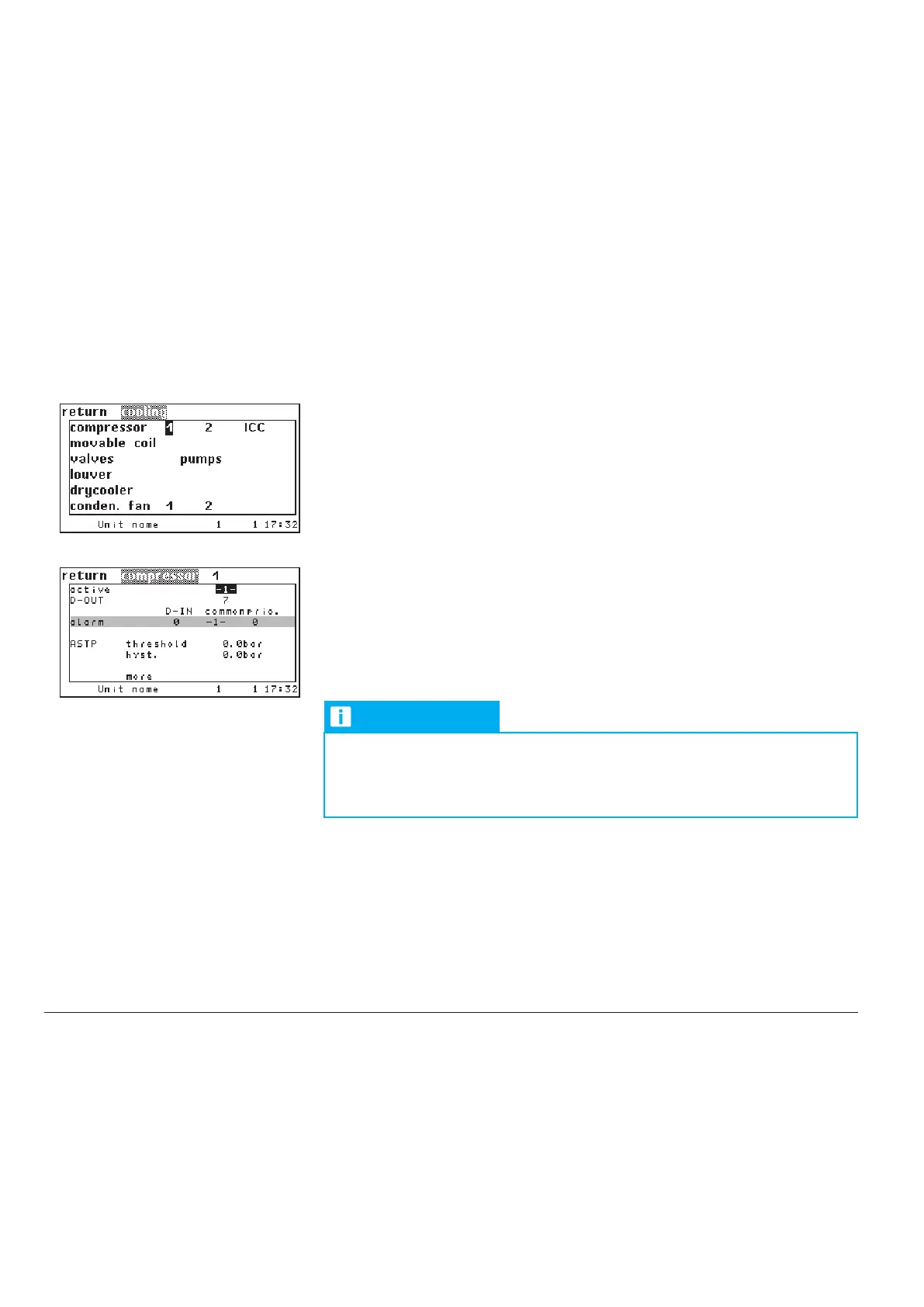
Choose the compressor (1 or 2) in the menu "Config/components/cooling" for
which the following inputs shall be valid.
Compressor 3 to 6 can only be configured by commands.
Following a new menu opens.
In the first line you add the compressor to the configuration by entering "1".
With "0" you disable the compressor although all settings concerning the com-
pressor are kept.
➊
NOTICE
You only can configure either compressor 1 or the ICC (integrated
cooling circuit, see menu "Config/components/cooling/ICC").
The ICC can exclusively work with the compressors 2, 4 and 6.
Compressor sequencing in units with two refrigerant circuits and one on/off compressor per
circuit:
The controller software tries to equilibrate the compressor runtimes. Once in an hour the software checks
whether the difference between the runtimes is 20 hours or more.
If this is the case and if the compressor with the bigger runtime has a smaller start value than the other com-
pressor, the start values and hysteresises for summer and winter operation are exchanged between the
compressors.
If only one suction valve or one HGBP valve is configured, there is no sequencing between the compressors.
You can determine a digital output for the compressor on/off signal.
➋
The alarm parameters for the compressor alarm In the fourth line are not effec-
tive for the internal compressor. A high pressure alarm is evaluated for each
refrigerant circuit instead.
- see menu Config/values/refrigerant/HP management
comp 1 conf 1
comp 1 dout 3
comp 1 limit 1.5
comp 1 hys 0.5
Config



 To Next Page