80
➊
➋
➌
➍
➎
➏
➐
➑
➒
EN/06.2019/G57 © STULZ GmbH – all rights reserved
C7000 INSTRUCTIONS fOR A/C UNITS
The corresponding commands:
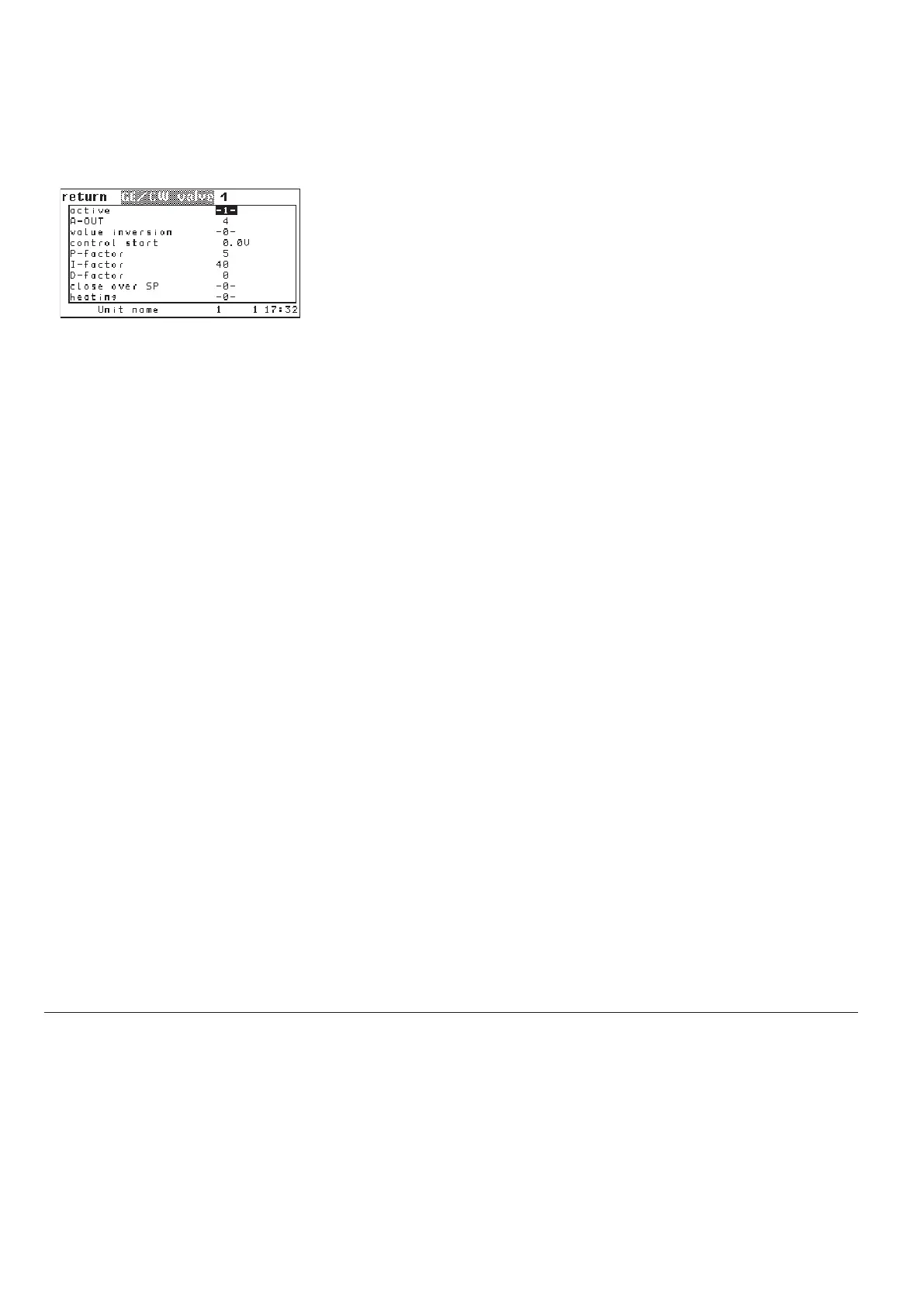
Components/Cooling/Valves
GE/CW-valve/more
In the first line you add the GE/CW-valve to the configuration by entering "1".
With "0" you disable the GE/CW valve.
➊
With the parameter "AOUT 1" you adjust the analog output of the proportional
signal for the GE/CW-valve.
➋
You can also direct the output of the analog signal to a Uk24mod gateway, to
control a component like e.g. a pressure independent control valve.
For this you need the command:
gecwv 1 uk24modmpvalve 1
You find a detailed description of the Uk24mod gateway in chapter 6.14.
In
the third line you can adjust
, how the valve will be controlled
➌
.
Setting 0: Valve closed at 0V at the output, valve open at 10V at the output.
Setting 1: Valve closed at 10V at the output, valve open at 0V at the output.
In the fourth line you can set a start voltage
➍, which will be output on the
analog output. This voltage at least must be applied at the actuator so that the
actuator begins to move. It is the lower limit of the control voltage. This value
must be determined from the technical data of the actuator. The valve is still
closed when this voltage is applied. The maximum output voltage continues to
be 10V and corresponds to an opening of 100% (0% with inverse control).
In the following lines you can set the proportional factor
➎, the integral factor ➏
and the differential factor
➐.
In the eighth line you can adjust, whether the valve shall close as soon as the
water temperature exceeds the air temperature setpoint
➑.
In the ninth line you can adjust, whether the valve shall be used for heating
➒. The control characteristics will be changed by this setting. When the air
temperature falls the valve opens, a rising air temperature will close the valve
gradually.
gecwv 1 conf 1
gecwv 1 aout 3
gecwv 1 inv 1
gecwv 1 bias 1.4
gecwv 1 pid kp 50
gecwv 1 pid ki 4
gecwv 1 pid kd 2
gecwv 1 spclose 1
gecwv 1 heating 1
Config



 To Next Page