Chapter 3 Maintaining the Sun Fire Servers 3-31
http://sunsolve.sun.com/handbook_pub/Systems/
1. Click the name and model of your server.
2. On the product page that opens for the server, click Full Components List to
view a list of components.
Use the following procedure to replace the DVD-ROM drive.
1. Power off the server as described in
Section 3.4 on page 3-4.
2. If the server is in a rack, slide it far enough from the rack so that you can
remove the main cover and front cover. If you cannot safely view and access the
component, remove the server from the rack.
3. Remove the main cover as described in
Section 3.5 on page 3-6 or Section 3.8 on
page 3-10.
4. Remove the front bezel as described in
Section 3.6 on page 3-7 or Section 3.9 on
page 3-11.
Note – Always unfasten the bezel’s securing screw before removing the bezel.
5. Remove the front cover as described in
Section 3.7 on page 3-8 or Section 3.10 on
page 3-12.
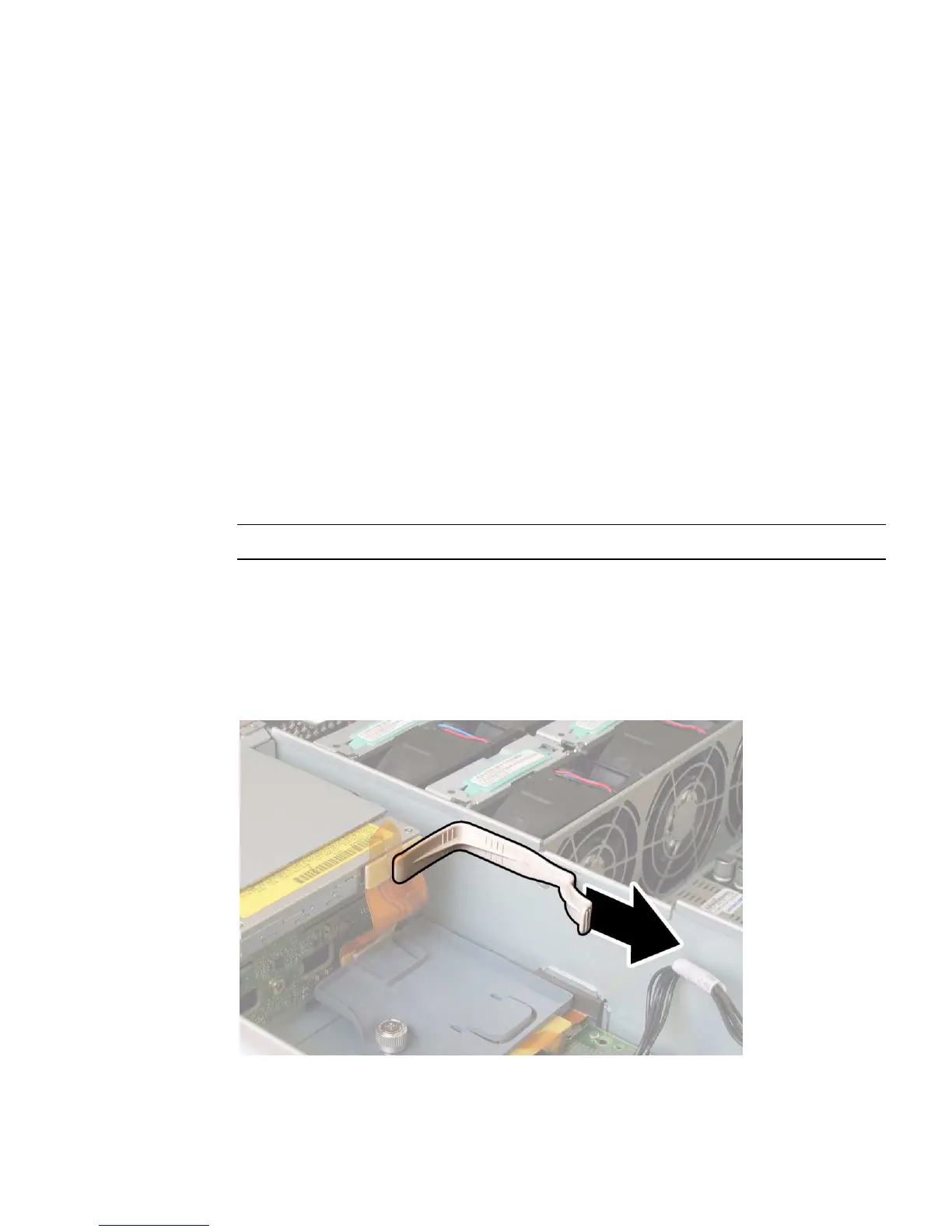
6. Remove the upper cable retainer from the chassis midwall. See
FIGURE 3-22.
FIGURE 3-22 Removing the Upper Cable Retainer














 To Next Page