Chapter 3 Maintaining the Sun Fire Servers 3-37
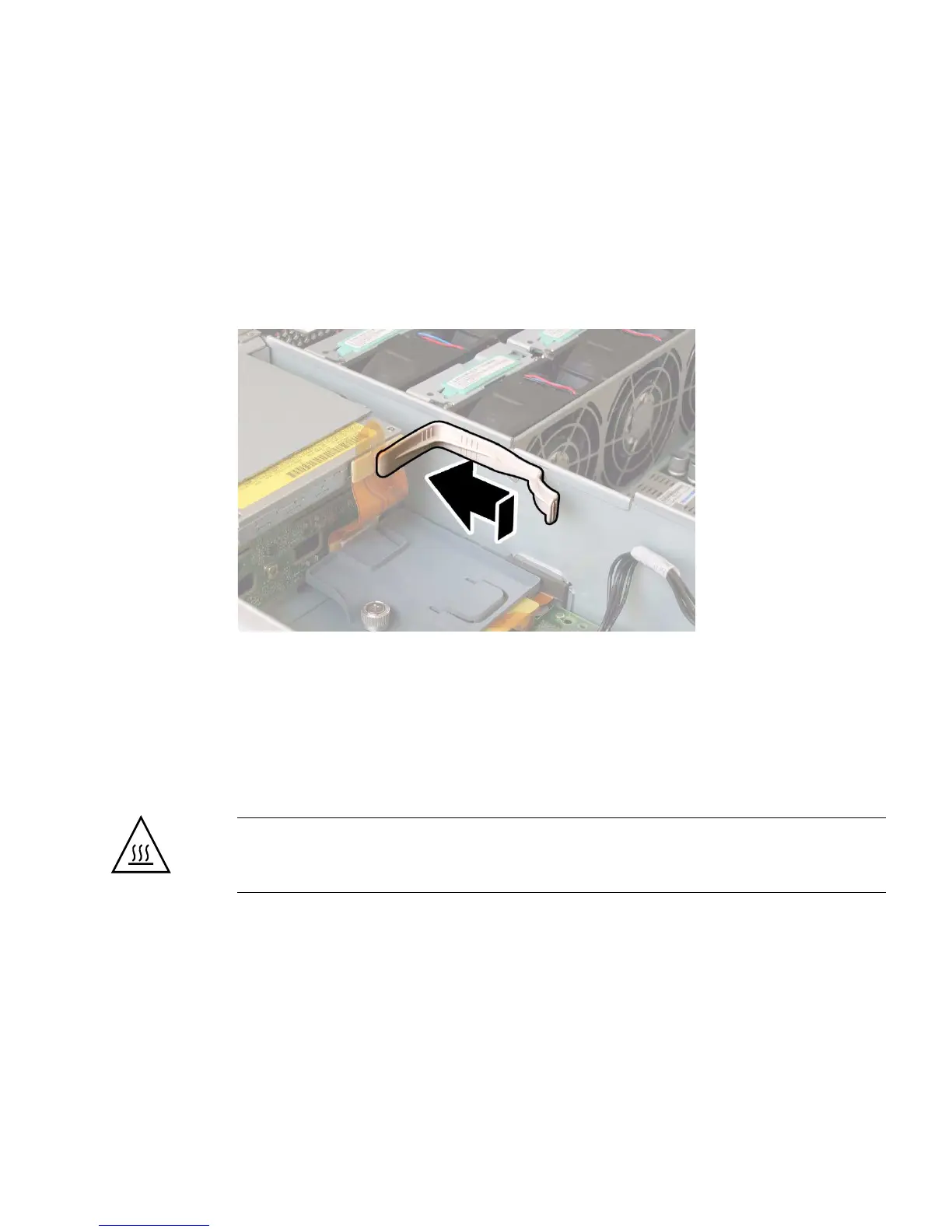
9. Install the upper cable retainer to the chassis midwall. See FIGURE 3-29.
a. Insert the two pegs on the cable retainer into the two holes in the chassis
midwall.
b. Slide the cable retainer forward until it is locked in place and it is holding
the flex cable connector firmly against the rear of the DVD-ROM drive.
FIGURE 3-29 Installing the Upper Cable Retainer
10. Replace the chassis front cover. See FIGURE 3-8 on page 3-13.
a. Place the front edge of the cover squarely onto the chassis top-front edge.
b. Set the rear of the cover down so that it fits into the keyed slots on the chassis
sides.
c. Slide the cover toward the rear of the chassis to lock it in place.
Caution – Ensure that the front edge of the cover is seated tightly and squarely
against the gasket on the top-front edge of the chassis to avoid overheating the
server.














 To Next Page