Chapter 3 Maintaining the Sun Fire Servers 3-47
8. Visibly inspect the fans and all air openings for dirt, and clean if necessary.
Note – System cooling might be affected by dust and contaminant build-up.
Therefore, you should open and check systems approximately every six months (or
more often in dirty operating environments). Check system heatsinks, fans, and air
openings. If necessary, clean systems by carefully brushing, blowing, or vacuuming
contaminants from the system.
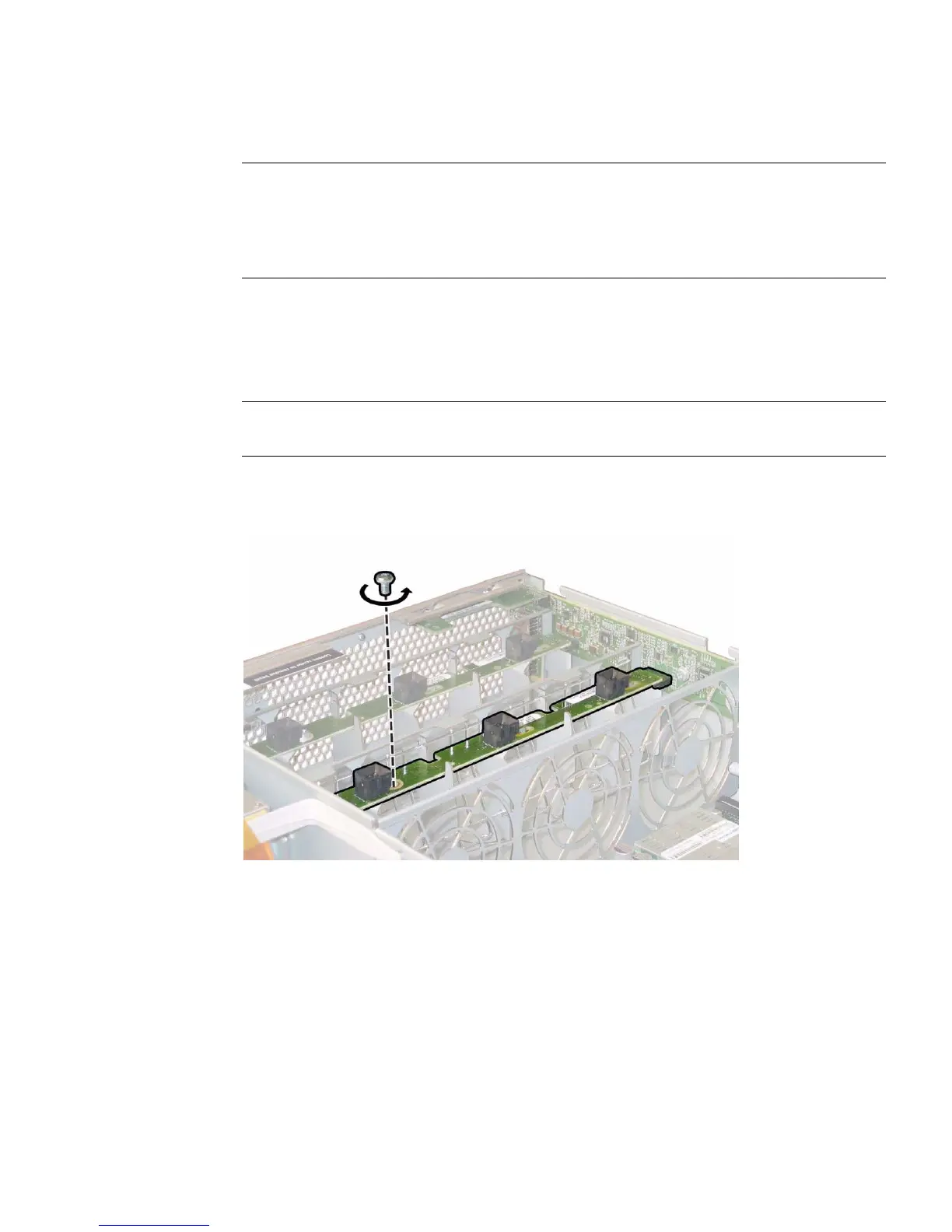
9. Remove both the fan connector boards.
a. Unfasten the single screw that secures each fan connector board to the
chassis. See
FIGURE 3-36.
Note – In the following figures, the server is shown from a rear view with the front
cover off and all fans removed to provide visibility.
FIGURE 3-36 Unfastening the Fan Connector Board Securing Screw
b. Slide each fan connector board toward the center of the chassis to disconnect
them from the front I/O board and to release each board from the locating
tabs on the chassis. See
FIGURE 3-37.














 To Next Page